Audio Assistant (add-on)
The Audio Assistant add-on is a premium feature for the MysterSmith and PeekSmith apps (if you have already purchased the add-on for the PeekSmith app, you can use it in MysterSmith too, and don't have to buy the add-on again).
The price of the add-on is currently 20 EUR (one time fee), but of course it's also included in all subscription plans (MINI, BASIC and PREMIUM).
With the "Audio Assistant" feature you'll be able to hear information as text-to-speech audio. Scan NFC cards and listen to the values secretly, receive information over the WEB (eg. from Inject), hear what word the spectator has written on the impression board etc.
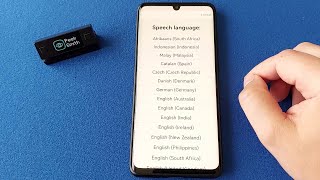
Purchasing the "Audio Assistant" add-on
If you don't want to subscribe for MysterSmith (to get all the available add-ons), you can also purchase the Audio Assistant add-on for 20 EUR by clicking here:
bsmagic.app/payment/?item=audioassistant
Activating your code
If you are a MysterSmith subscriber, the add-on is already activated for you.
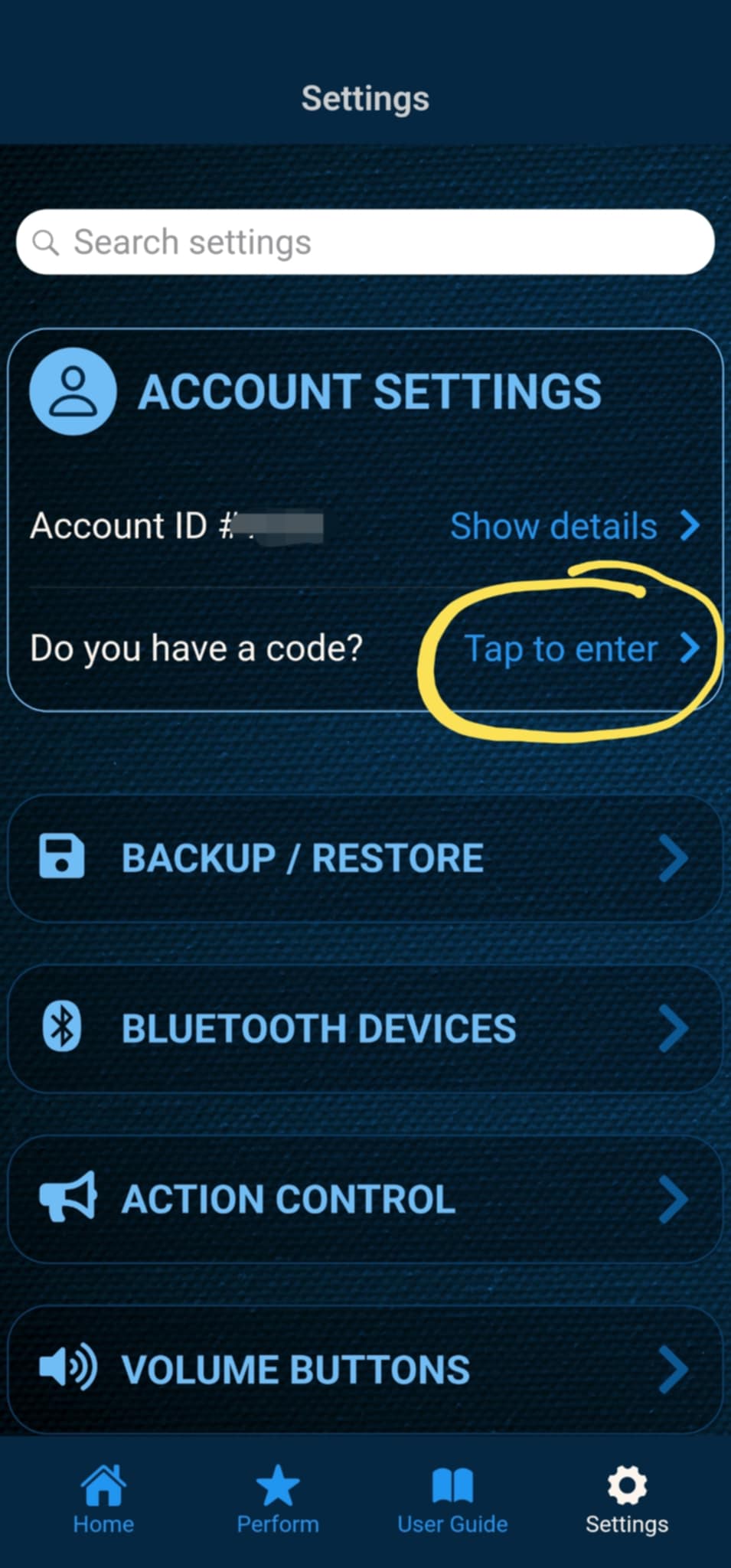
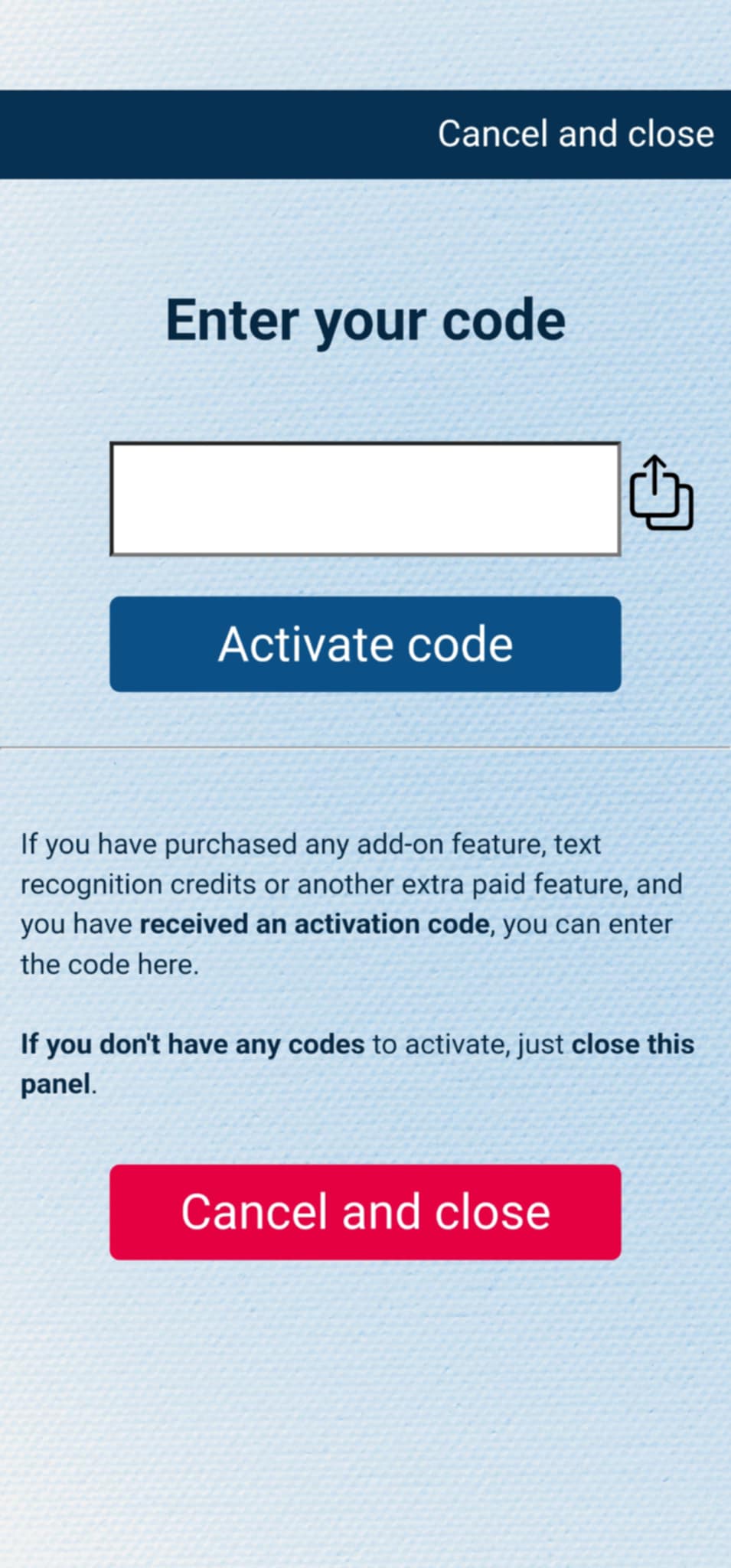
If you have purchased the add-on separately, or received the code as a gift, you can activate the code by entering it in MysterSmith, in the ACCOUNT STTINGS section. Just look for the line " Do you have a code? ", and " Tap to enter ", and the code activation screen will pop up.
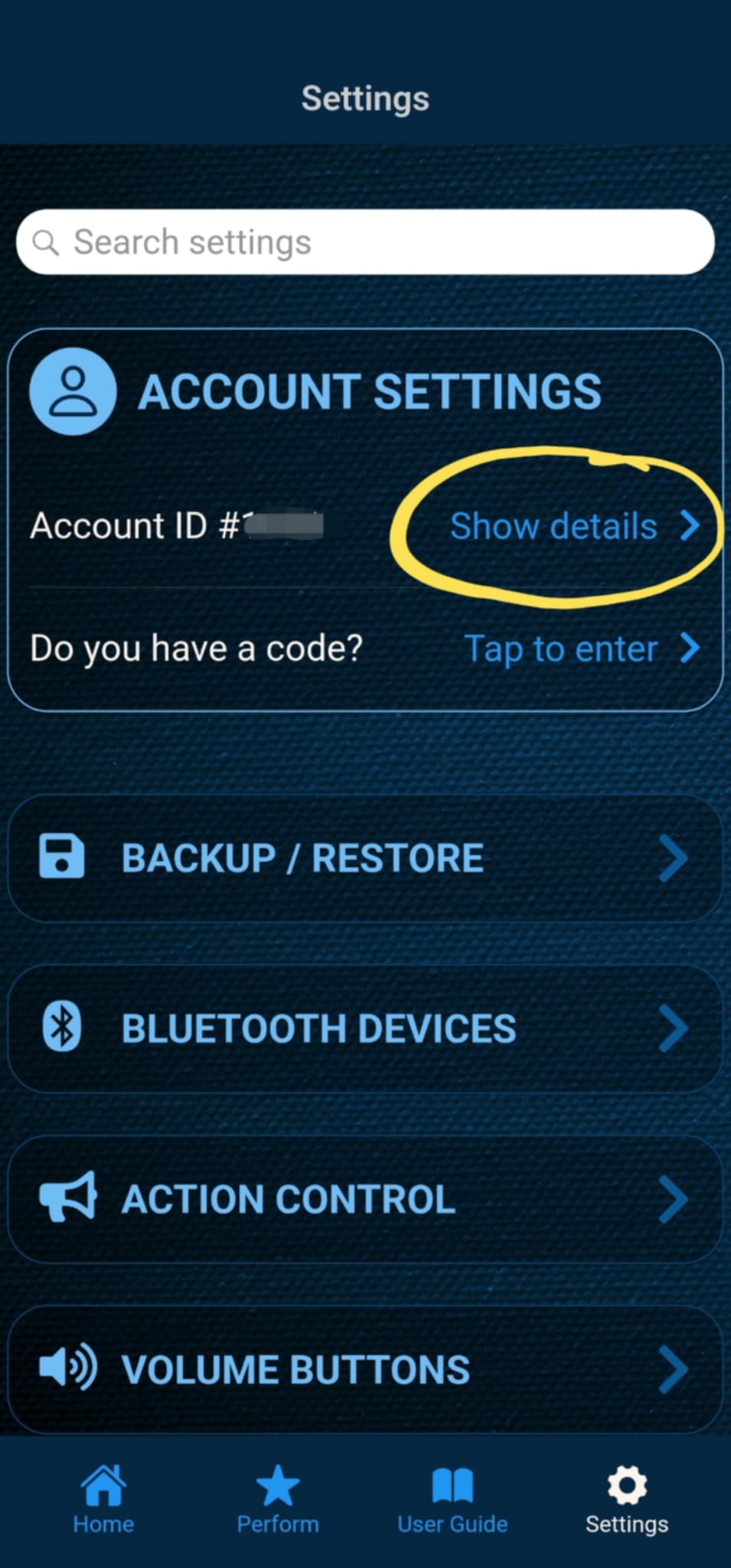
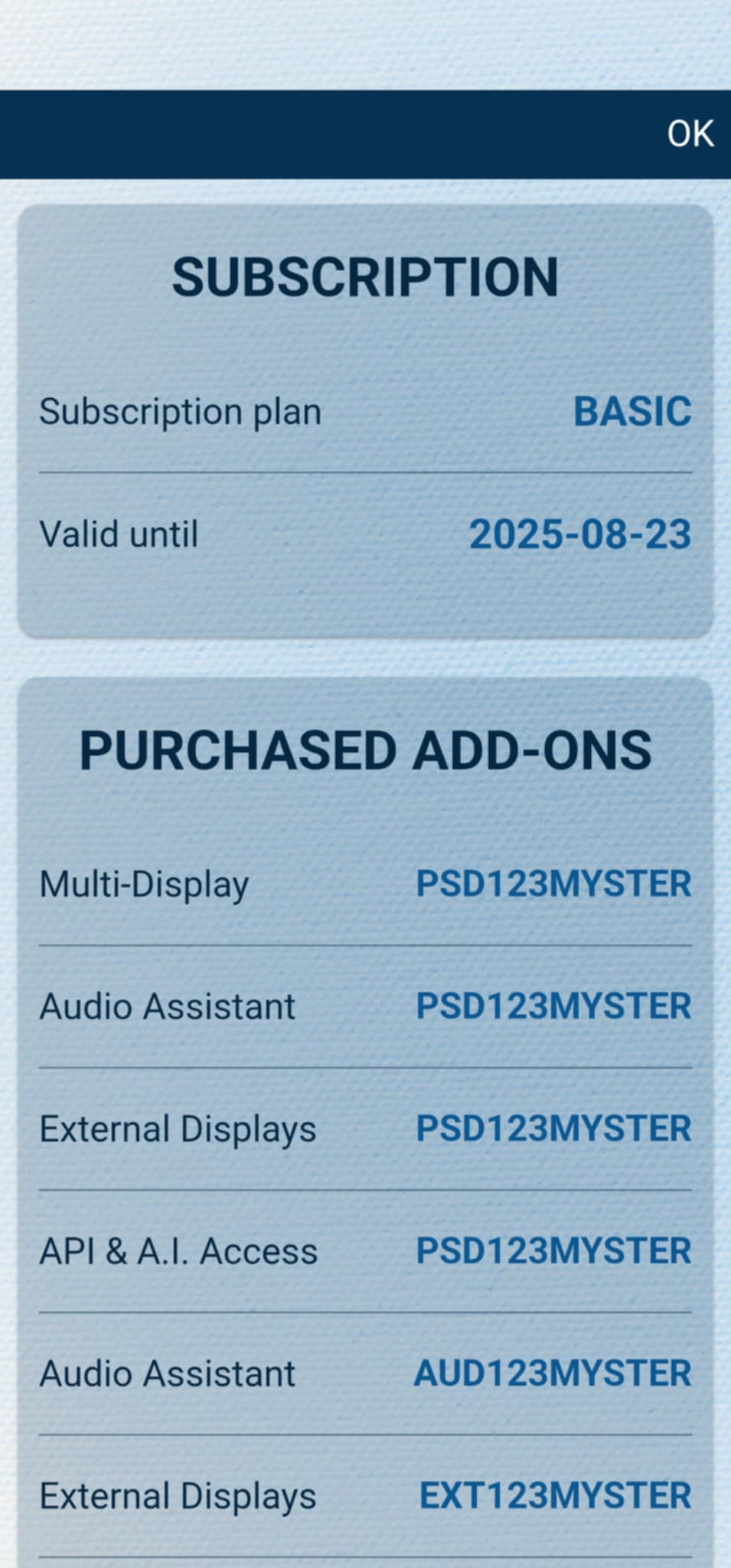
After the code is activated, you can check all your activated add-ons on your account details page. Just tap " Show details " under ACCOUNT SETTINGS, and scroll down to the PURCHASED ADD-ONS section. If you have an active MysterSmith subscription, you will have access to all the available add-ons.