Dictionary API (add-on)
Note for ThoughtCast owners
If you already have the ThoughtCast system by Benjamin Budzak, you should consider purchasing the Dictionary Location feature for the ThoughtCast app. Benjamin was the first one who used the Merriam-Webster's Pocket Dictionary for mentalism routines.
The " Dictionary API " by Ben Laxton is a premium add-on for the MysterSmith app, and it can be also used by 3rd party apps.
With the "Dictionary API" you can locate any word that can be found in the Merriam-Webster's Pocket Dictionary (2006 paperback edition). You will have to purchase the dictionary separately from available sources (we are not selling the dictionary, only the API).
The price of the add-on is 130 AUD (80 EUR) (one time fee). This is a 3rd party add-on, so it is not included in the MysterSmith subscriptions. However, as a FREE DEMO you can locate all the words starting with the letter "A" even if you haven't purchased the add-on.
Purchasing the "Dictionary API" add-on
You can purchase the "Dictionary API" add-on directly from Ben Laxton for 130 AUD (~80 EUR) on this website:
bsmagic.app/payment/dictionary_purchase.php
Activating your code
If you are a MysterSmith subscriber, the add-on is already activated for you.
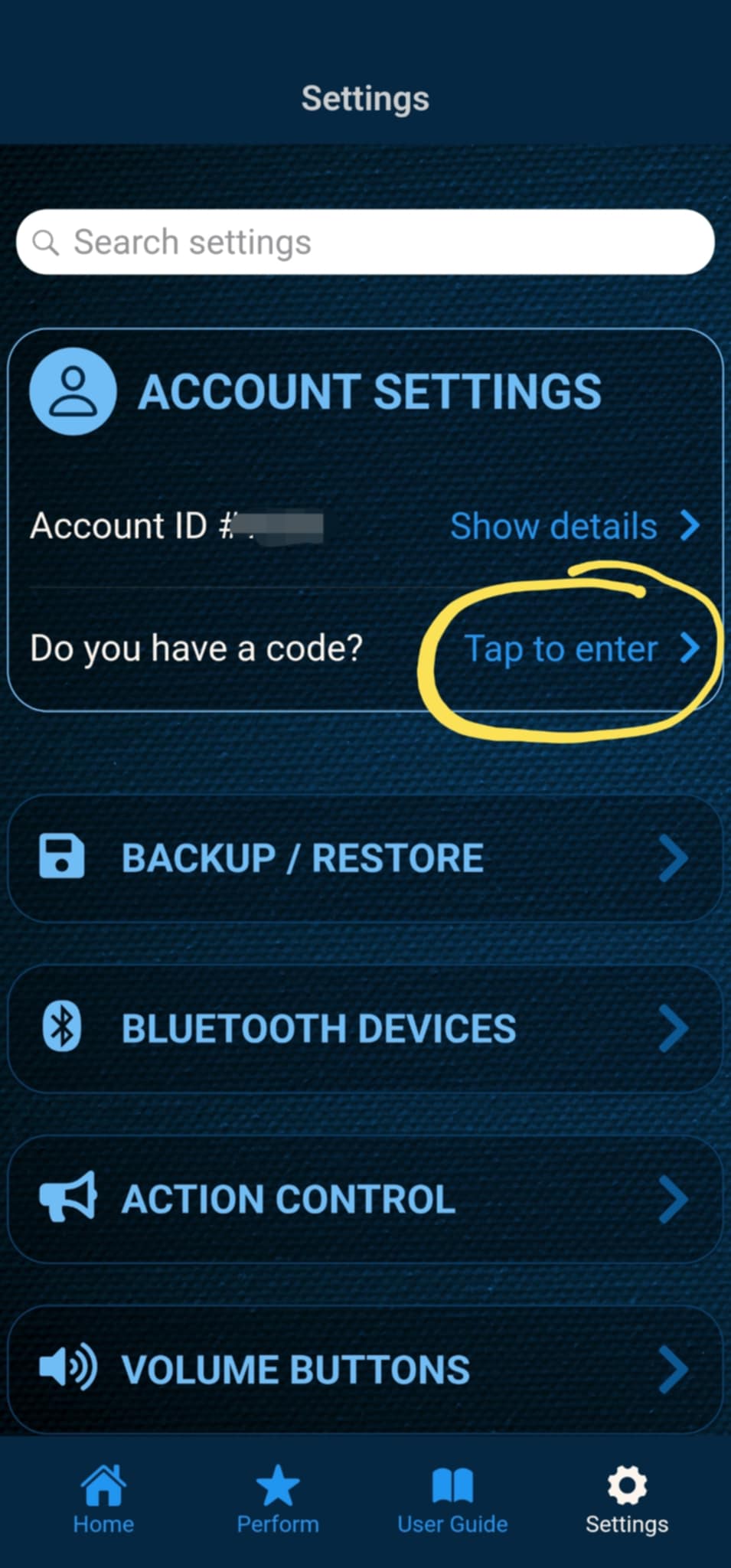
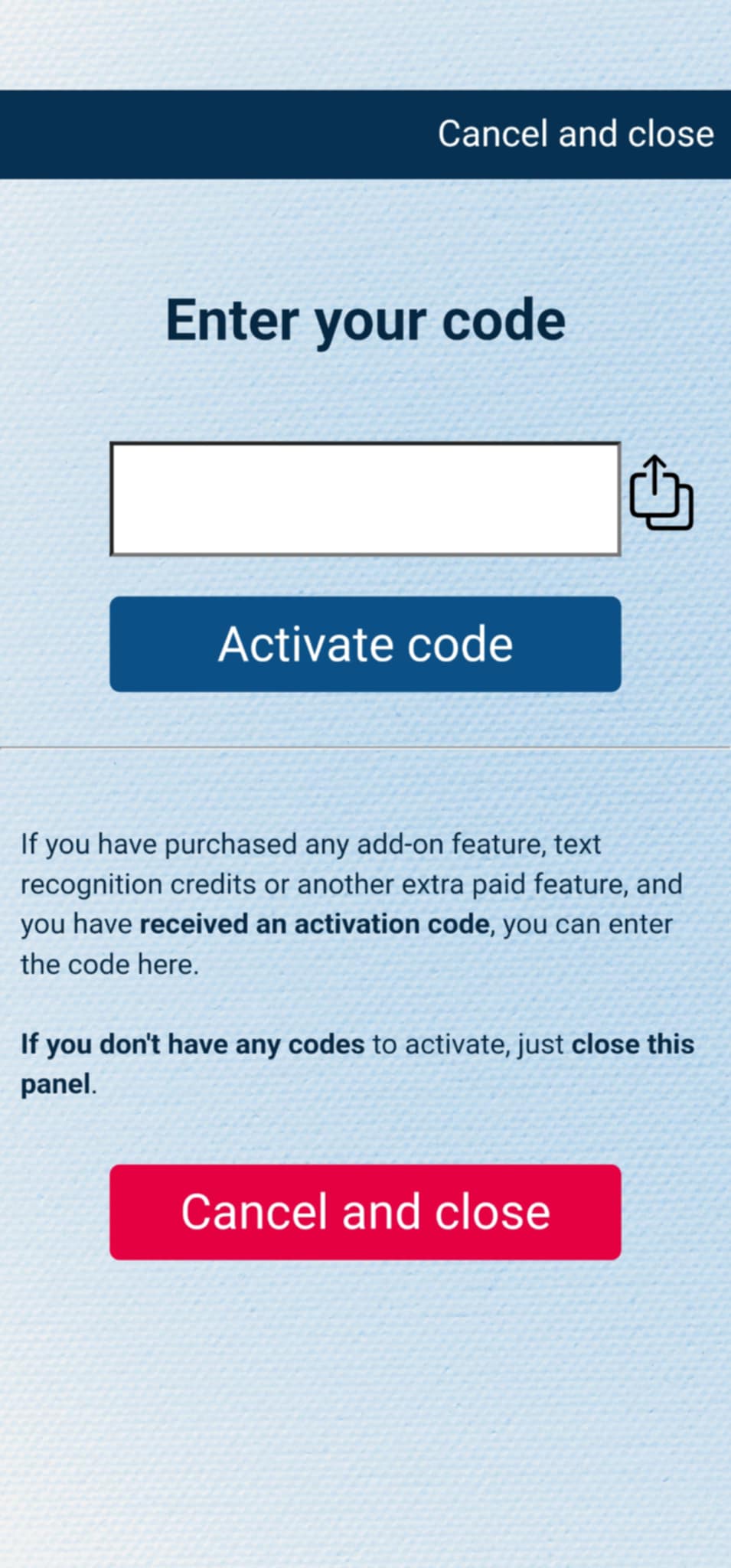
If you have purchased the add-on separately, or received the code as a gift, you can activate the code by entering it in MysterSmith, in the ACCOUNT STTINGS section. Just look for the line " Do you have a code? ", and " Tap to enter ", and the code activation screen will pop up.
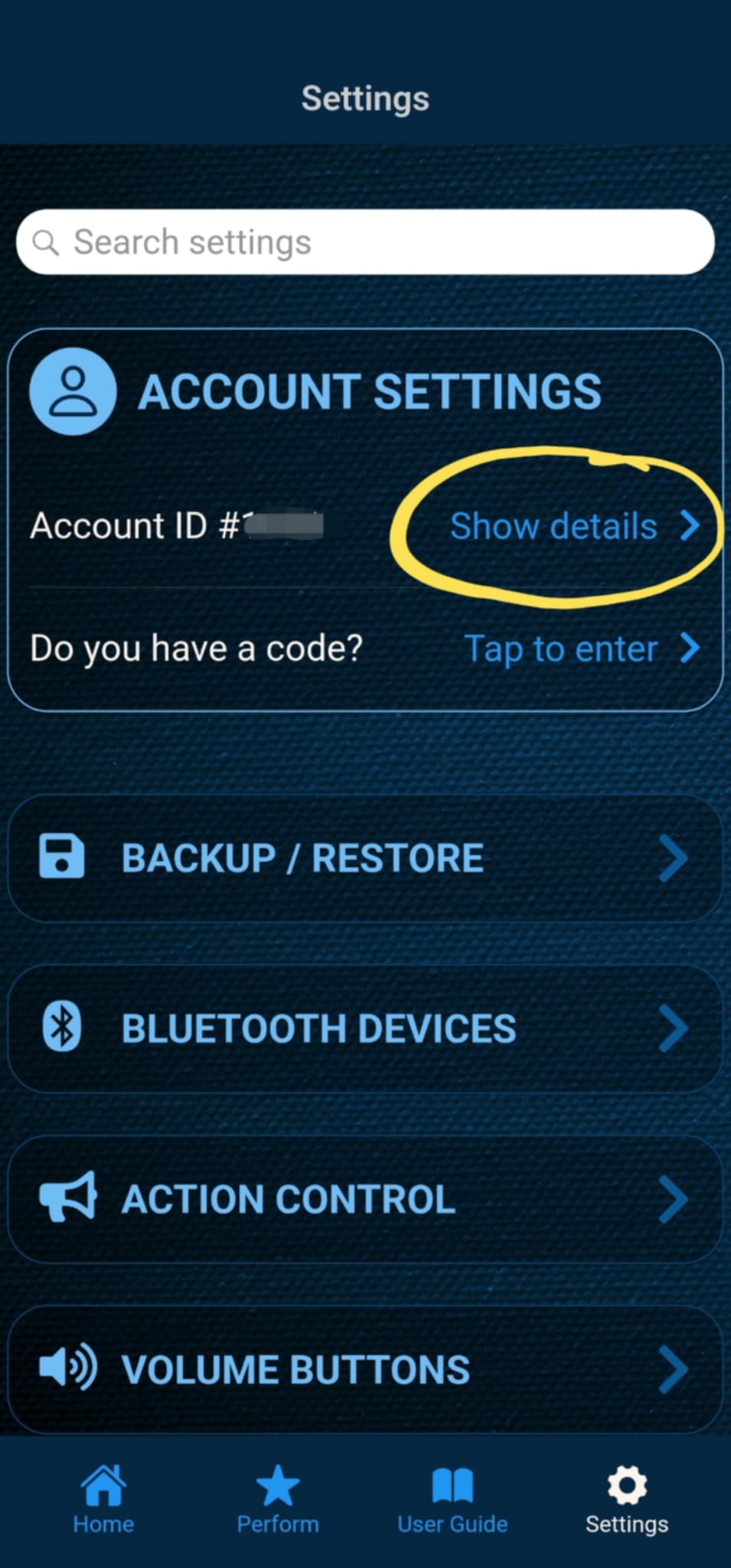
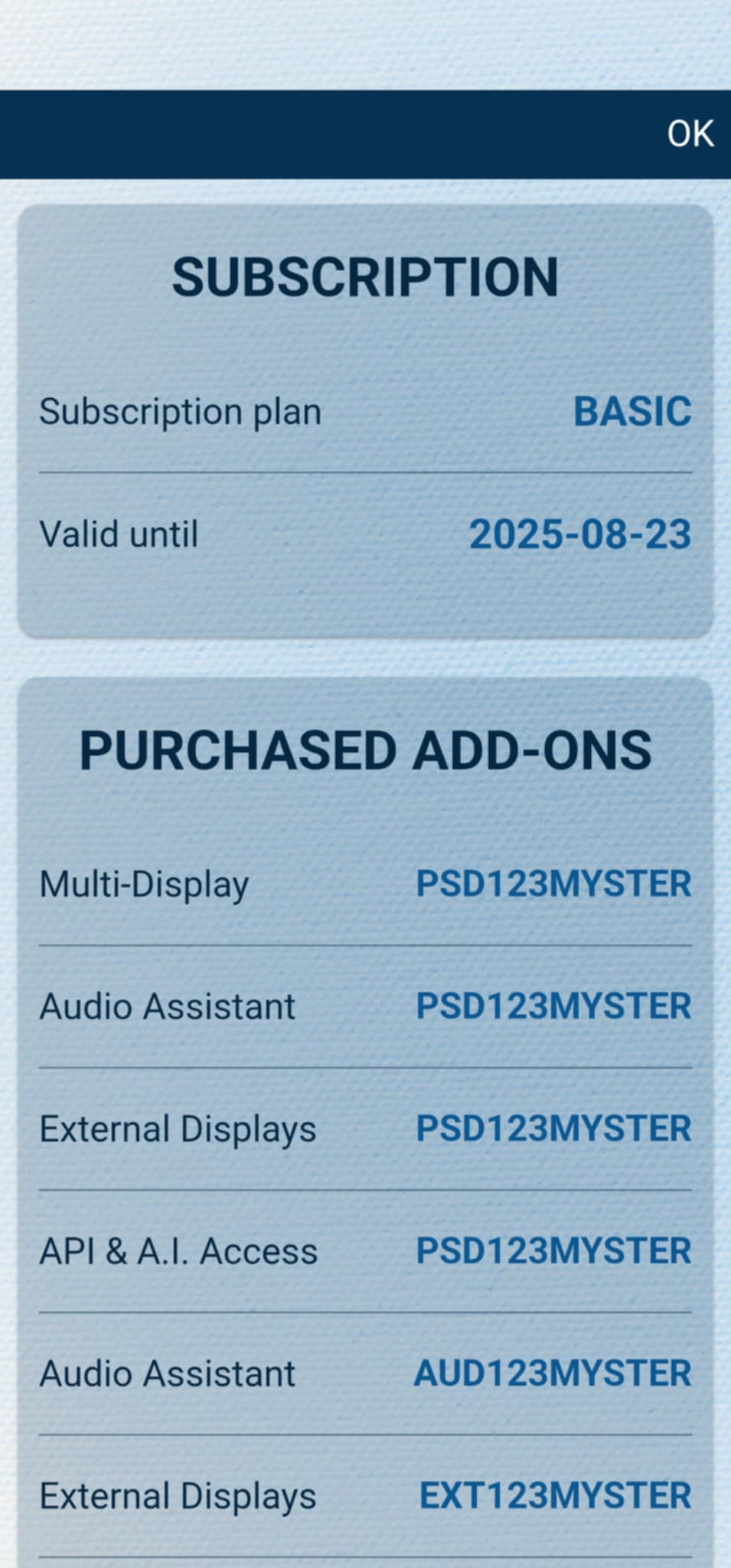
After the code is activated, you can check all your activated add-ons on your account details page. Just tap " Show details " under ACCOUNT SETTINGS, and scroll down to the PURCHASED ADD-ONS section. If you have an active MysterSmith subscription, you will have access to all the available add-ons.
Using the API in the MysterSmith app
The easiest way to use the Dictionary API is the integrated support in the MysterSmith app.
First of all you will need to enter/get the word somehow - this can be achieved by a handful of methods:
- manual text entry (by an assistant)
- text recognition (from the Doodle screen or impression boards)
- swami input (thumb-writer)
- polling from Inject
- reading NFC cards
- from another app via the custom URL scheme
- from any 3rd party source via an API
Then you will need to trigger the " Dictionary API position " action (see the screenshot), using any of the available action triggers (PeekSmith button press, Atom remote button press, volume buttons, Apple Watch tap/swipe etc).
The app will then query the info from the webserver (internet connection needed), and display the results in a short/long version, depending on the type of the display. Please see the screenshots for a better understanding.
Explanation for the short version (the one you see on the PeekSmith Screen):
- first row: page, column and line number (if you see an "e" before the column number, it means "extra column")
- second row, first info (left): the number of the word, + means from top, - means from bottom
- second row, second info (right): the vertical position of the word, abbreviated (see details below)
- top! = at the top
- top+ = around the top
- mid! = at the middle
- bot- = around the bottom
- bot! = at the bottom
- estimated vertical positions can be: 1/4, 1/3, 1/2, 2/3, 3/4
Some examples explained:
15 e3 11 +11 1/3
Page 15, extra column 3, line 11 11th word from the top, around the 1/3 of the column
206 2 1 +1 top!
Page 206, column 2, line 1 1st word from the top, exactly at the top
241 2 45 -4 3/4
Page 241, column 2, line 45 4th word from the bottom, around the 3/4 of the page
Using the API with 3rd party apps
You can also use the "Dictionary API" with any 3rd party app or service, by accessing the WEB API directly. You will need two things for this: enable 3rd party access in the MysterSmith app (it will be active for 1 hour), and use your secret token in the API query.
In the MysterSmith app go to SETTINGS - DICTIONARY API - and turn ON " Enable 3rs party apps (1 hour) ". This will activate the 3rd party access of the API URLs for 1 hour. If you turn the toggle OFF and then ON again, the 1 hour timeout will be reset.
Then locate and copy your API token, which can be found in the MysterSmith app: go to Settings - ACCOUNT SETTINGS - and tap "Show details". On the next page you will find the API token in the CREDENTIALS section. You can re-generate the token by tapping "Refresh", or copy the token to the clipboard by tapping the "API token" label with the clipboard icon.
Now you are ready to use the following API URLs from any 3rd party app or service.
API URL for a brief text result:
https://bsmagic.app/api/dictionary/dictionary_get_text.php?token=XXXX&search=word
Replace "XXXX" with your token and "word" with the actual word you are looking for. The result will be a short summary of the location of the word in the dictionary:

API URL for a more detailed JSON result:
https://bsmagic.app/api/dictionary/dictionary_get_json.php?token=XXXX&search=word
Replace "XXXX" with your token and "word" with the actual word you are looking for. The result will be a detailed info in JSON format about the location of the word in the dictionary:

Explanation of the JSON fields:
success : 0=error or 1=OK word : the word you were looking for page, column, line : the location of the word extra : 0=regular word with explanation, 1=word without explanation in the extra columns wordcount : the number of the word in the column (from top) wordcount_txt : detailed info about the number of the word verticalpos : short info about the vertical position of the word verticalpos_txt : detailed info about the vertical position of the word
If the success field returns a 0 value, there will be also an error message included for a better understanding.