External Displays (add-on)
The External Displays add-on is a premium feature for the MysterSmith and PeekSmith apps (if you have already purchased the add-on for the PeekSmith app, you can use it in MysterSmith too, and don't have to buy the add-on again).
The price of the add-on is currently 45 EUR (one time fee), but of course it's also included in all subscription plans (MINI, BASIC and PREMIUM).
With the External Displays add-on activated, you'll be able to display text from the MysterSmith app on a variety of 3rd party devices, so you can enjoy most of the benefits of the app even if you don't have a PeekSmith, Bond or Teleport device.
The add-on currently supports the following display options:
- local notifications (use any smartwatch or smartband)
- Apple Watch (iOS only)
- WearOS watches (Android only)
- WEB screen (in any browser)
- BT screen (my free app in the BS Magic app collection)
- Reinkstone iPhone e-ink cases
- Pitata Inversion Board
- Pitata Prediction Keychain
- Lumen Prism
- Lumen Eye
(displaying recognized text on Lumen display devices is only available for Lumen Pro users)
Purchasing the External Displays add-on
If you don't want to subscribe for MysterSmith (to get all the available add-ons), you can also purchase the External Displays add-on for 45 EUR by clicking here:
bsmagic.app/payment/?item=externaldisplays
Activating your code
If you are a MysterSmith subscriber, the add-on is already activated for you.
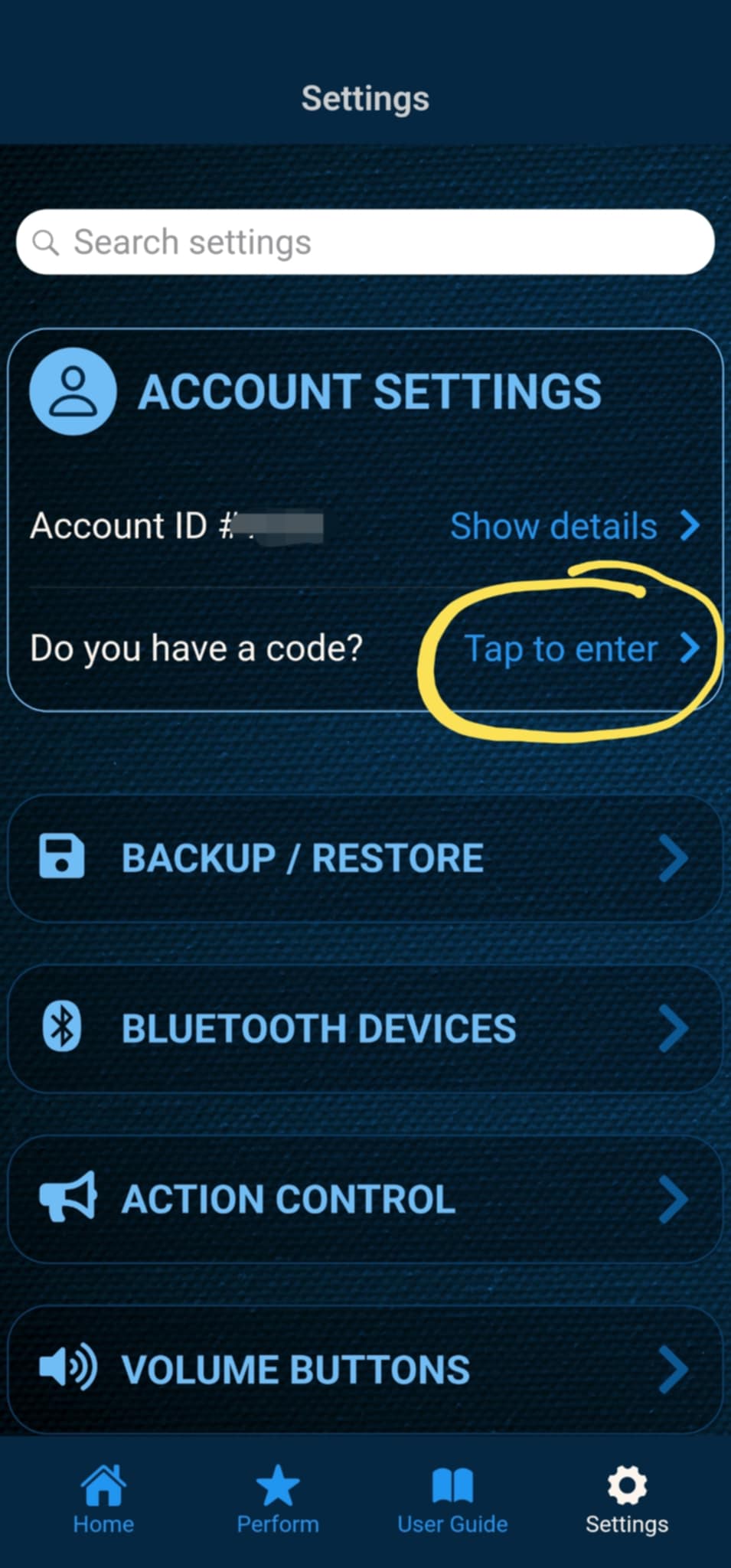
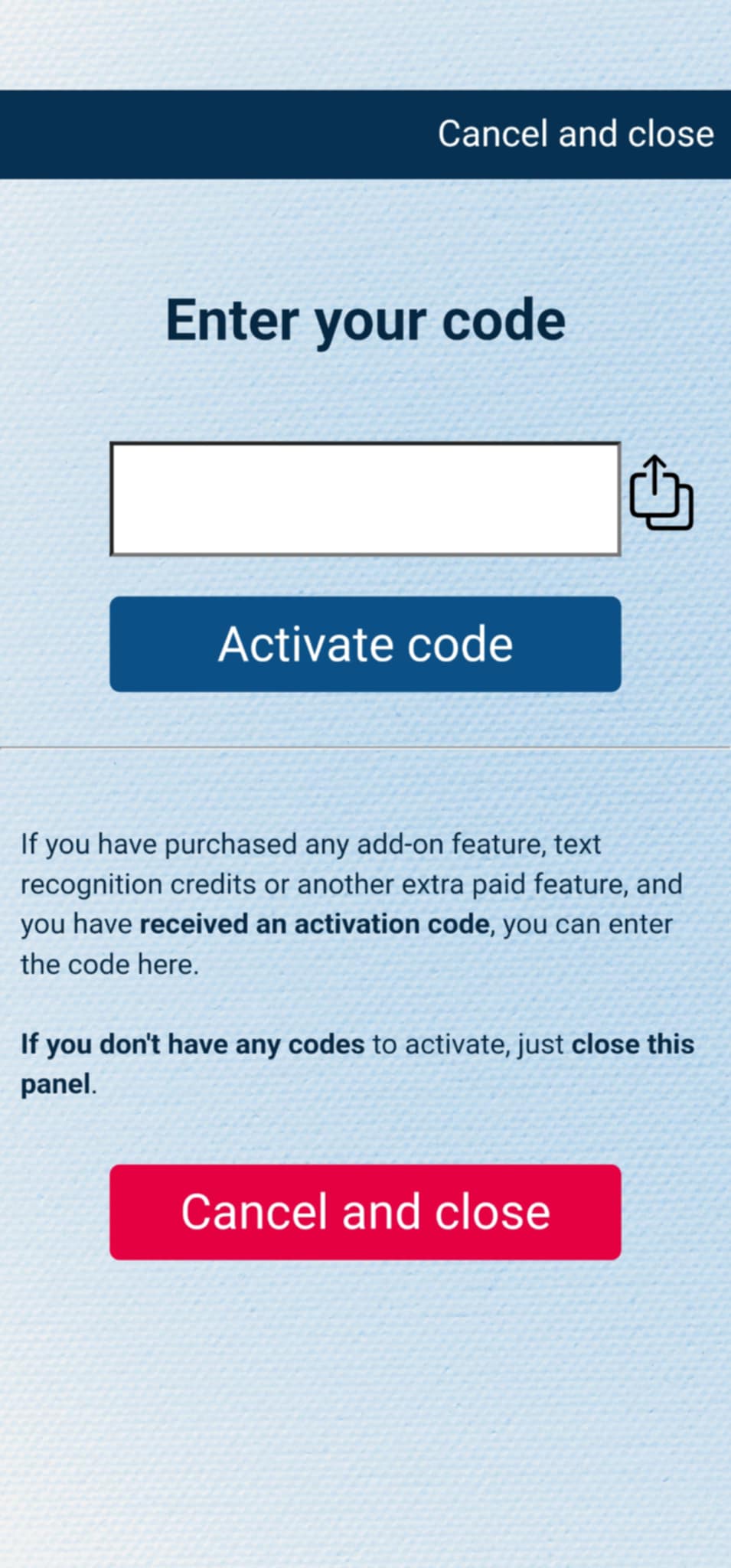
If you have purchased the add-on separately, or received the code as a gift, you can activate the code by entering it in MysterSmith, in the ACCOUNT STTINGS section. Just look for the line " Do you have a code? ", and " Tap to enter ", and the code activation screen will pop up.
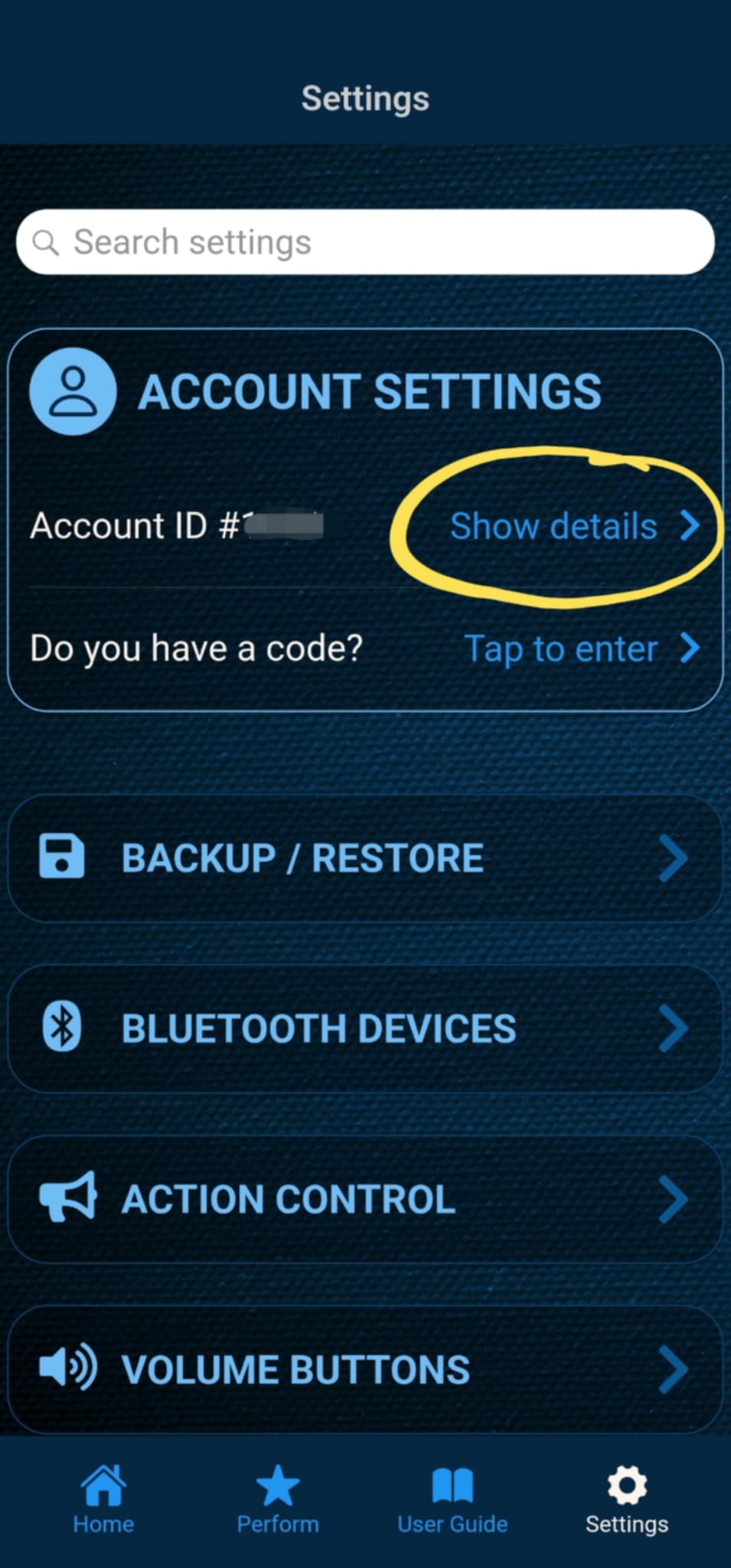
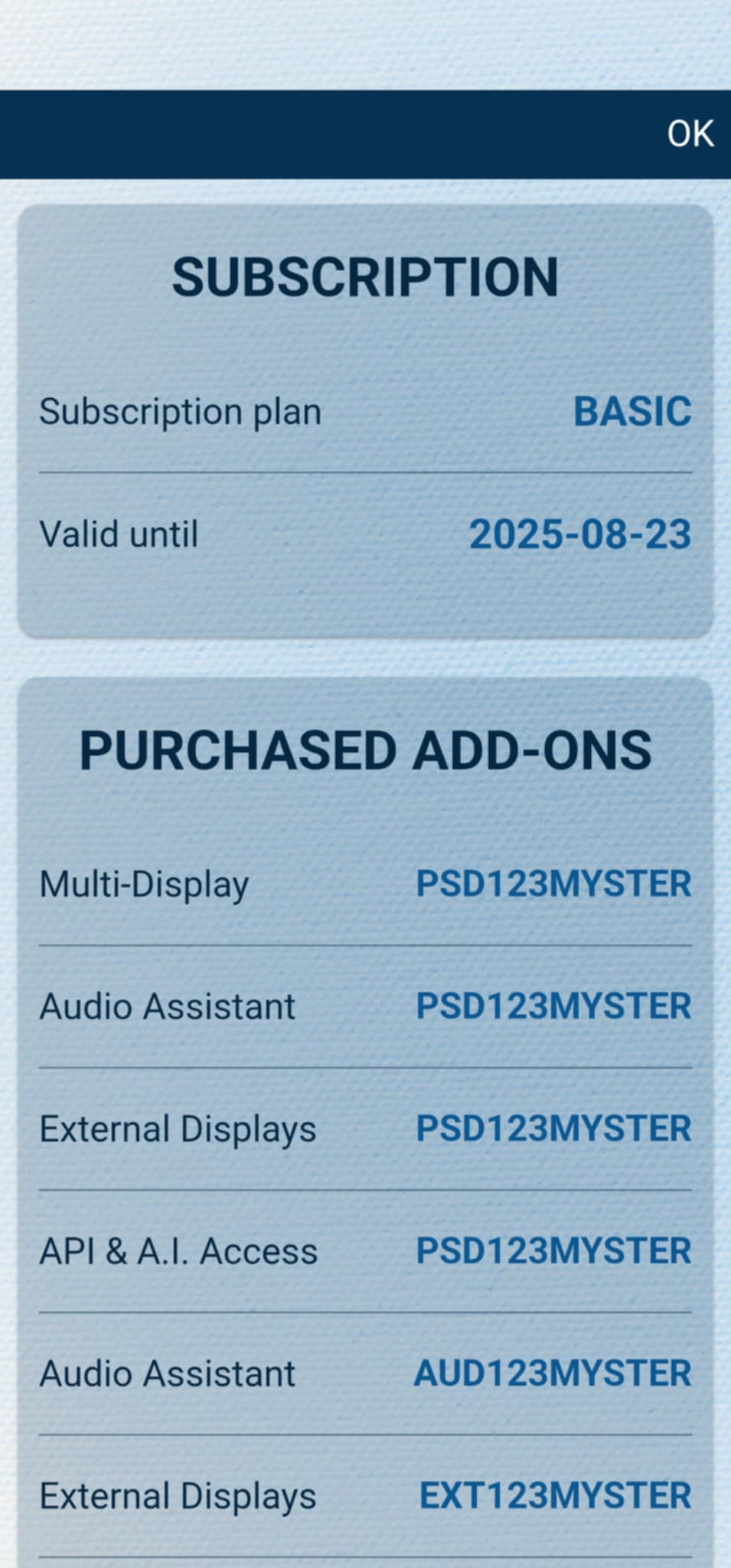
After the code is activated, you can check all your activated add-ons on your account details page. Just tap " Show details " under ACCOUNT SETTINGS, and scroll down to the PURCHASED ADD-ONS section. If you have an active MysterSmith subscription, you will have access to all the available add-ons.
WEB-screen
You can view the text sent from the MysterSmith app in any WEB browser. Open the following URL, and use your username/PIN to log in to the MysterSmith WEB-screen: