Offline text recognition (iOS)
Available on iOS only!!!
The Offline text recognition add-on is a premium feature for the iOS version of the MysterSmith app. The price of the add-on is currently 65 EUR (one time fee), but of course it's also included in all subscription plans (MINI, BASIC and PREMIUM).
With the Offline text recognition add-on activated on your iOS device, you can recognize text from impression boards or from the Doodle screen, even when you have no internet connection. The offline recognition uses a built-in feature of the iOS system, through a custom-built plugin created specifically for MysterSmith.
Try before you buy
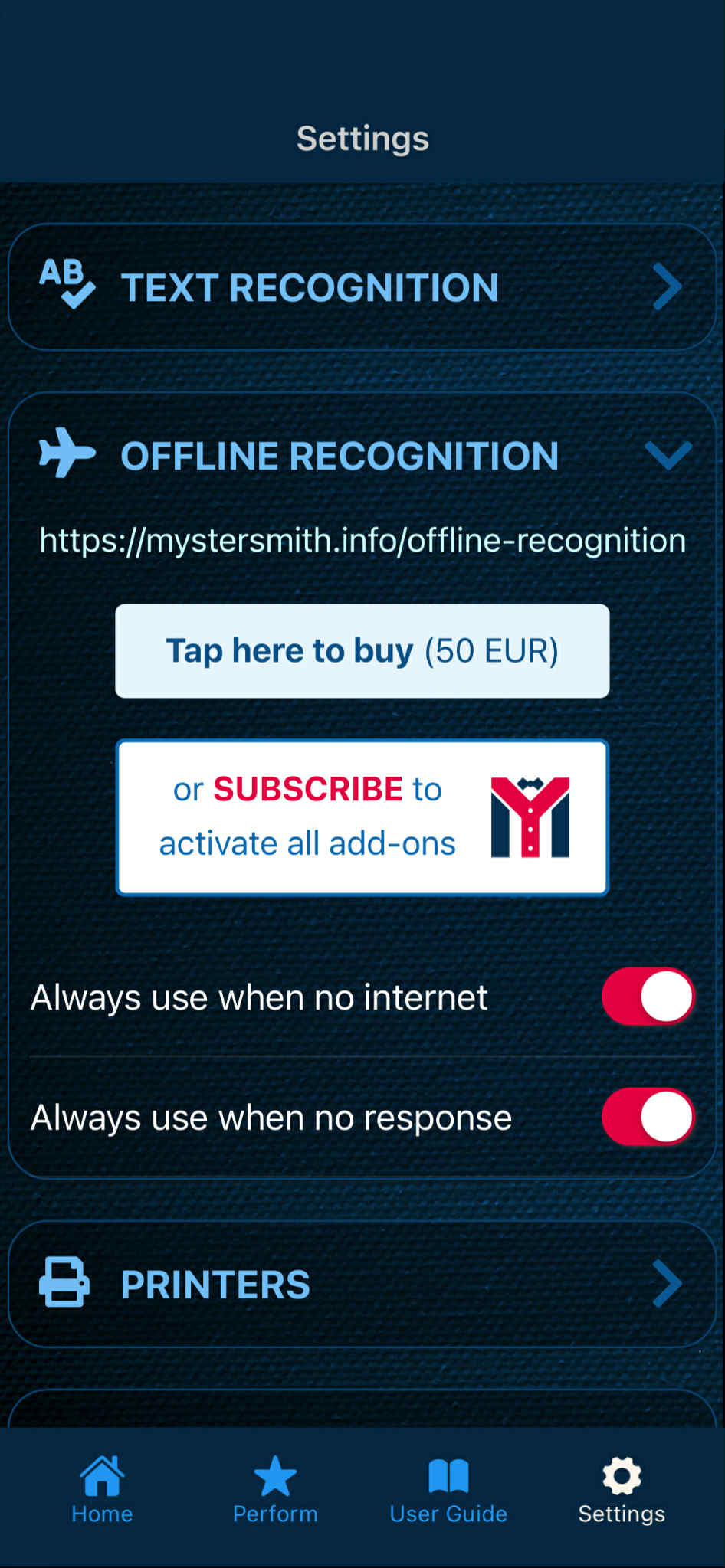
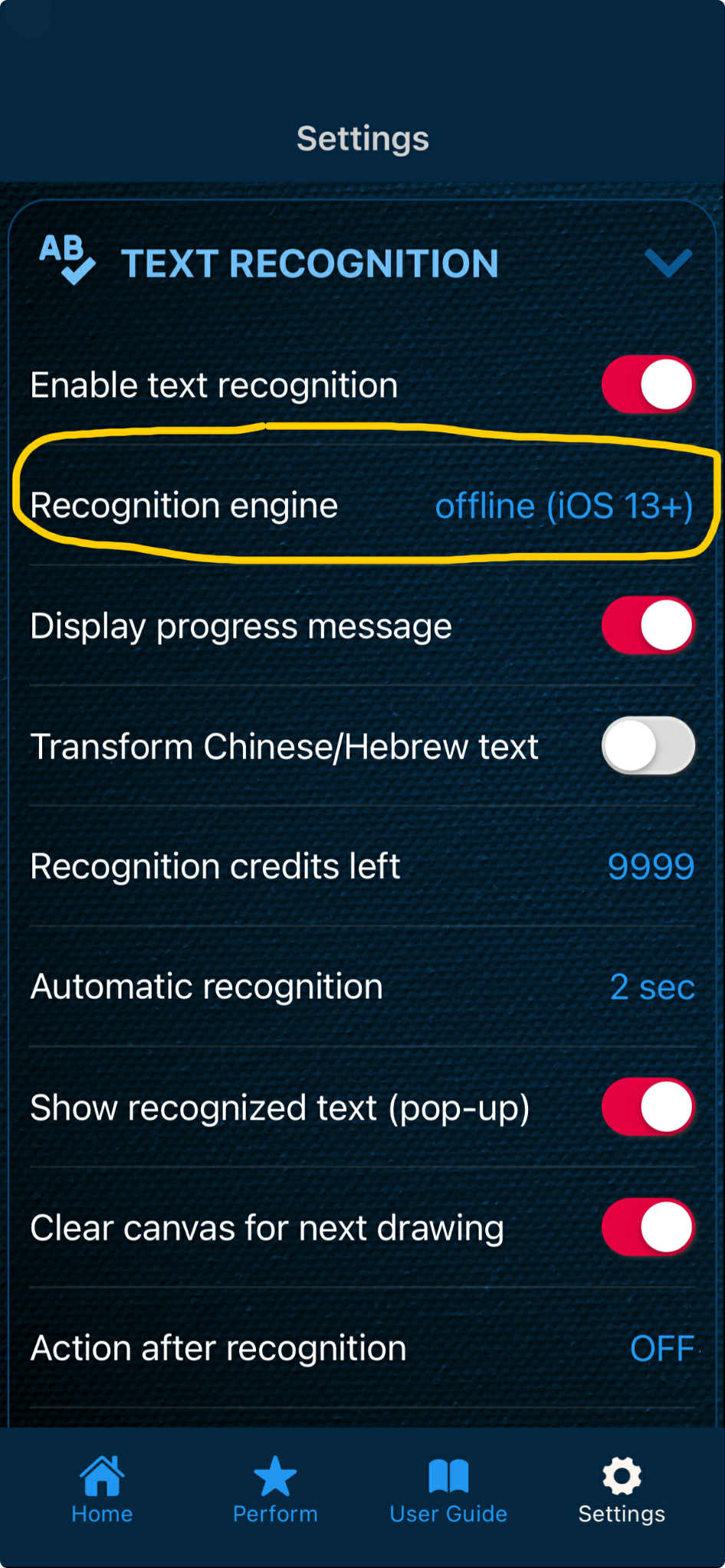
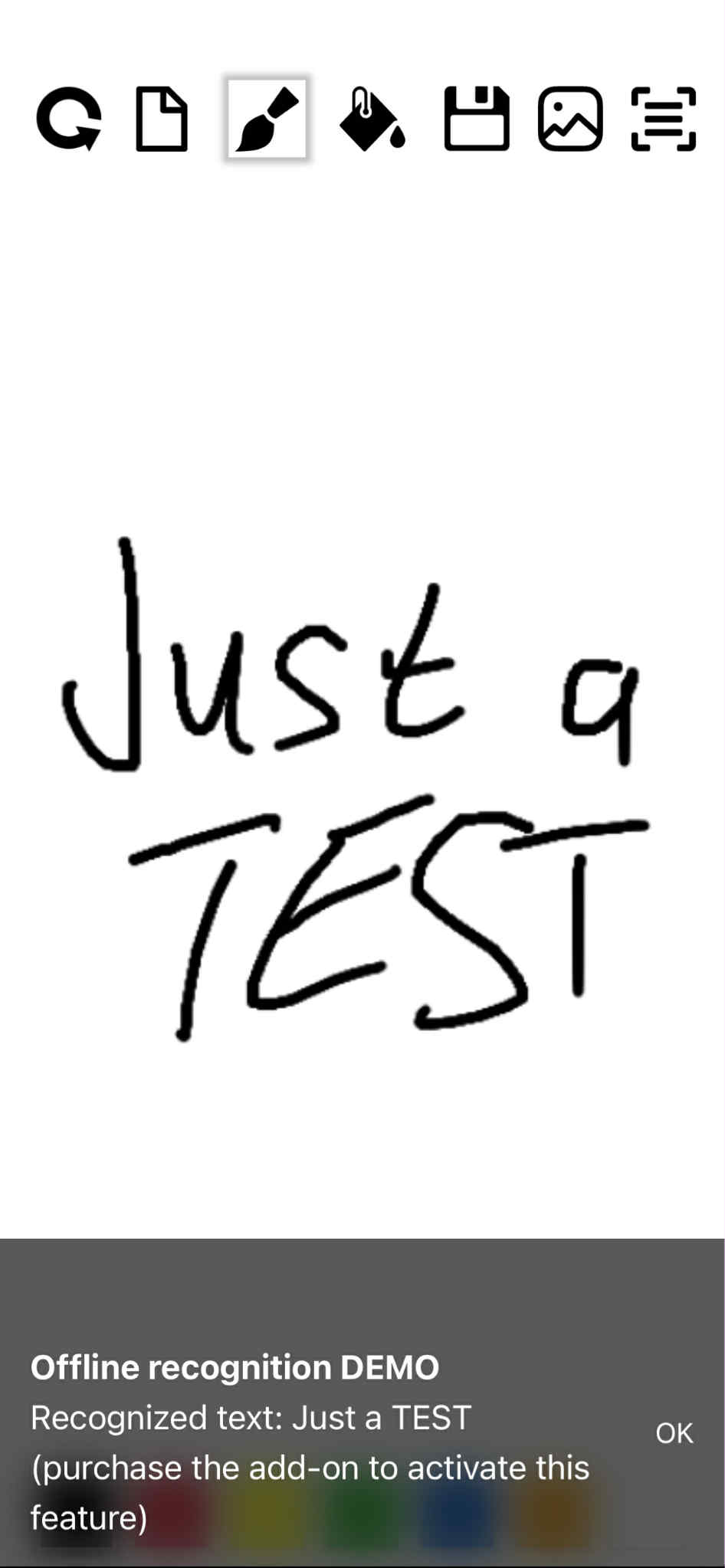
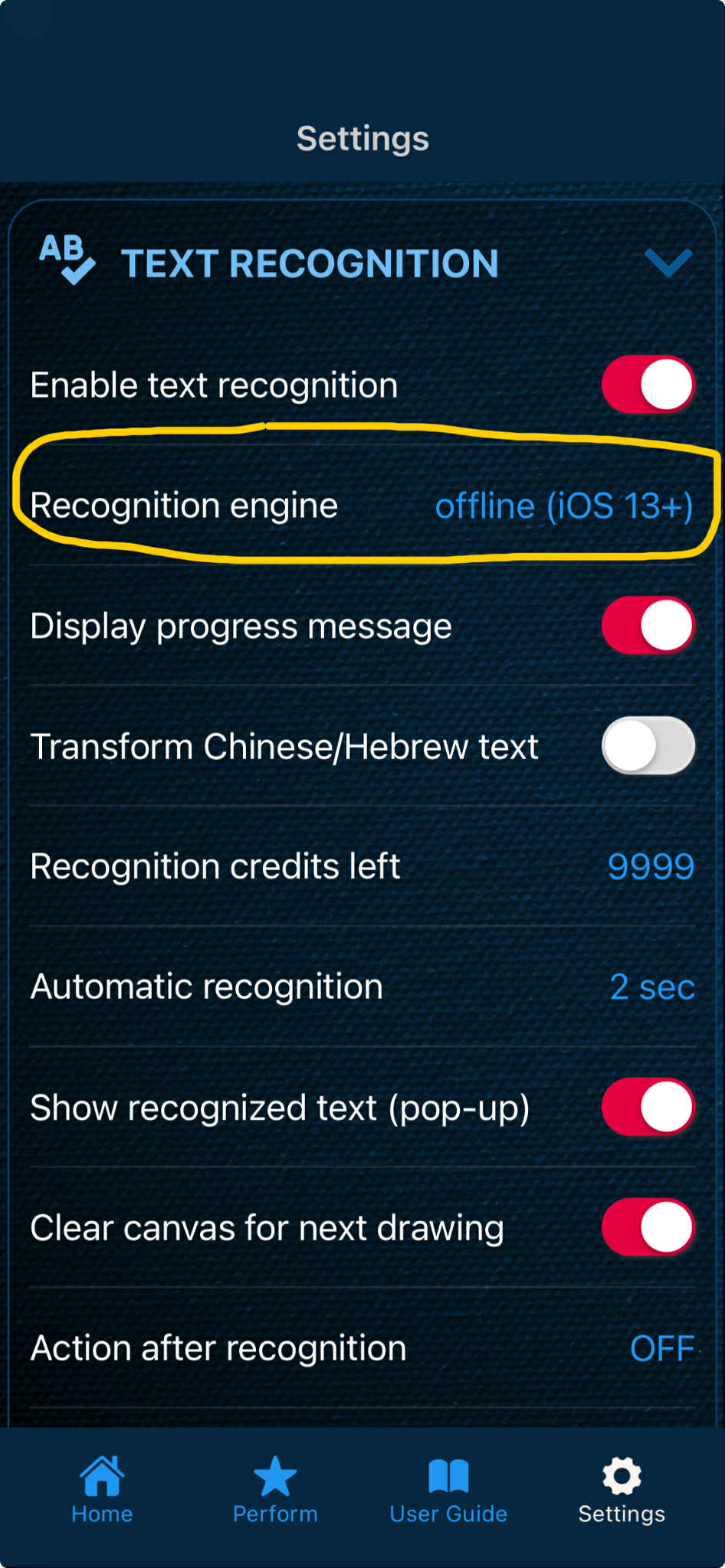
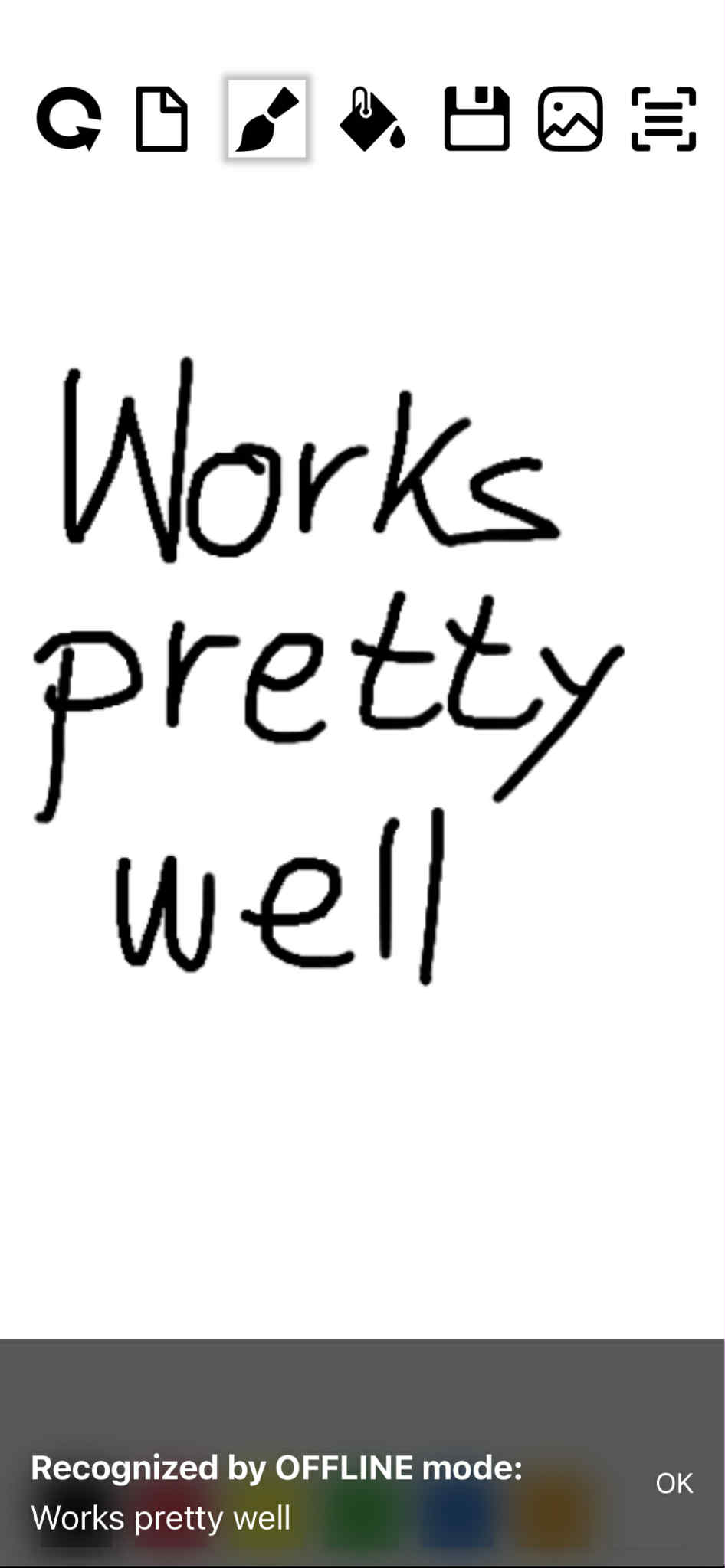
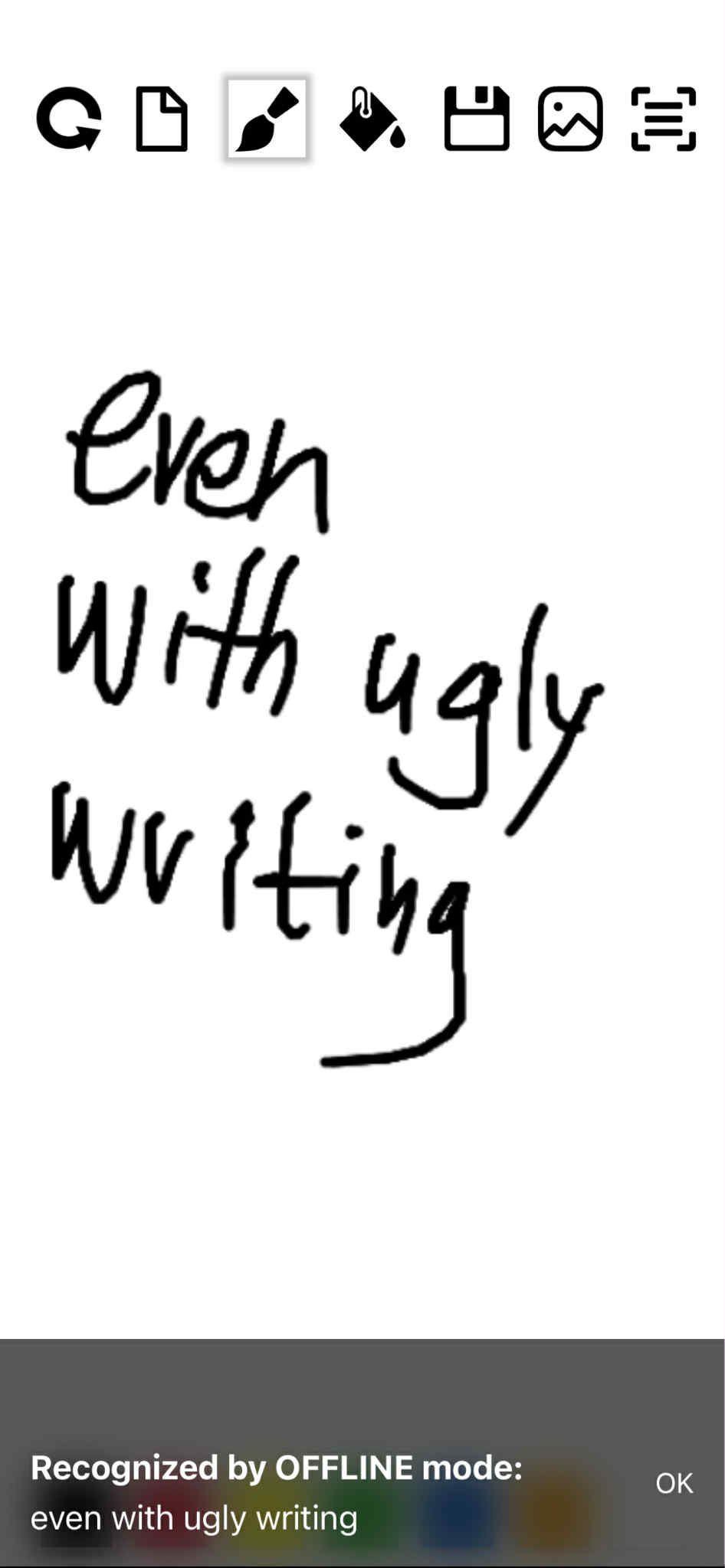
You can try offline recognition before you purchase the add-on (or a subscription). Just enable the offline mode in TEXT RECOGNITION settings, and write something on the Doodle screen (or on a connected impression board). The recognized text will be displayed in the popup message, but the app won't save it in the text buffer for further processing. It means you can't display the recognized text on an external device, and you can't send it to other apps or services.
This way you can experiment how the offline recognition works in your own language, and if you're satisfied with the result, you can purchase the add-on (or a subscription), and process the recognized text in any way possible.
Using Offline text recognition
If you have already purchased the Offline text recognition add-on (or a subscription), you can not only display the recognition result, but you can process it many ways, just like you can do with regular text recognition. You can display the recognized text on an external display device, create time predictions, ESP drawings, magic squares etc. using the smart functions of the MysterSmith app.
You can even use the offline recognition as a backup method in case your internet connection drops out, or the regular recognition engine (Google or A.I.) returns no result.
The offline recognition engine doesn't use any credits, and no other payment is needed from your side (besides purchasing the add-on or a MysterSmith subscription of course).
Purchasing the Offline text recognition add-on
If you don't want to subscribe for MysterSmith (to get all the available add-ons), you can also purchase the Offline text recognition add-on for 65 EUR by clicking here:
bsmagic.app/payment/?item=offlinetextrec
Activating your code
If you are a MysterSmith subscriber, the add-on is already activated for you.
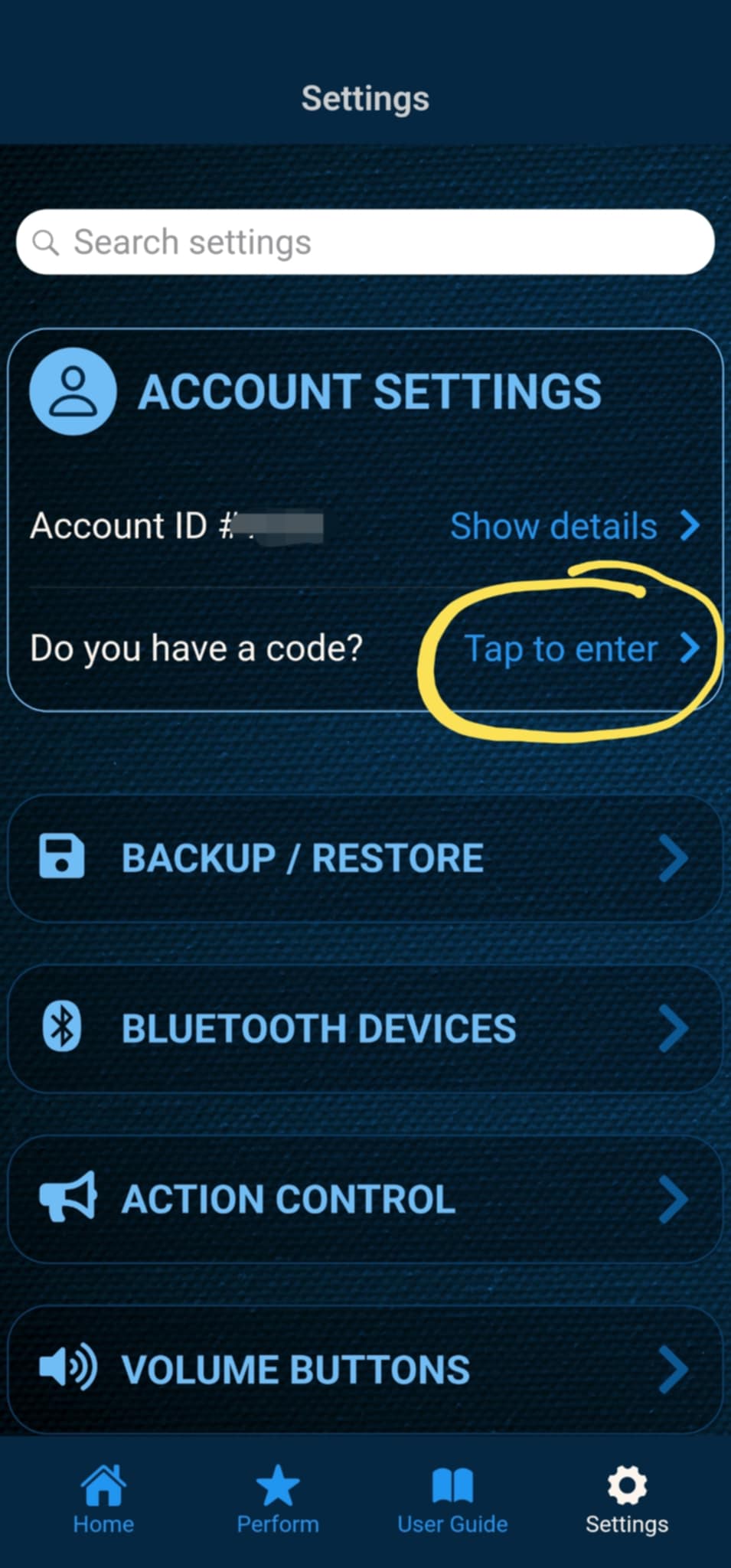
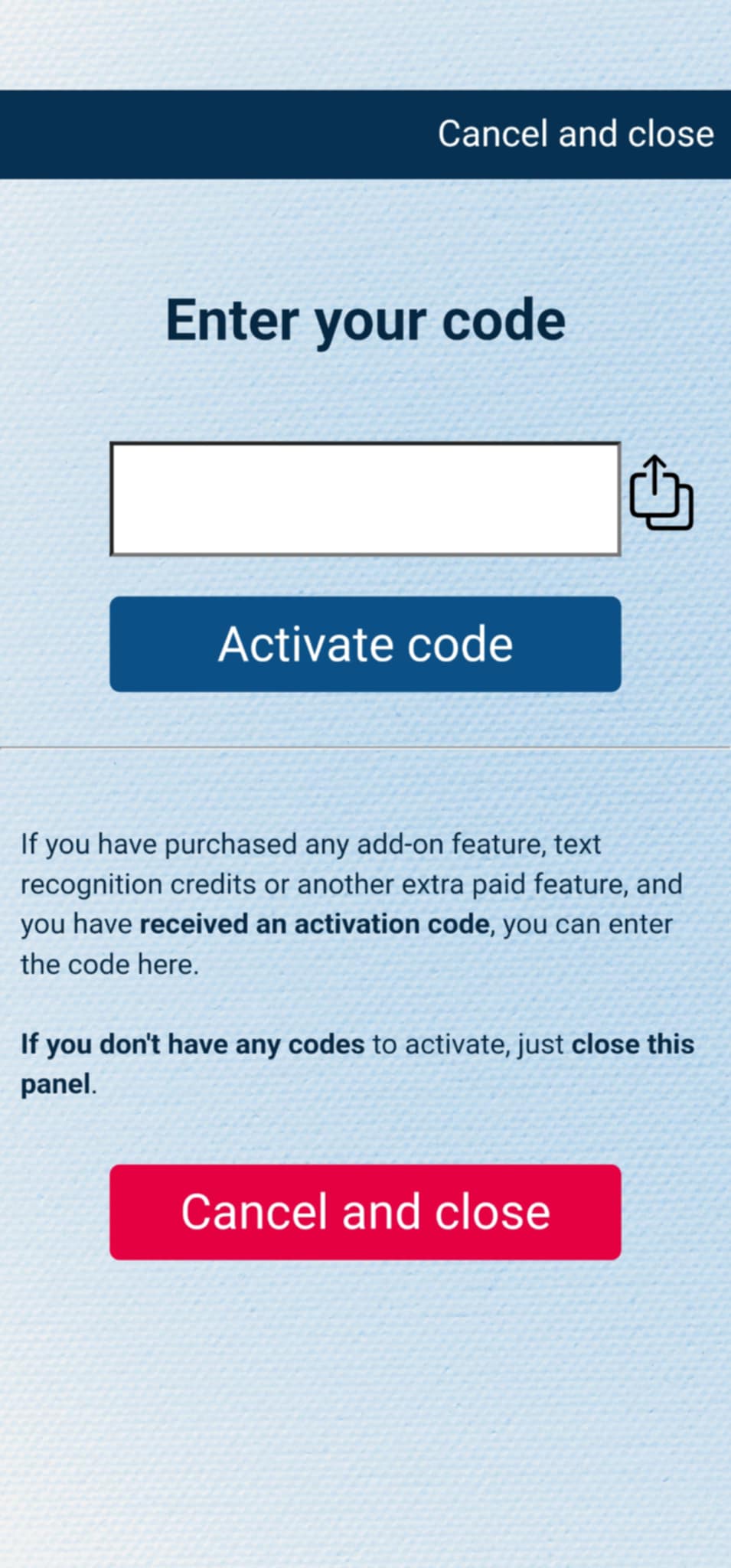
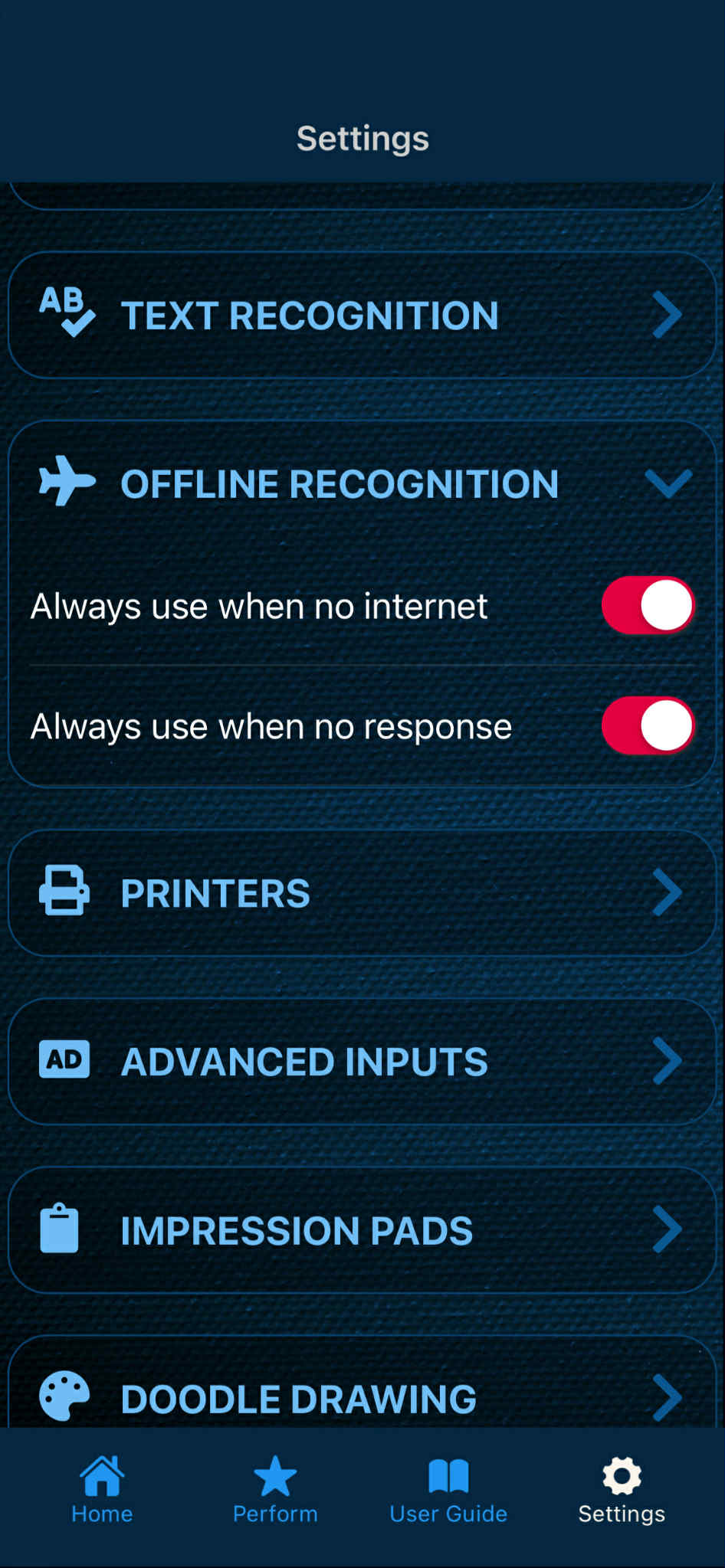
If you have purchased the add-on separately, or received the code as a gift, you can activate the code by entering it in MysterSmith, in the ACCOUNT STTINGS section. Just look for the line " Do you have a code? ", and " Tap to enter ", and the code activation screen will pop up.
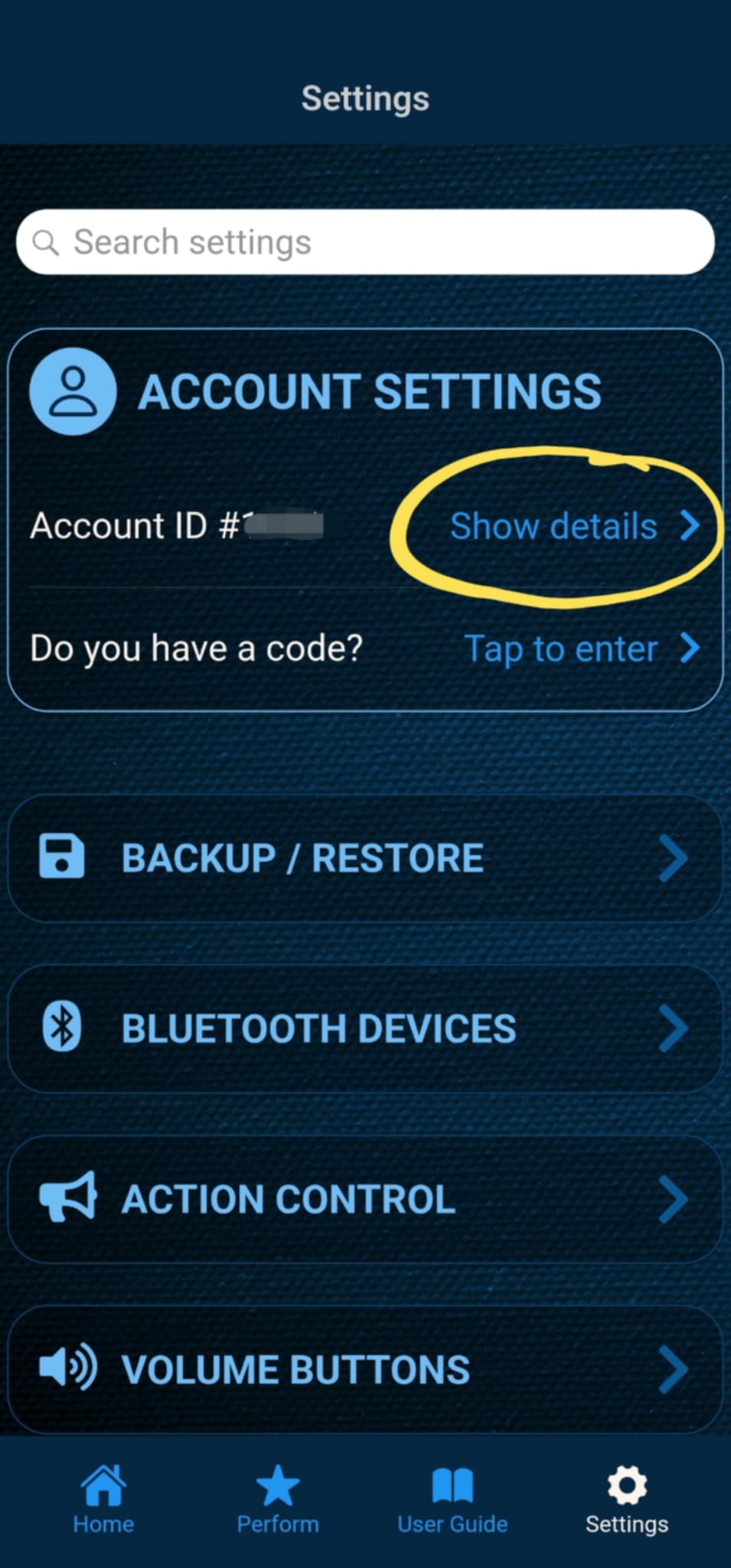
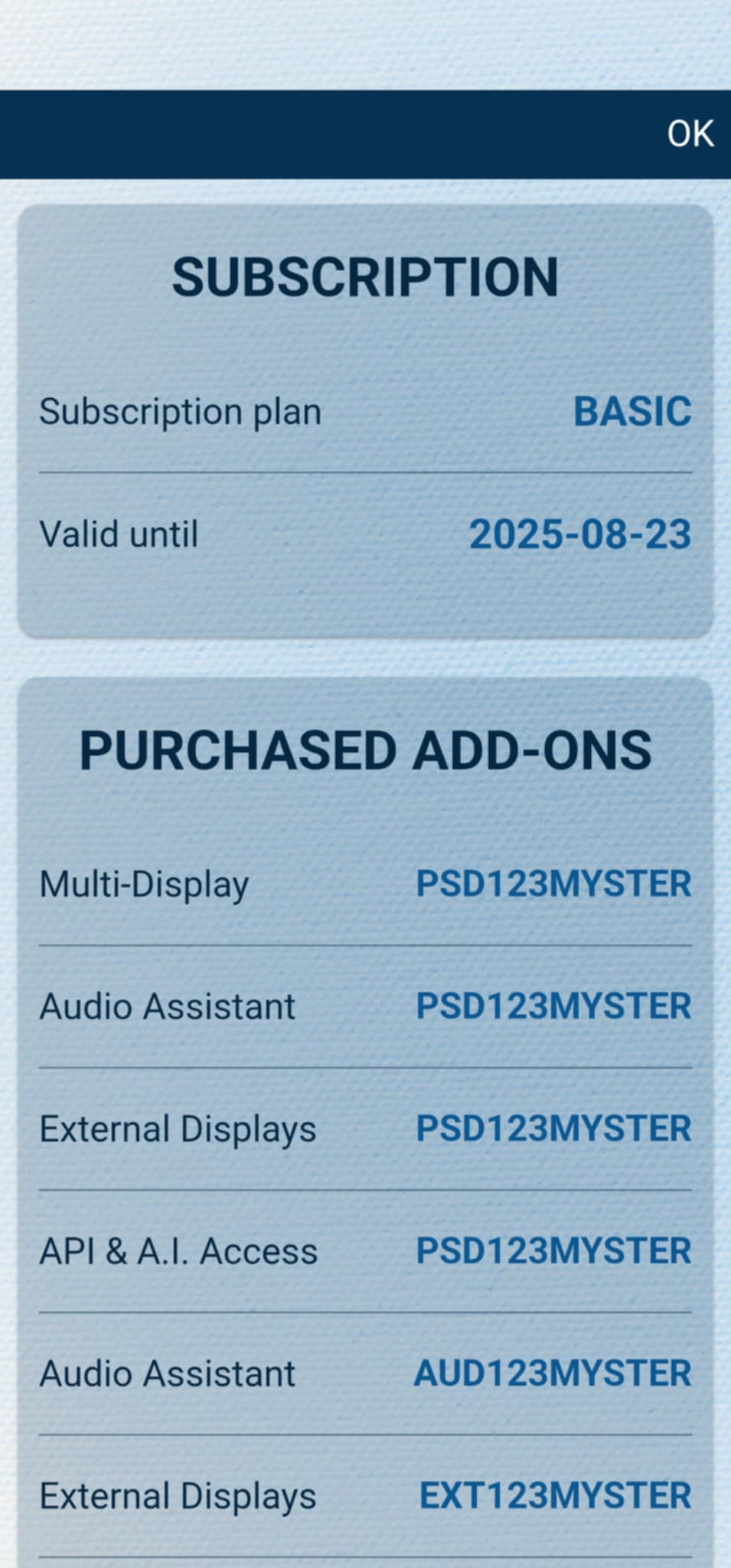
After the code is activated, you can check all your activated add-ons on your account details page. Just tap " Show details " under ACCOUNT SETTINGS, and scroll down to the PURCHASED ADD-ONS section. If you have an active MysterSmith subscription, you will have access to all the available add-ons.