Transformer add-on
The Transformer add-on is a premium feature for the MysterSmith app. The price of the add-on is currently 60 EUR (one time fee), but of course it's also included in all subscription plans (MINI, BASIC and PREMIUM).
With this add-on you will be able to change some text inputs (recognition result, WEB-polling result etc.) to something else... currently the add-on offers these features:
- create templates (inserting text from the Text Buffer)
- executing custom A.I. prompts
Other features will be added gradually during the coming weeks/months...
Templates
You can insert text that you received via any input method (text recognition, WEB-polling, swipe input, passcode input, NFC reader etc.) into pre-made templates, and display the result on connected devices (or send it to other apps).
Example: "In my dream I saw the #TXT1 in the hands of #TXT2."
A spectator picks any card and places it under the card box... another spectator writes the name of their favorite celebrity on a small notepad. Then you show them your handwritten prediction on a chalkboard: "In my dream I saw the 7♠ in the hands of Natalie Portman."
A.I. Prompts
Similar to templates, you can insert text from the Text Buffer into pre-made prompts, and send it to an A.I. engine (GPT by OpenAI or Gemini by Google), and display the result on connected devices (or send it to other apps).
Example: "What is the zodiac sign of #TEXT? Please only reply the name of the zodiac, with all uppercase letters."
A spectator writes the name of their favorite celebrity on a small notepad (for example Brad Pitt). Then you show them your handwritten prediction on small, crumbled paper: "SAGITTARUIS"
Purchasing the Transformer add-on
If you don't want to subscribe for MysterSmith (to get all the available add-ons), you can also purchase the Transformer add-on for 60 EUR by clicking here:
bsmagic.app/payment/?item=transformer
Activating your code
If you are a MysterSmith subscriber, the add-on is already activated for you.
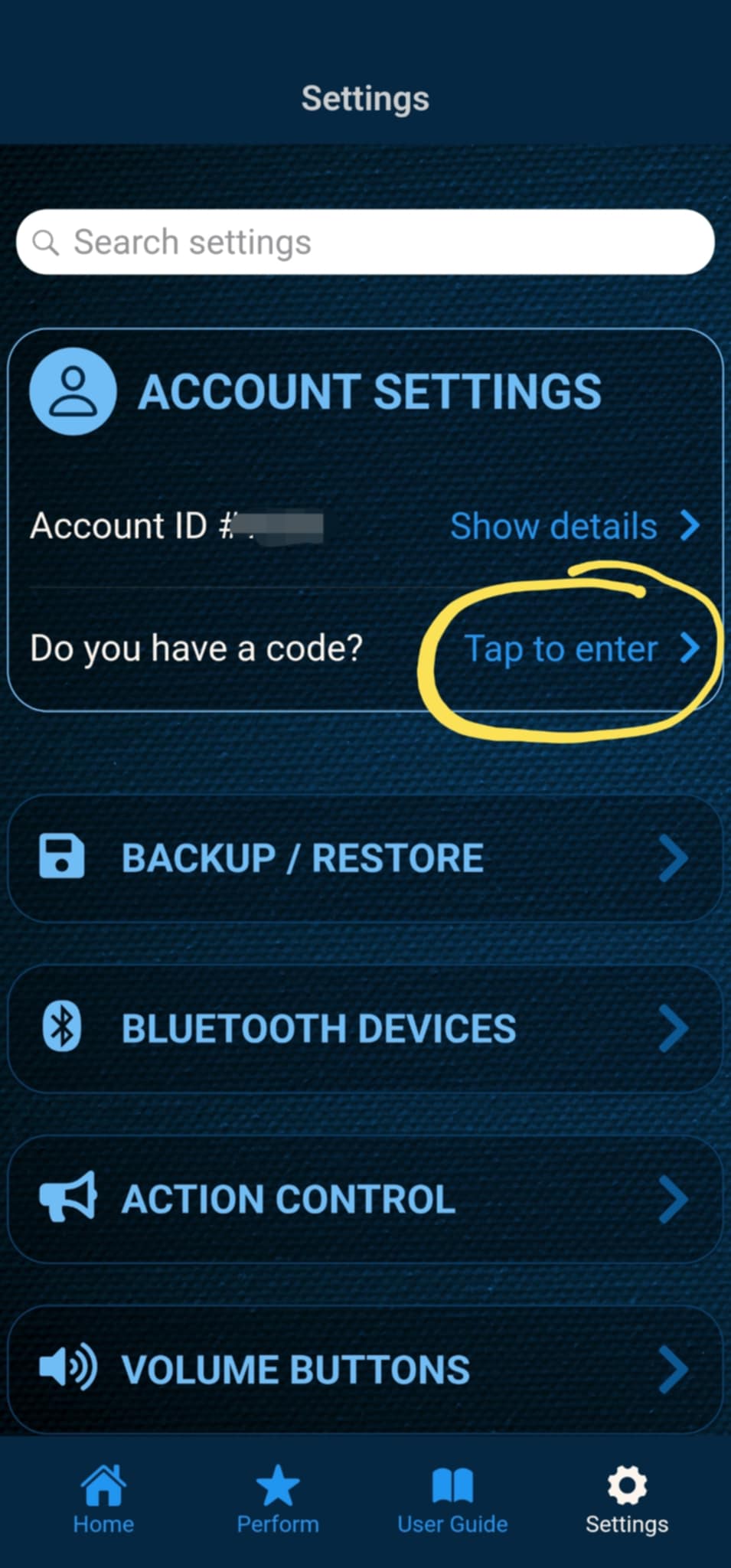
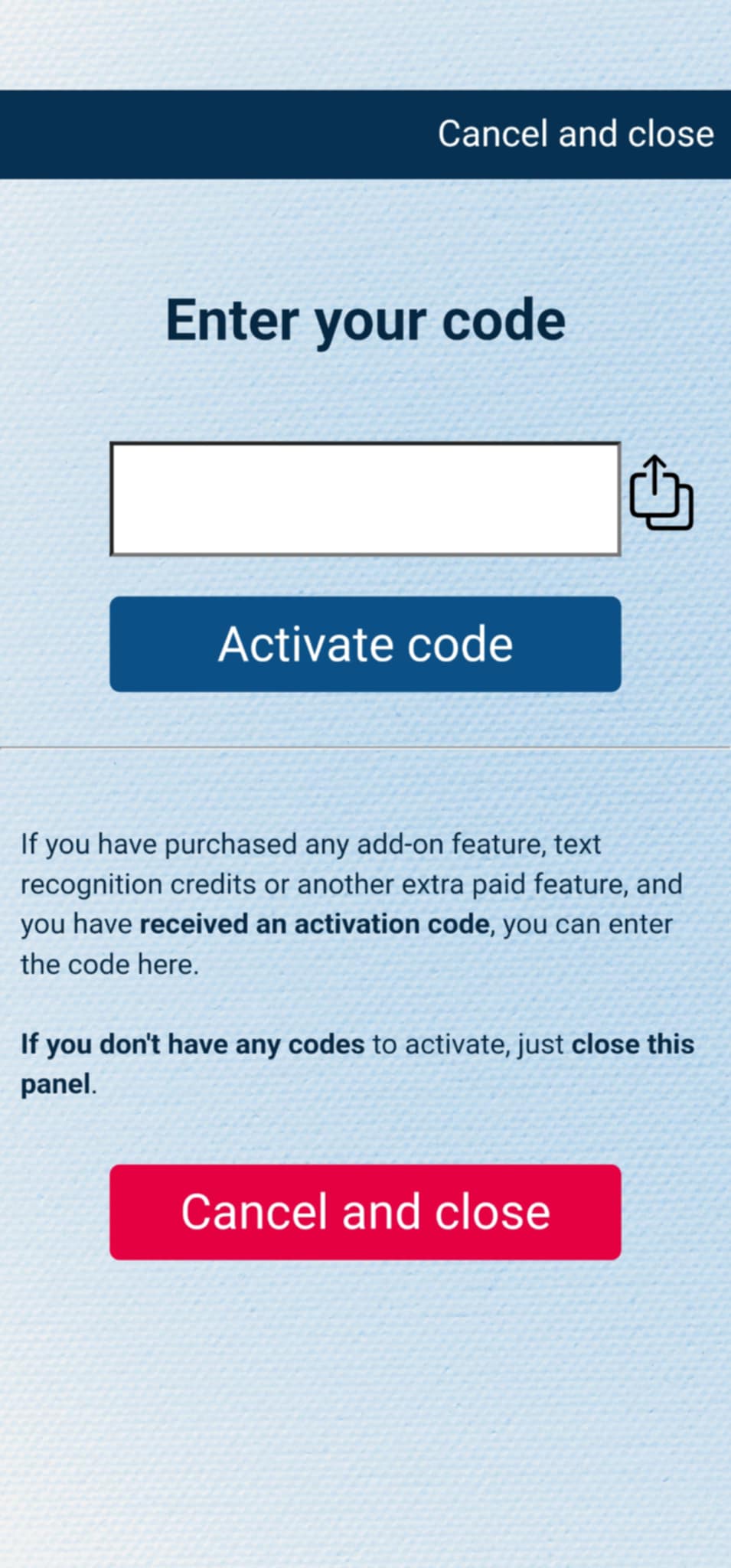
If you have purchased the add-on separately, or received the code as a gift, you can activate the code by entering it in MysterSmith, in the ACCOUNT STTINGS section. Just look for the line " Do you have a code? ", and " Tap to enter ", and the code activation screen will pop up.
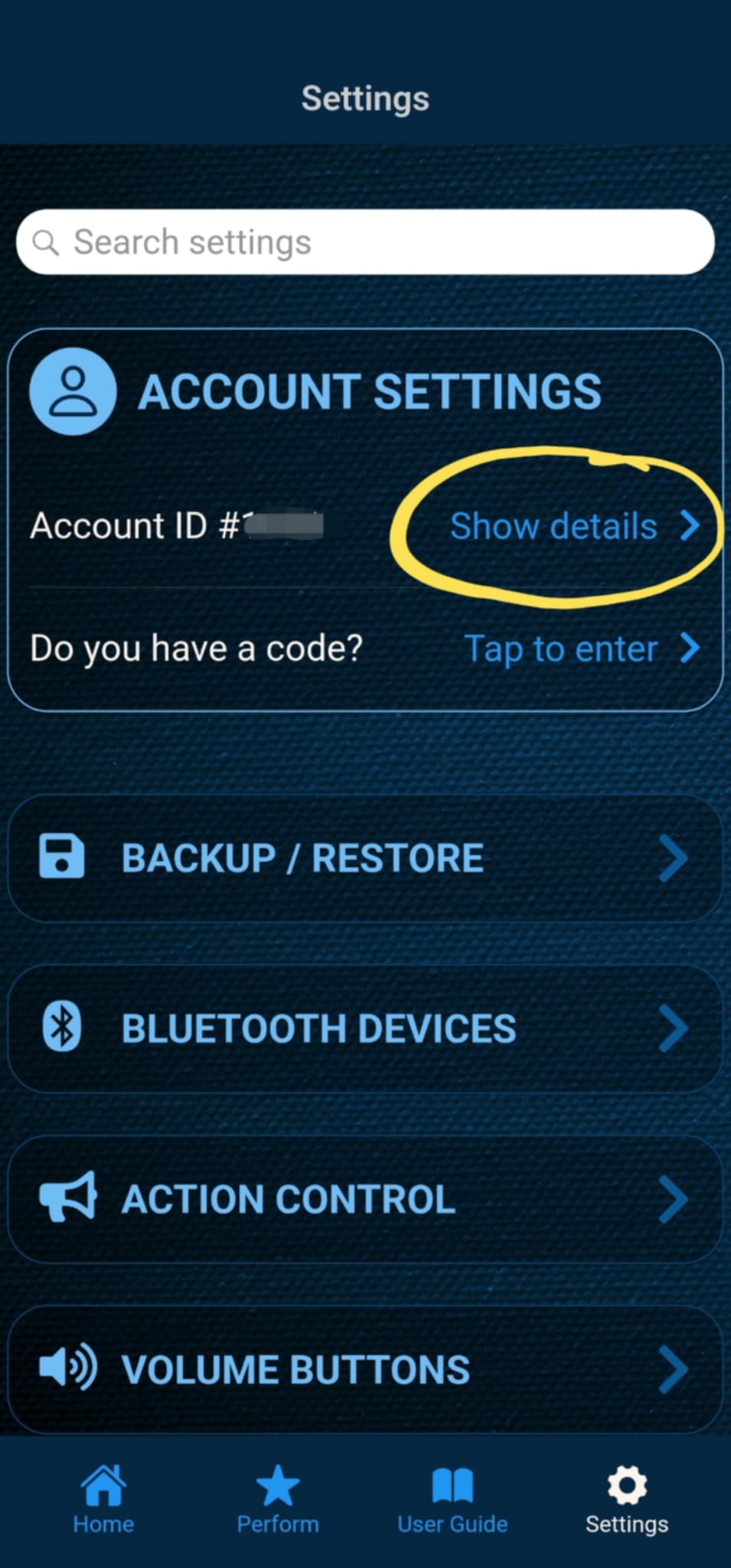
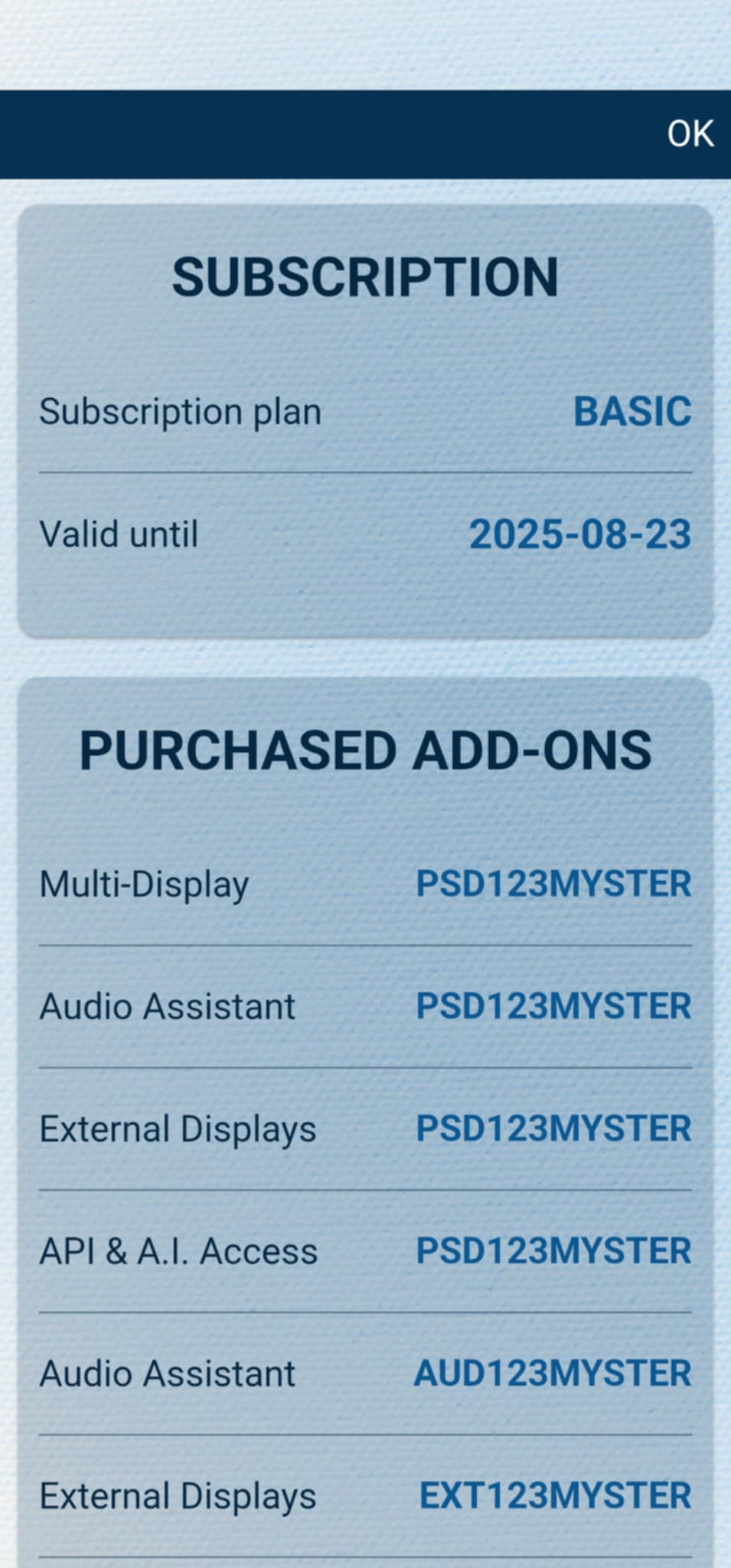
After the code is activated, you can check all your activated add-ons on your account details page. Just tap " Show details " under ACCOUNT SETTINGS, and scroll down to the PURCHASED ADD-ONS section. If you have an active MysterSmith subscription, you will have access to all the available add-ons.