
WEB-doodle feature
The WEB-doodle feature is a premium add-on for the MysterSmith app.
The add-on costs 45 EUR (one time fee).
Features
With the WEB-doodle feature activated, you can display drawings from the spectator's phone, on your display devices (if you have the External Display add-on) and also on your phone's screen.
The app can also recognize handwritings on the doodle screen, and display the text on your display devices, or even using text-to-speech (requires the Audio Assistant add-on).
You can also peek the color selected by the spectator in the WEB-doodle: the same color will be selected on your Doodle screen in MysterSmith, and the color is also displayed on your connected display devices (like the Apple Watch, WearOS watches, WEB-screen, BT Screen, or notifications on any smartwatch/smartband etc), or you can hear it using the Audio Assistant.
Basic method (username in URL)
First of all, make sure your username and PIN are bith set up (under ACCOUNT SETTINGS). If you haven't set them yet, then choose any username and PIN (it will be OK unless the username is already taken). You will need to enter your username in the URL later.
In the app go to the WEB-DOODLE settings, and turn on "Enable WEB-doodle". Then go to the home page and press "START ROUTINE", and press the "WEB-doodle" button. The Doodle screen will start... and you can start performing the routine.
Open the following URL on the spectator's phone (enter your own username at the end):
webart.ink/username
The spectator then can draw or write anything on the doodle screen, and you will see their drawing on your phone's screen and also on your connected display devices. The drawings will update every 5 seconds. When the routine is over, you should exit the Doodle screen by long pressing the RED color selector, and then tap the WEB-doodle button again to stop it.
The color sequence method (no username in URL)
Go to the WEB-DOODLE settings, and turn on "Enable WEB-doodle". Then tap the button near "WEB-doodle color sequence". The doodle screen will start... You'll have to tap any five colors quickly (max. 1 second pause between colors), and also remember the order of the five colors. The sequence can be like:
- red, green, green, yellow, blue
- green, green, yellow, yellow, red
- red, green, red, green, pink
...and so on. If the color sequence is already reserved by another user, the app will display a warning, and you'll have to enter a new sequence of colors. If it's OK, the doodle screen will close and the app will display a confirmation message.
Now that you have your own color sequence, you can go to the home page and press "START ROUTINE", then press the "WEB-doodle" button. The doodle screen will start... and you can start performing the routine. You can ask the spectator to open the following URL on their phone (no username needed at all):
webart.ink
The spectator can draw or write anything on the doodle screen, and you will see the drawings on your phone's screen and also on your connected display devices. The drawings will update every 5 seconds. When the routine is over, you should exit the doodle screen by long pressing the RED color selector, and then tap the WEB-doodle button again to stop it.
Text recognition
If you'd like to display the recognized text (or hear it using the Audio Assistant via text-to-speech), you should go to TEXT RECOGNITION settings, enable text recognition, and set "Automatic recognition" to 8 or more seconds (maybe even 10-15)... so the recognition will only start when the spectator has finished drawing, and there are no more updates to the screen.
You will see the recognized text on your phone's screen and also on your connected display devices, or you can hear it using the Audio Assistant.
Purchasing the "WEB-doodle" add-on
If you don't want to subscribe for MysterSmith (to get all the available add-ons), you can also purchase the WEB-doodle add-on for 45 EUR by clicking here:
bsmagic.app/payment/?item=webdoodle
Activating your code
If you are a MysterSmith subscriber, the add-on is already activated for you.
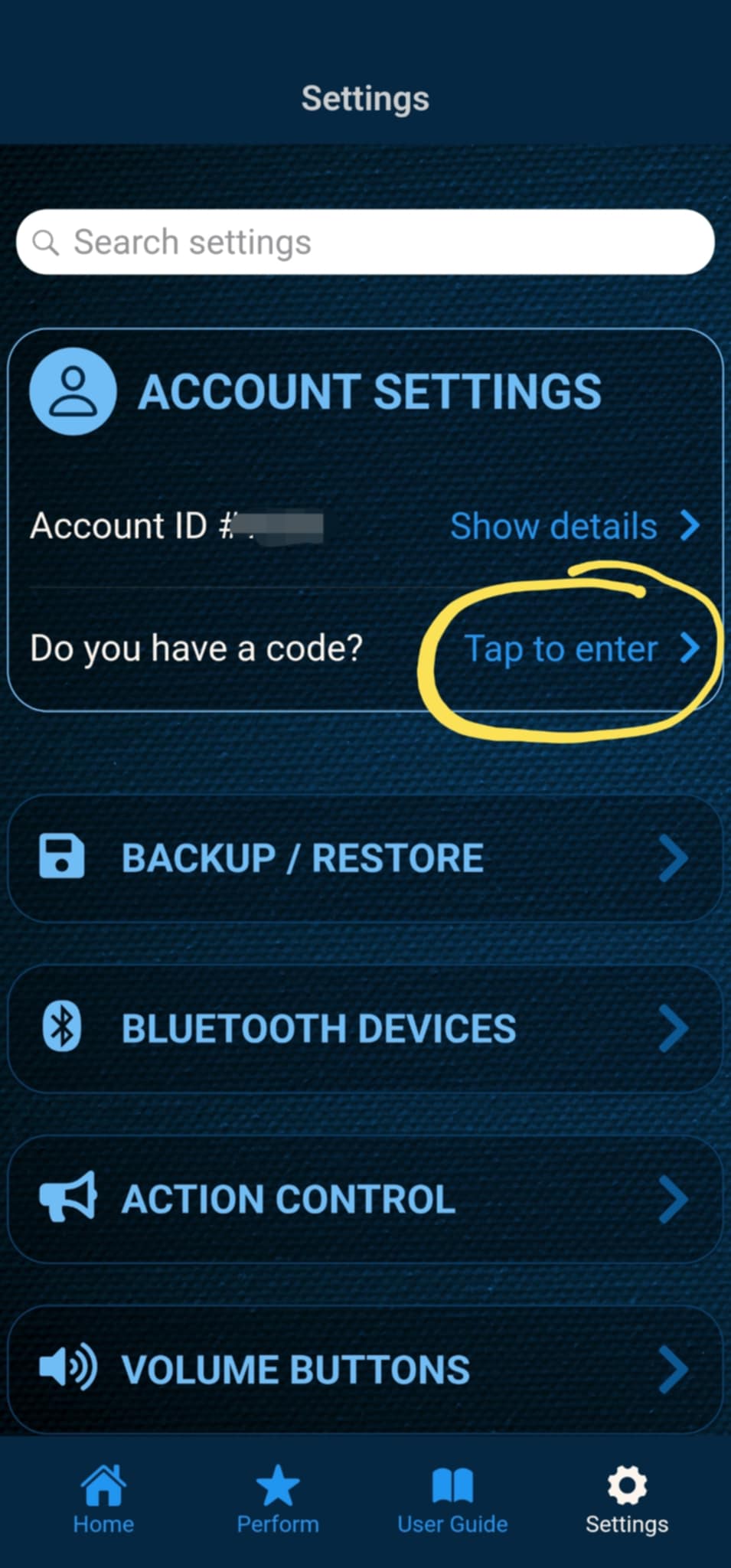
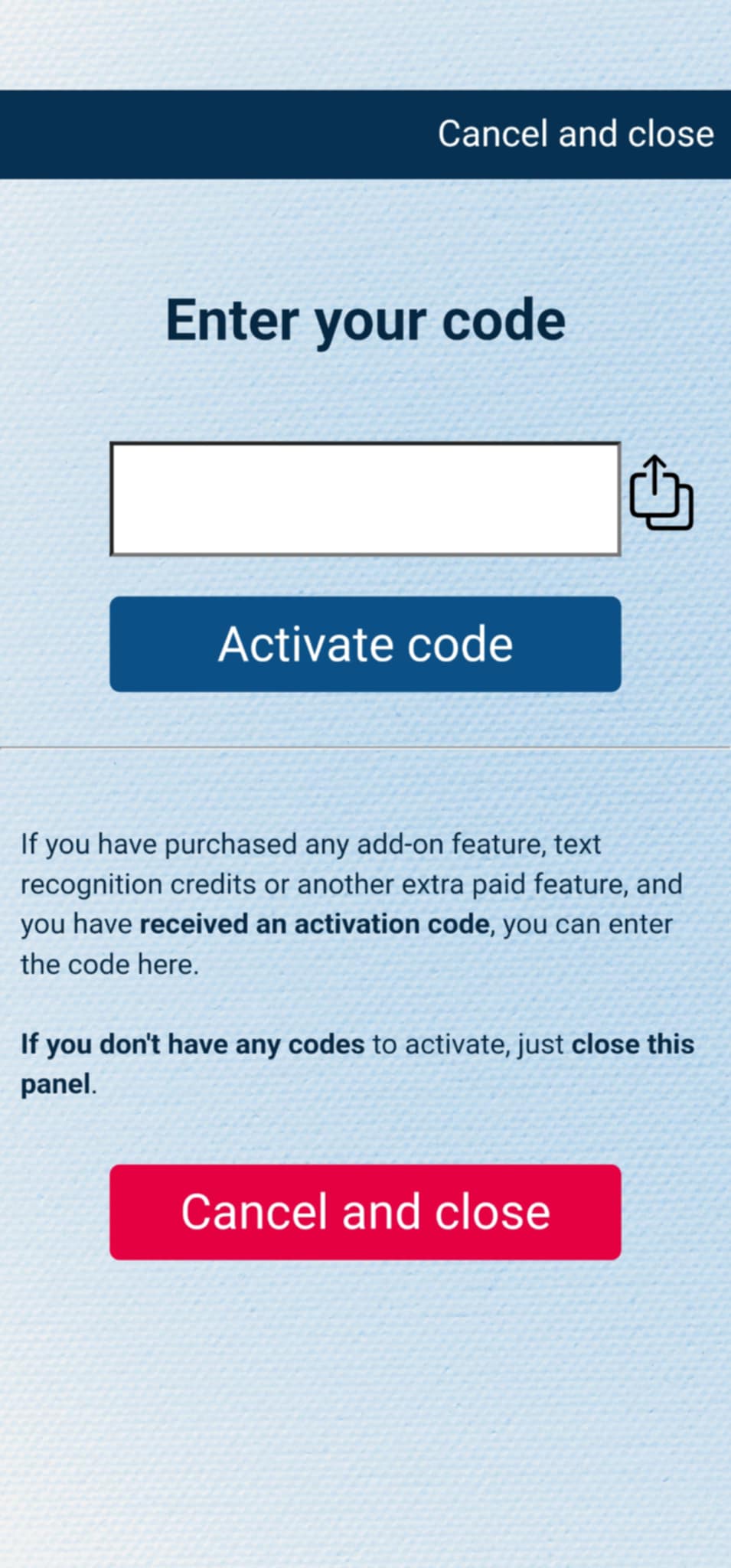
If you have purchased the add-on separately, or received the code as a gift, you can activate the code by entering it in MysterSmith, in the ACCOUNT STTINGS section. Just look for the line " Do you have a code? ", and " Tap to enter ", and the code activation screen will pop up.
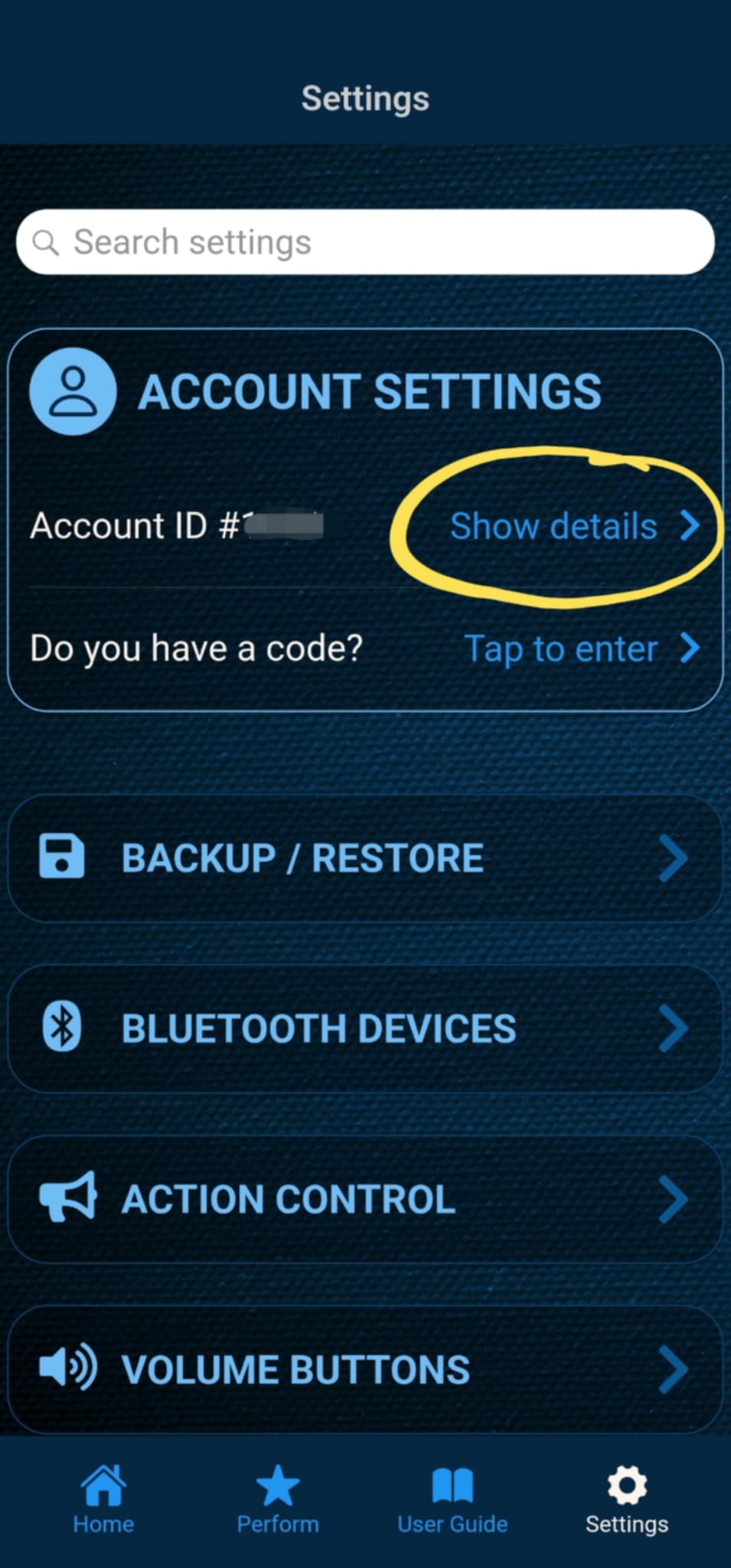
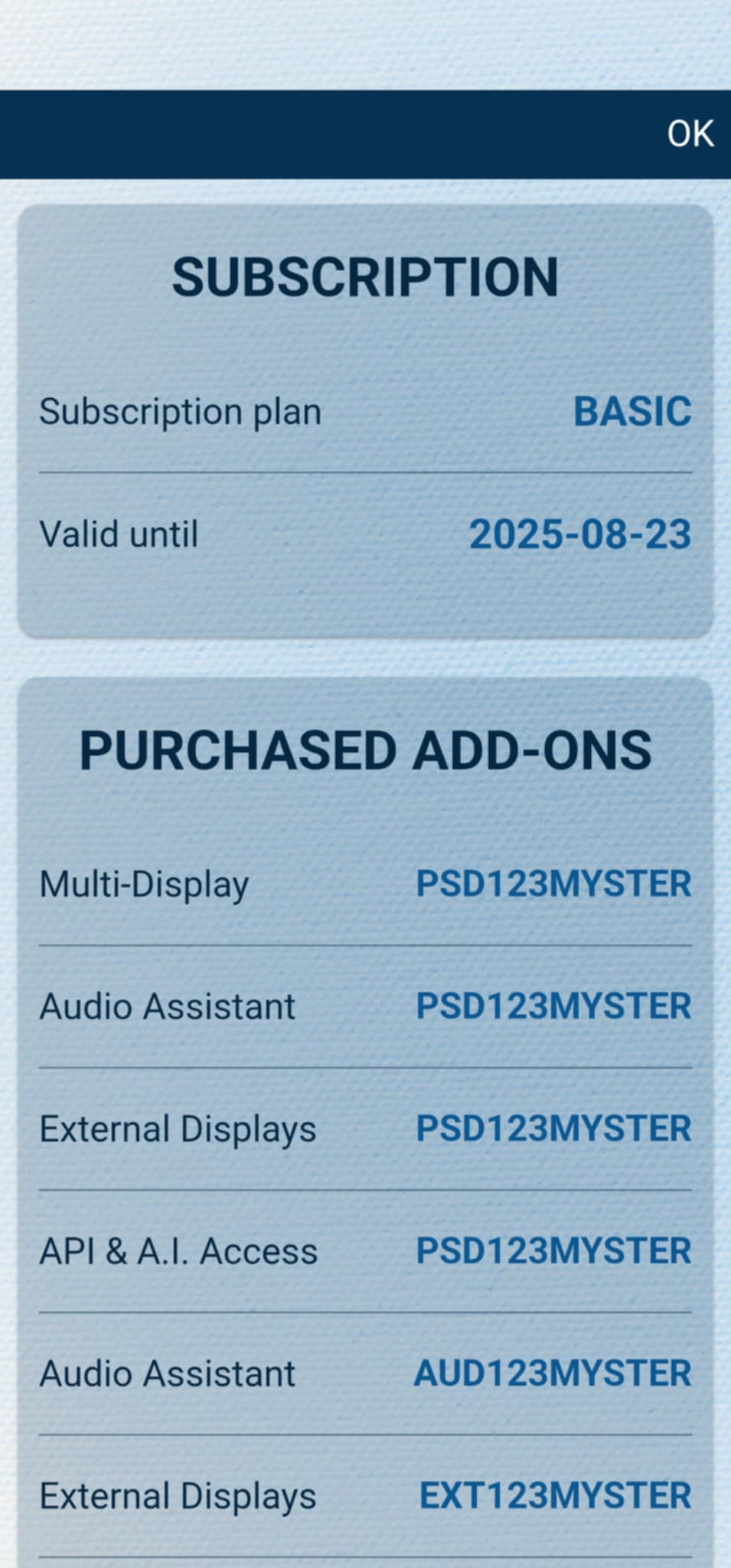
After the code is activated, you can check all your activated add-ons on your account details page. Just tap " Show details " under ACCOUNT SETTINGS, and scroll down to the PURCHASED ADD-ONS section. If you have an active MysterSmith subscription, you will have access to all the available add-ons.