WEB API - reading data
Reading the last text from the TextBuffer
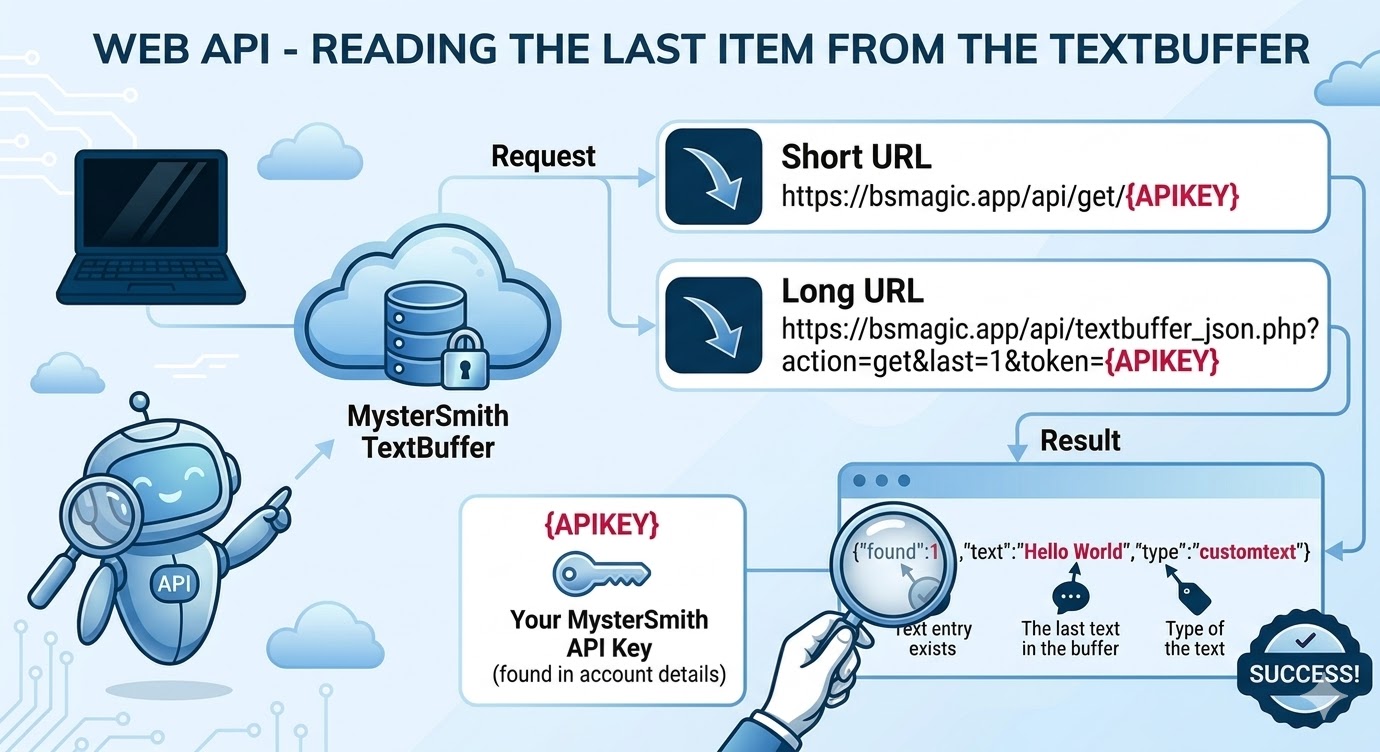
Using the basic WEB API URL you can read/get text from the TextBuffer using a simple GET call. To identify your account, you must use your MysterSmith API key, which you will find in your account details in the app.
Short URL: https://bsmagic.app/api/get/{APIKEY}
Long URL: https://bsmagic.app/api/textbuffer_json.php?action=get&last=1&token={APIKEY}
{APIKEY} = your MysterSmith API key
Example (short): https://bsmagic.app/api/get/ABC123DE
Example (long): https://bsmagic.app/api/textbuffer_json.php?action=get&last=1&token=ABC123DE
JSON response format: {"found":1,"text":"Hello World","type":"customtext"}
Using the above URLs, you will always receive the LAST entry from the TextBuffer. The field name is simply "text". You will also receive the type of the text, returned in the "type" field.
Reading all items from the TextBuffer
If you would like to get all entries from the TextBuffer, you can use this URL for your GET request:
URL: https://bsmagic.app/api/textbuffer_json.php?action=get&token={APIKEY}
{APIKEY} = your MysterSmith API key
Example: https://bsmagic.app/api/textbuffer_json.php?action=get&last=3&token=ABC123DE
JSON response format:
{"text":"purple","last":"purple","first":"Hello World","text_1":"purple","text_2":"7H","text_3":"Hello World","found":3,"type":"any"}
As you can see, this response contains the last 3 items from the TextBuffer. The field names explained:
"text" and "last": they both contain the last entry from the buffer (for backwards compatibility reasons)
"first": contains the first/oldest entry from the buffer
"text_1", "text_2", "text_3": the last 3 results ("text_1" being the newest, "text_3" the oldest entry)
Reading an item at a specific position from the TextBuffer
If you would like to get an entry from the TextBuffer from a specific position, you should use the "first" or "last" parameter in the URL of your GET request:
URL with "first": https://bsmagic.app/api/textbuffer_json.php?action=get&first={N}&token={APIKEY}
URL with "last": https://bsmagic.app/api/textbuffer_json.php?action=get&last={N}&token={APIKEY}
{N} = the position of the required entry {APIKEY} = your MysterSmith API key
JSON response format: {"found":1,"text":"Hello World","type":"customtext"}
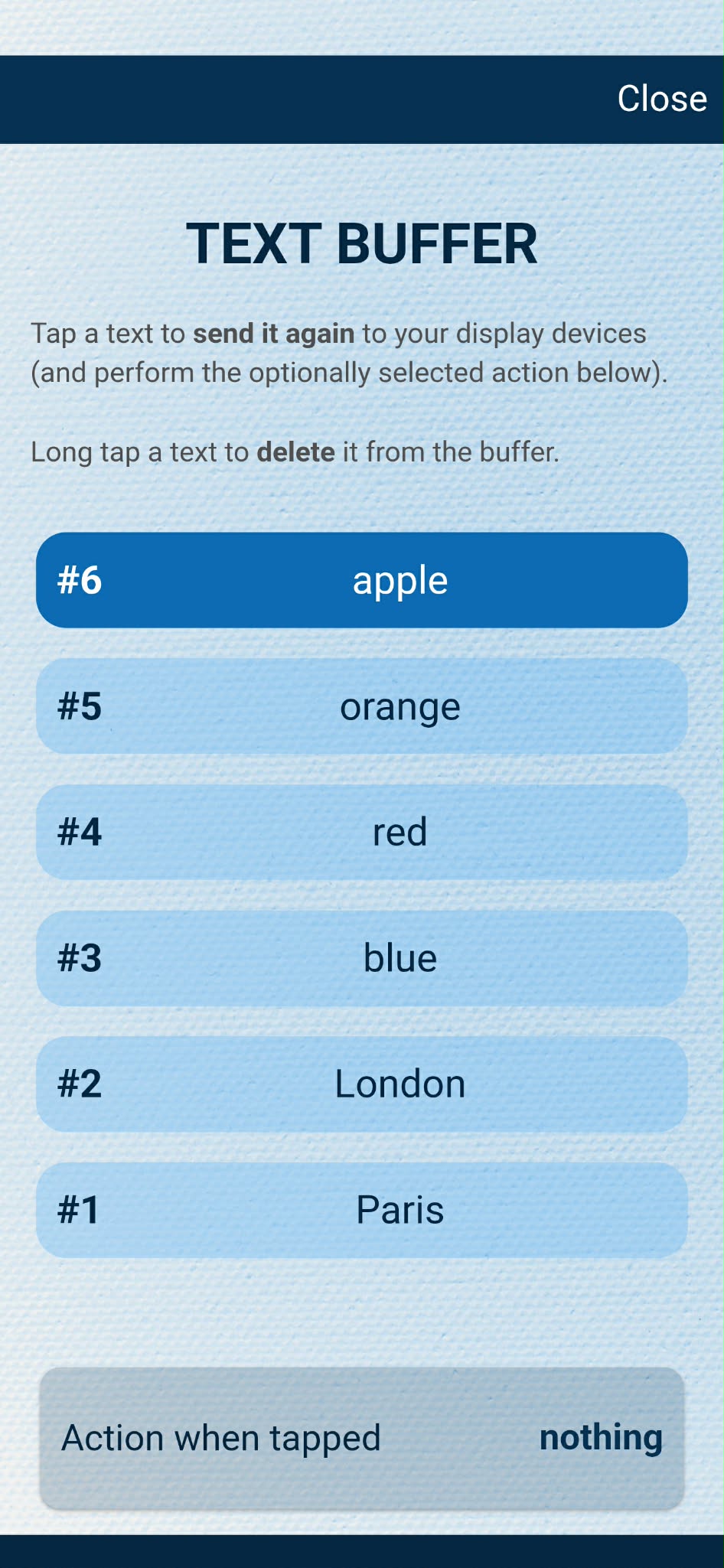
Example buffer:
We add these words to the buffer in this order:
Paris, London, blue, red, orange, apple
The TextBuffer will store the last/newest item at the beginning, and the first/oldest item at the end:
["apple", "orange", "red", "blue", "London", "Paris"]
Example 1: https://bsmagic.app/api/textbuffer_json.php?action=get&first=2&token=ABC123DE
This will return the 2nd oldest entry from the TextBuffer: "London"
Example 2: https://bsmagic.app/api/textbuffer_json.php?action=get&last=3&token=ABC123DE
This will return the 3rd newest entry from the TextBuffer: "red"
Filtering results by type
If you'd like to only receive results of a certain type, you can specify the type in both the short and the long URLs, like this:
Short URL: https://bsmagic.app/api/get-{TYPE}/{APIKEY}
Long URL: https://bsmagic.app/api/textbuffer_json.php?action=get&last=1&type={TYPE}&token={APIKEY}
{TYPE} = the filtered type (click here for the list of available types)
{APIKEY} = your MysterSmith API key
Example 1: https://bsmagic.app/api/get-playingcard/ABC123DE