WEB-doodle (add-on)
The WEB-doodle add-on is a premium feature for the MysterSmith app. The price of the add-on is currently 55 EUR (one time fee), but of course it's also included in all subscription plans (MINI, BASIC and PREMIUM).
With the WEB-doodle add-on activated, the spectator can draw or write anything on their own phone, in a simple drawing page opened in the web browser - and you will see the drawing on your phone's screen and on your peek devices, while they are drawing.
Features
- Peek the drawing: the spectator's drawing appears on the Doodle screen of your phone (in colors), and on your connected peek devices.
- Handwriting recognition: the app can recognize handwritings from the WEB-doodle, just like from the in-app Doodle screen, and display the text on your peek devices. With the External Displays add-on you can see it on even more devices (like smartwatches), and with the Audio Assistant add-on you can even hear it in your BT earpiece (text-to-speech). More info: Text recognition.
- Peek the selected color: you can also peek the color selected by the spectator in the WEB-doodle: the same color is selected on your Doodle screen, and it is also shown on your peek devices (and on external displays, or spoken by the Audio Assistant, if you have those add-ons).
- No app for the spectator: the WEB-doodle is a simple web page, it works in any browser, on any phone.
Setting it up
In the MysterSmith app go to the WEB-DOODLE settings, and turn on " Enable WEB-doodle ". The WEB-doodle uses your MysterSmith username (set in ACCOUNT SETTINGS ), so make sure you have one.
There are two ways to connect the spectator's phone to your app:
1. Username in the URL
Open the following URL on the spectator's phone (with your own username at the end):
The phone remembers your username, so the next time on the same phone it's enough to open webdoodle.ink (without the username). To make the phone forget it, open webdoodle.ink/reset .
2. The color sequence (no username in the URL)
In the WEB-DOODLE settings tap " Set now " near " WEB-doodle color sequence ". The Doodle screen starts: tap any five colors quickly (max. 1 second pause between the colors), and remember their order. The sequence can be like:
- red, green, green, yellow, blue
- green, green, yellow, yellow, red
- red, green, red, green, pink
If the color sequence is already reserved by another user, the app says so, and you'll have to enter a new one. If it's OK, the app confirms your new color sequence.
Then simply open webdoodle.ink on the spectator's phone, and tap the same five colors in the same order: the page connects to your app - no username needed at all.
Performing the routine
On the routine page of the app tap the WEB-DOODLE button (it turns yellow while the WEB-doodle is running). The spectator can now draw or write anything on the WEB-doodle, and you will see it on your phone and on your peek devices. When the routine is over, tap the WEB-DOODLE button again to stop it.
More settings in the WEB-DOODLE section:
- Autostart peek screen: which screen starts with the WEB-doodle - Doodle screen , BLACK screen , always ask , or nothing .
- Disable finger drawing: your own finger doesn't draw on the peek screen (only the spectator's drawing is shown).
- Peek selected color: the color selected by the spectator is peeked too (see above).
Videos
These videos were made with the PeekSmith app, but the WEB-doodle works the same way in MysterSmith.
Username in the URL:
The color sequence:
Text recognition:
Purchasing the "WEB-doodle" add-on
If you don't want to subscribe for MysterSmith (to get all the available add-ons), you can also purchase the WEB-doodle add-on for 55 EUR by clicking here:
bsmagic.app/order/?buy=webdoodle
You can pay using PayPal (PayPal account or credit card needed) or Stripe (credit cards, Apple Pay and Google Pay are accepted).


Activating your code
If you are a MysterSmith subscriber, the add-on is already activated for you.
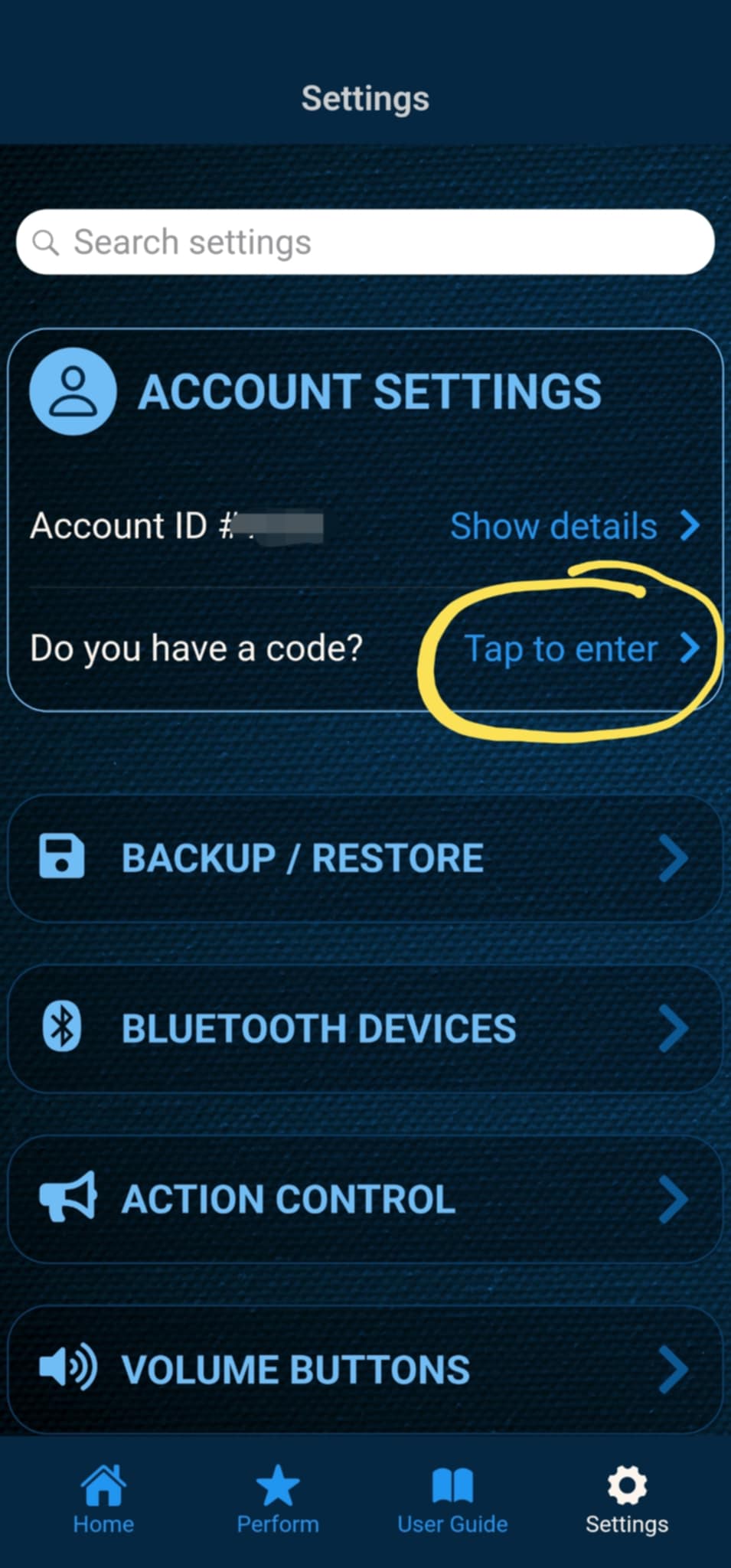
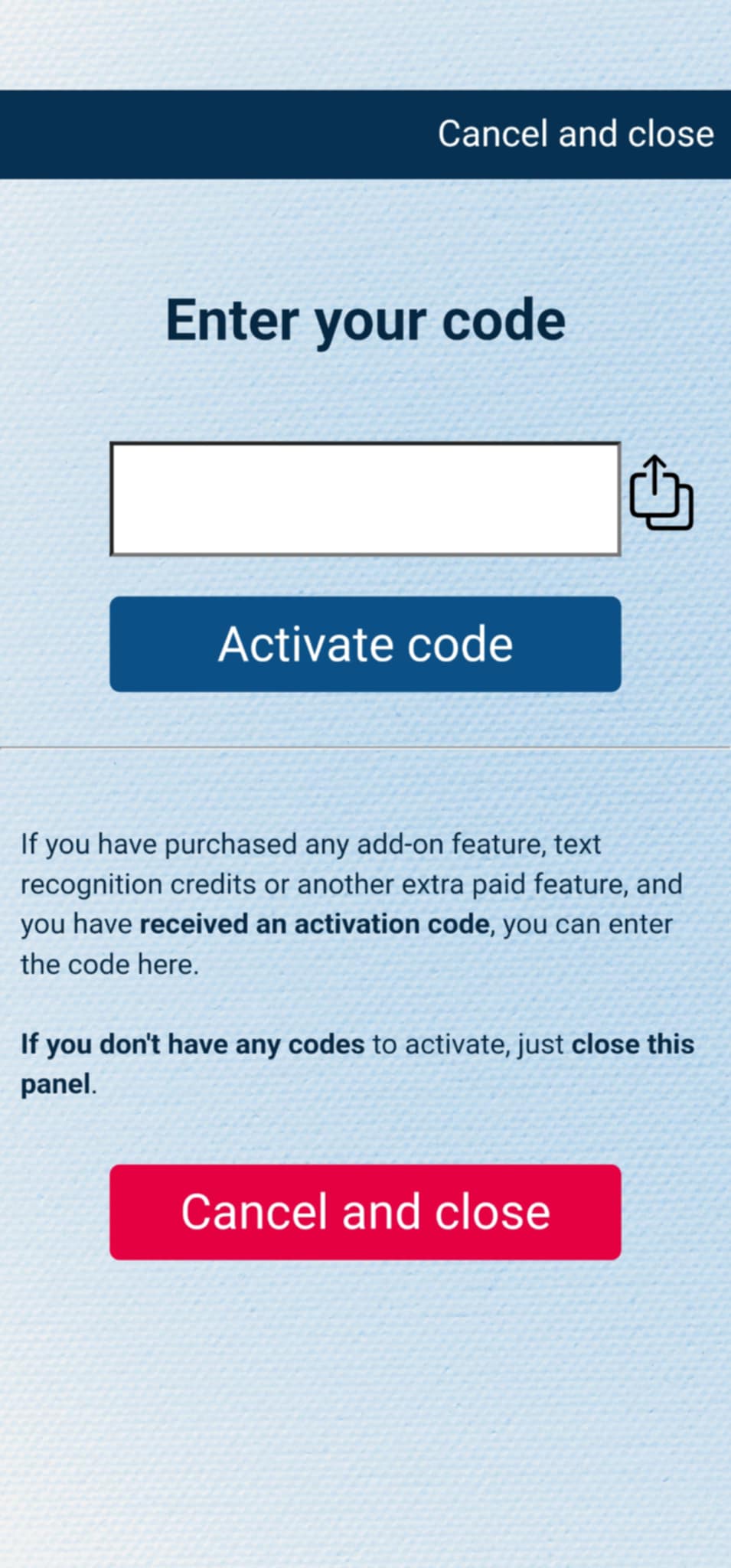
If you have purchased the add-on separately, or received the code as a gift, you can activate the code by entering it in MysterSmith, in the ACCOUNT SETTINGS section. Just look for the line " Do you have a code? ", and " Tap to enter ", and the code activation screen will pop up.
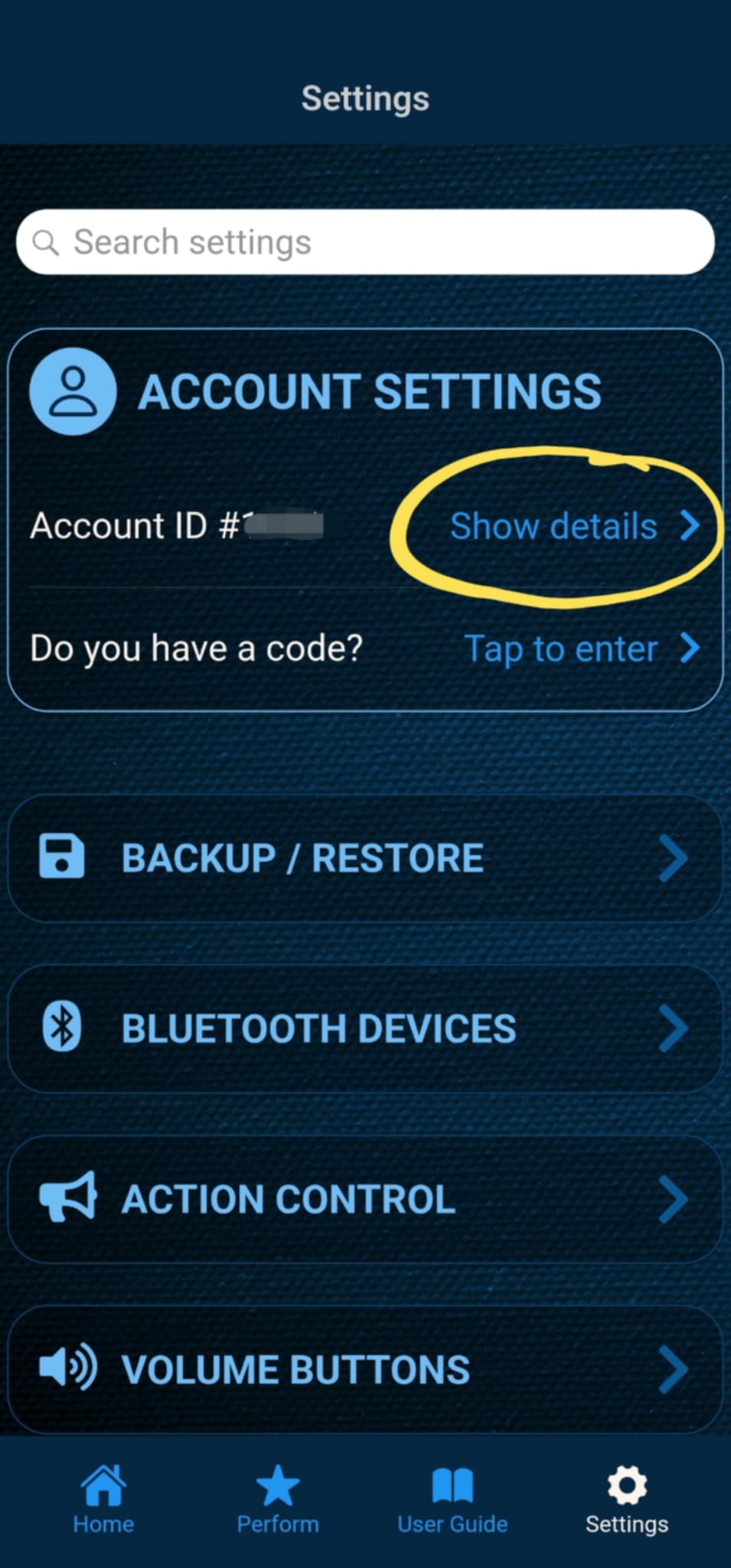
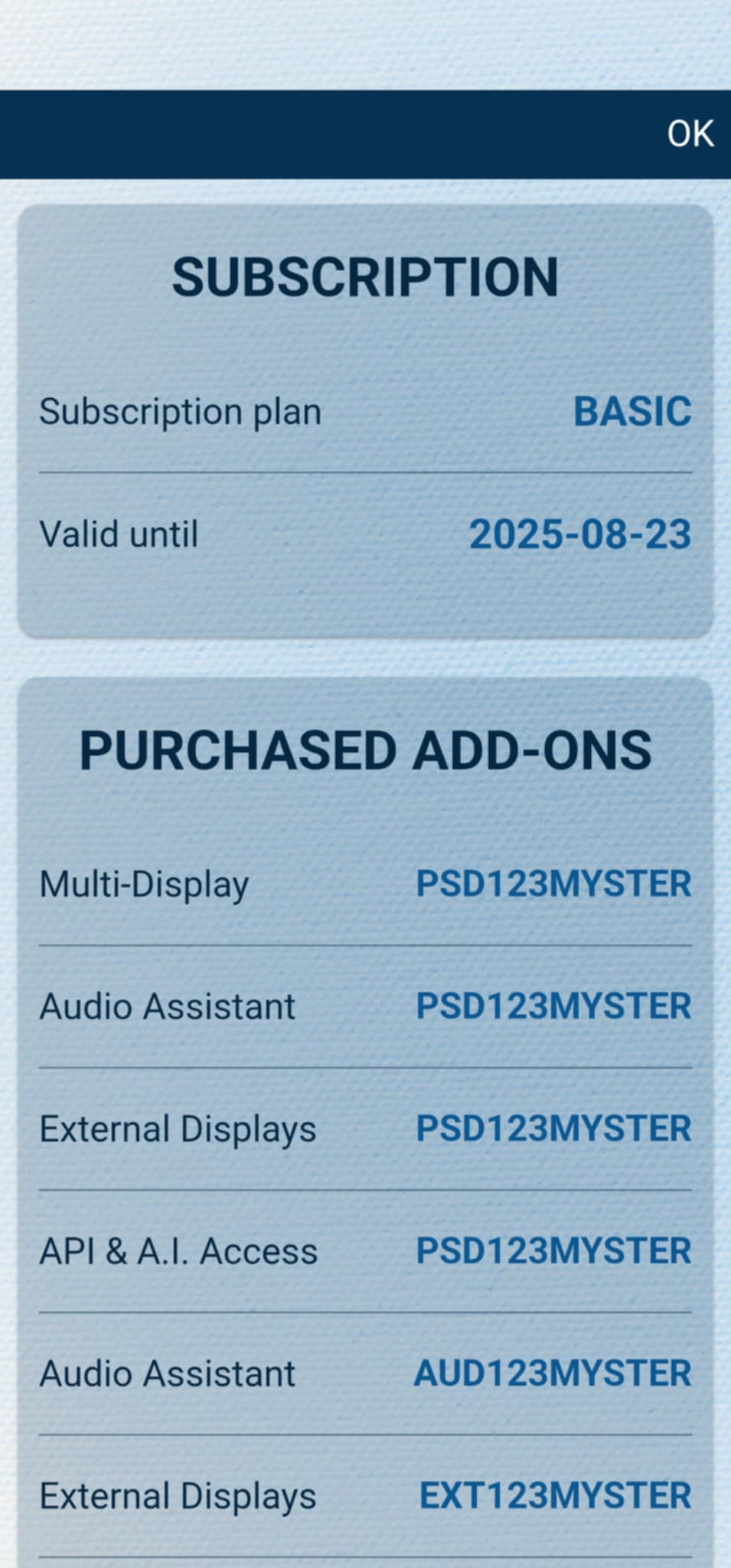
After the code is activated, you can check all your activated add-ons on your account details page. Just tap " Show details " under ACCOUNT SETTINGS, and scroll down to the PURCHASED ADD-ONS section. If you have an active MysterSmith subscription, you will have access to all the available add-ons.