A.I. Features (add-on)
The A.I. Features add-on is a premium feature for the MysterSmith app. The price of the add-on is currently 40 EUR (one time fee), but of course it's also included in all subscription plans (MINI, BASIC and PREMIUM).
With the A.I. Features add-on activated, you'll be able to use A.I. based features in the app, using your own OpenAI API key or Gemini API key (more info at the bottom of this page).
How to use it: see the User Guide: A.I. drawings, A.I. recognition, Templates and A.I. prompts.
Purchasing the A.I. Features add-on separately
If you don't want to subscribe for MysterSmith (to get all the available add-ons), you can also purchase the A.I. Features add-on separately for 40 EUR by clicking here:
bsmagic.app/order/?buy=ai_features
You can pay using PayPal (PayPal account or credit card needed) or Stripe (credit cards, Apple Pay and Google Pay are accepted).


Activating your code
If you are a MysterSmith subscriber, the add-on is already activated for you.
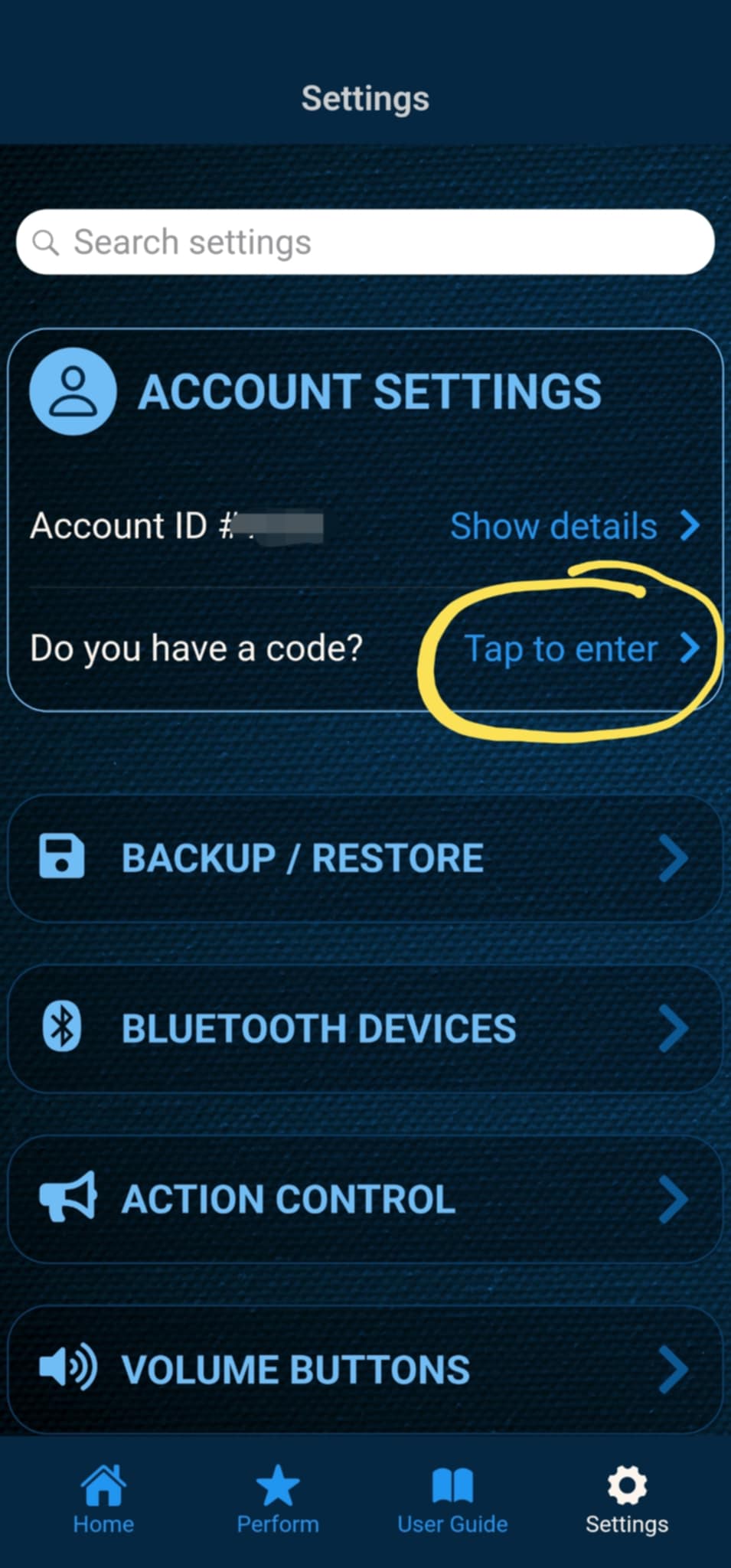
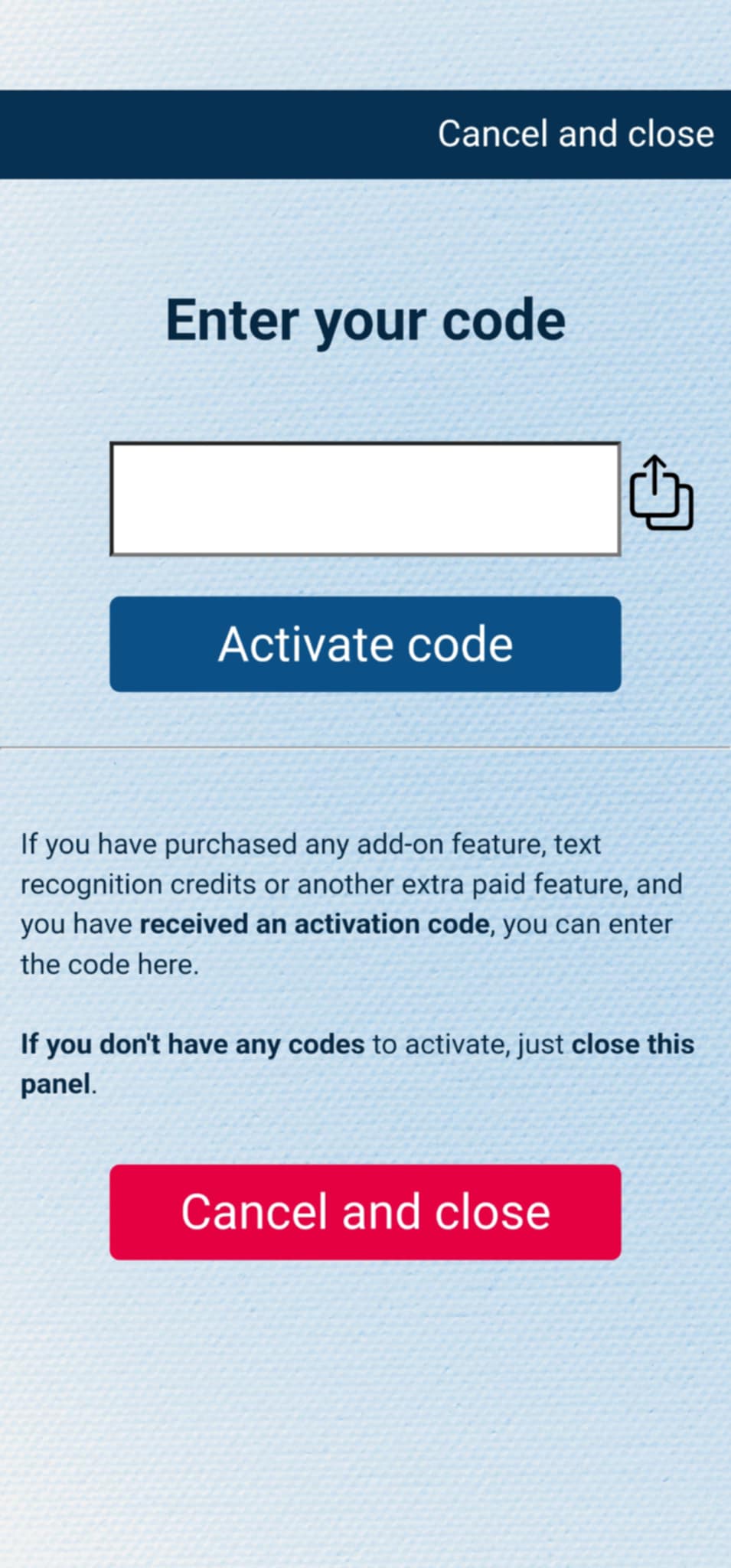
If you have purchased the add-on separately, or received the code as a gift, you can activate the code by entering it in MysterSmith, in the ACCOUNT SETTINGS section. Just look for the line " Do you have a code? ", and " Tap to enter ", and the code activation screen will pop up.
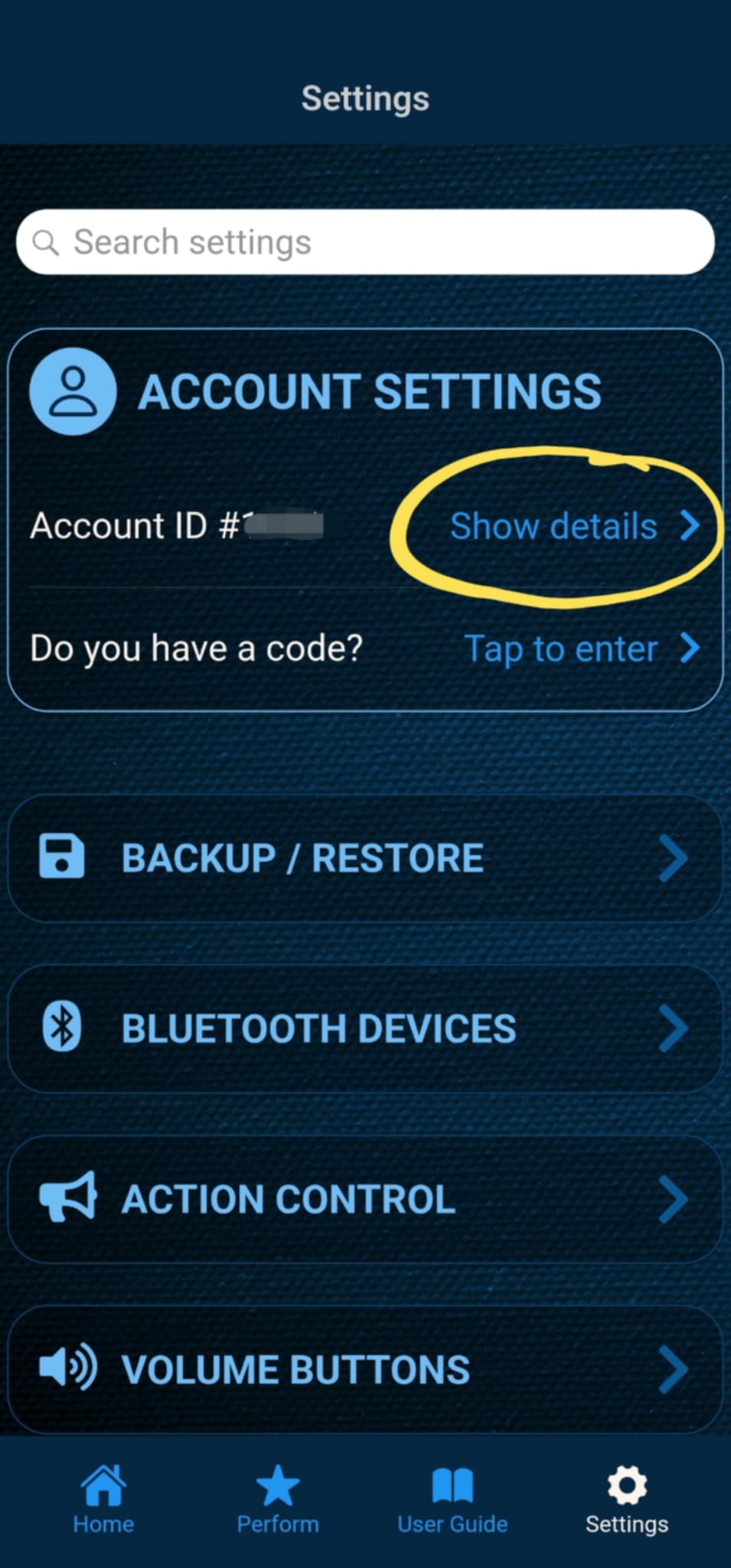
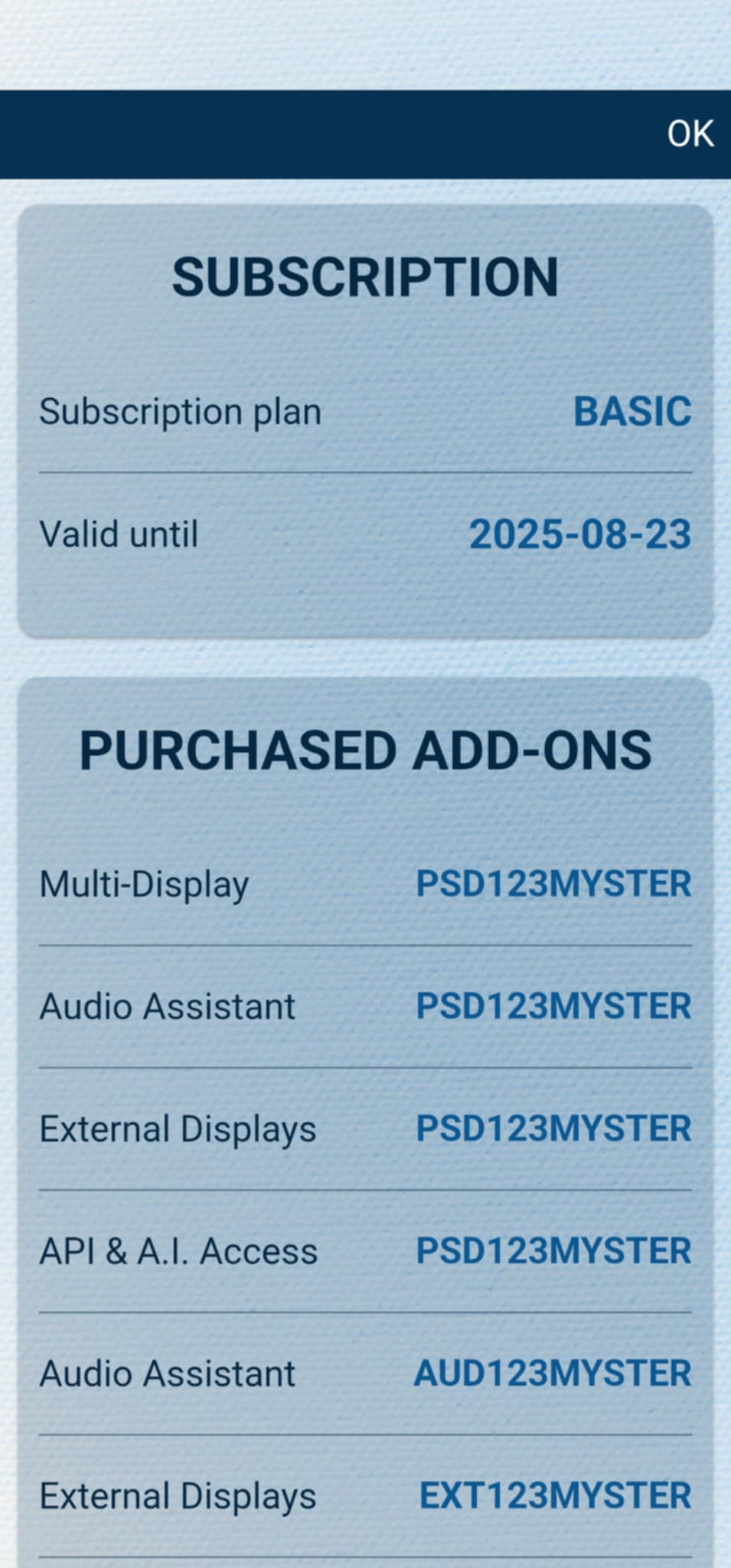
After the code is activated, you can check all your activated add-ons on your account details page. Just tap " Show details " under ACCOUNT SETTINGS, and scroll down to the PURCHASED ADD-ONS section. If you have an active MysterSmith subscription, you will have access to all the available add-ons.
Using A.I. functions (text recognition, drawing generation etc.)
If you already have the A.I. Features add-on, you can enter your own OpenAI API key or your own Gemini key to be able to use A.I. based features, like text recognition, drawing generation, image analysis and more. To use the A.I. based text recognition you don't need to buy any text recognition credits from me, you will pay directly to OpenAI (or Google, if you select a paid Gemini model).
Click here to read the guide about obtaining the OpenAI or Gemini API key