External Displays (add-on)
IMPORTANT: add-on validity in the PeekSmith app
This add-on is for the MysterSmith app. However, if you have purchased the add-on before 1st August 2026, you can also use the add-on in the PeekSmith app (which is now owned/developed by Electricks Ltd.). BASIC and PREMIUM subscribers who already had an active subscription on 1st August 2026, can access the add-on in the PeekSmith app until 31st December 2026. For more info please visit the MysterSmith and PeekSmith facebook groups.
The External Displays add-on is a premium feature for the MysterSmith app (if you have previously purchased the add-on for the PeekSmith app, you can use it in MysterSmith too, and don't have to buy the add-on again).
The price of the add-on is currently 55 EUR (one time fee), but of course it's also included in all subscription plans (MINI, BASIC and PREMIUM).
With the External Displays add-on activated, you'll be able to display text (and images) from the MysterSmith app on a variety of devices, and use the buttons of some of them.
The add-on currently supports the following display options:
- local notifications (use any smartwatch or smartband)
- Apple Watch (iOS only)
- WearOS watches (Android only)
- WEB screen (in any browser) and BT screen
- copy to clipboard
- PeekSmith 3 / Bond
- Teleport
- MrCard
- SB Watch 2
- Quantum
- Iarvel Card
- Lumen Duo
- Lumen Eye, Lumen Prism (also the Prism PRO), Lumen Spectra
- Pitata Inversion Board
- Pitata Inversion Board Ultra
- Pitata Prediction Keychain
- Pitata InfiniTag
- Iarvel Peek / Spirit Echo (Iarvel Peek Whiteboard)
- Iarvel Keychain
- Iarvel Keychain PRO (Key Prediction PRO)
- The Missing Tape (by Yao)
- RealBoard (by Yao)
- Gicisky e-ink displays (3.7" BWR, 3.6" BWRYGB, 2.1" BW, 4.2" BWR, 4" BWRY)
- HolyIoT e-ink displays (Inkcard 4 and 6 colors)
- Notifier
- Picdance case
- Reinkstone iPhone e-ink cases (iOS only)
(displaying recognized text on Lumen display devices is only available for Lumen PRO users)
Buttons: for PeekSmith 3, Bond, SB Watch 2, MrCard and Iarvel Card, this add-on is enough to use their buttons too (other input devices need the Advanced Input Methods add-on).
The full list of devices: Supported devices.
How to use it: see the User Guide: Display devices.
Purchasing the External Displays add-on
If you don't want to subscribe for MysterSmith (to get all the available add-ons), you can also purchase the External Displays add-on for 55 EUR by clicking here:
bsmagic.app/order/?buy=externaldisplays
You can pay using PayPal (PayPal account needed) or Stripe (credit cards, Apple Pay and Google Pay are accepted).


Activating your code
If you are a MysterSmith subscriber, the add-on is already activated for you.
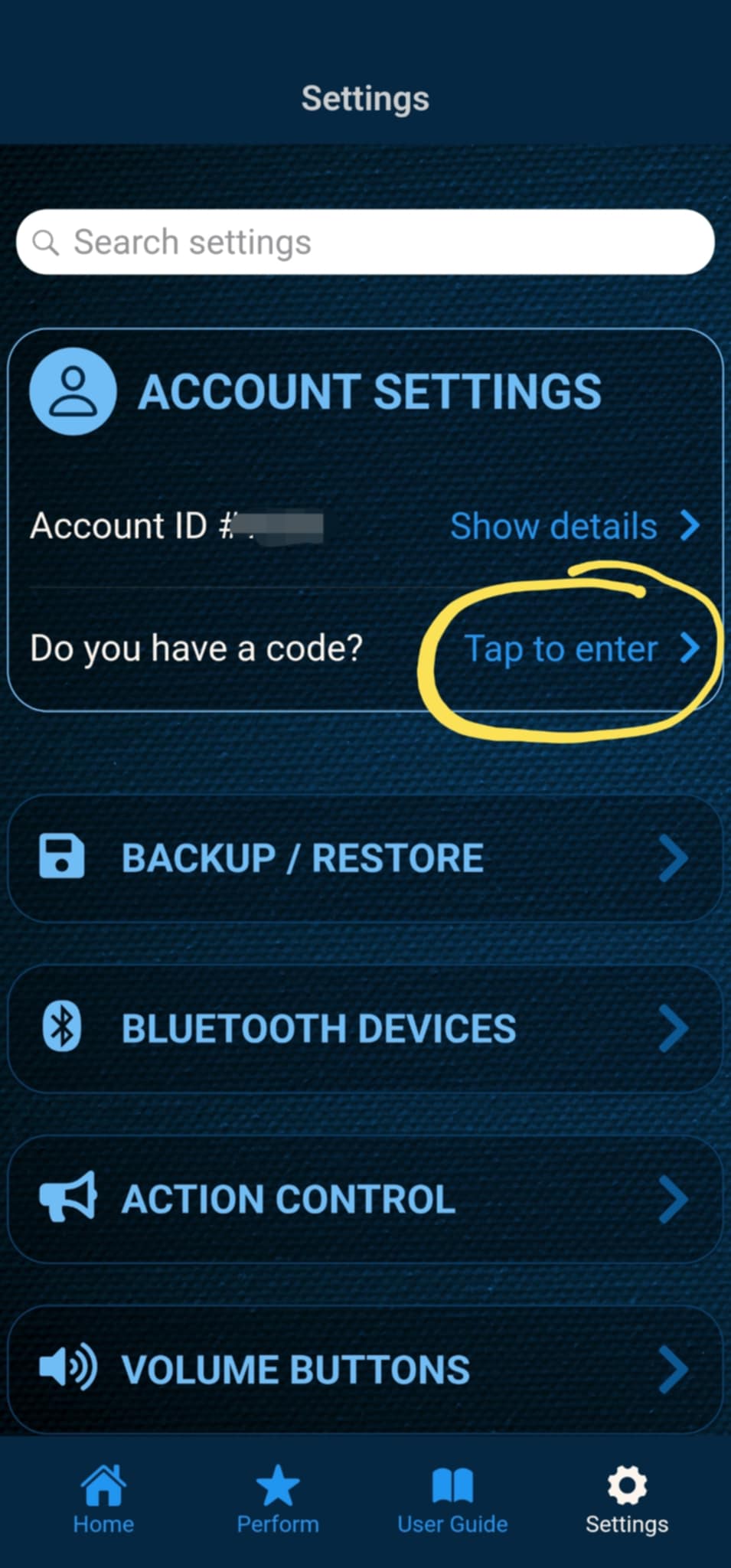
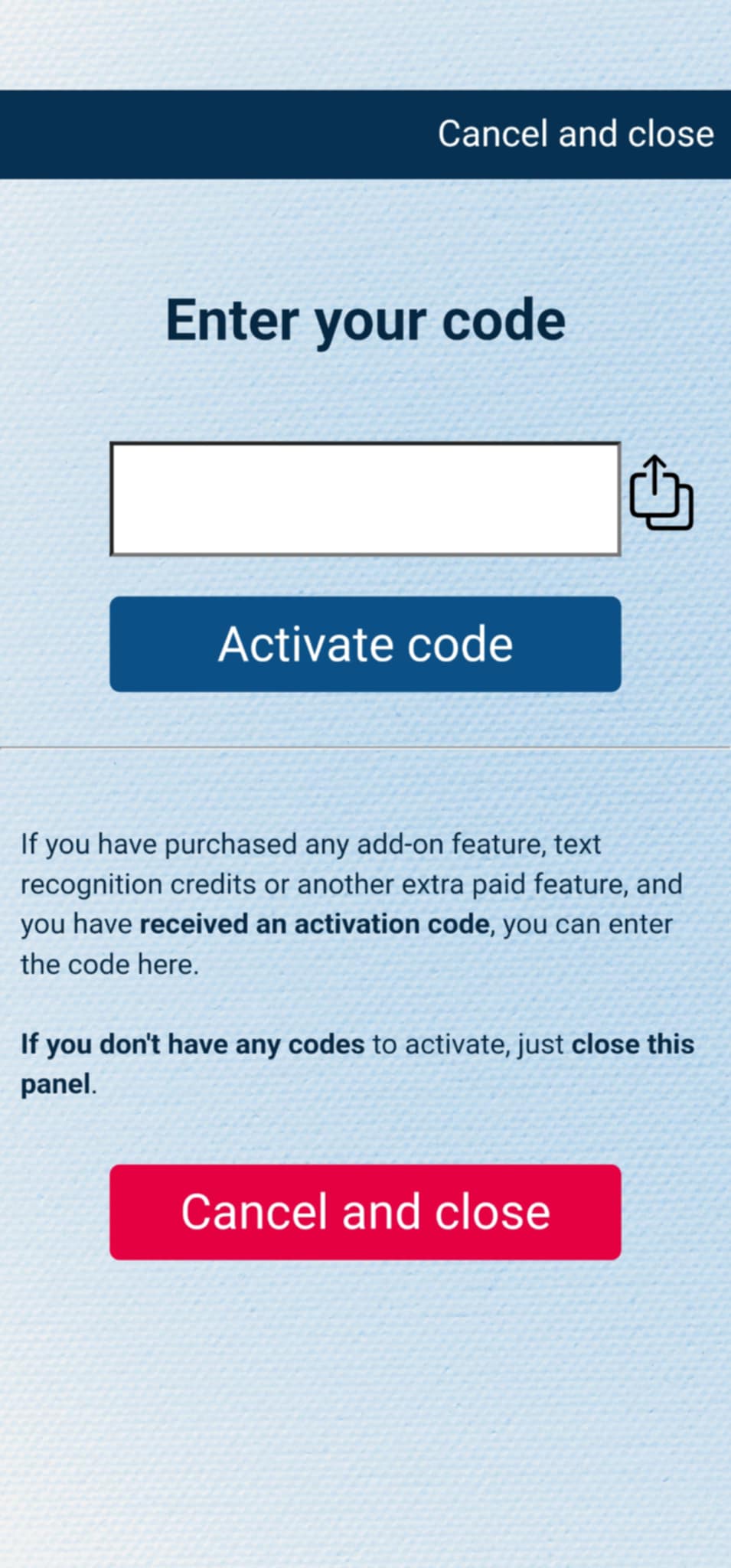
If you have purchased the add-on separately, or received the code as a gift, you can activate the code by entering it in MysterSmith, in the ACCOUNT SETTINGS section. Just look for the line " Do you have a code? ", and " Tap to enter ", and the code activation screen will pop up.
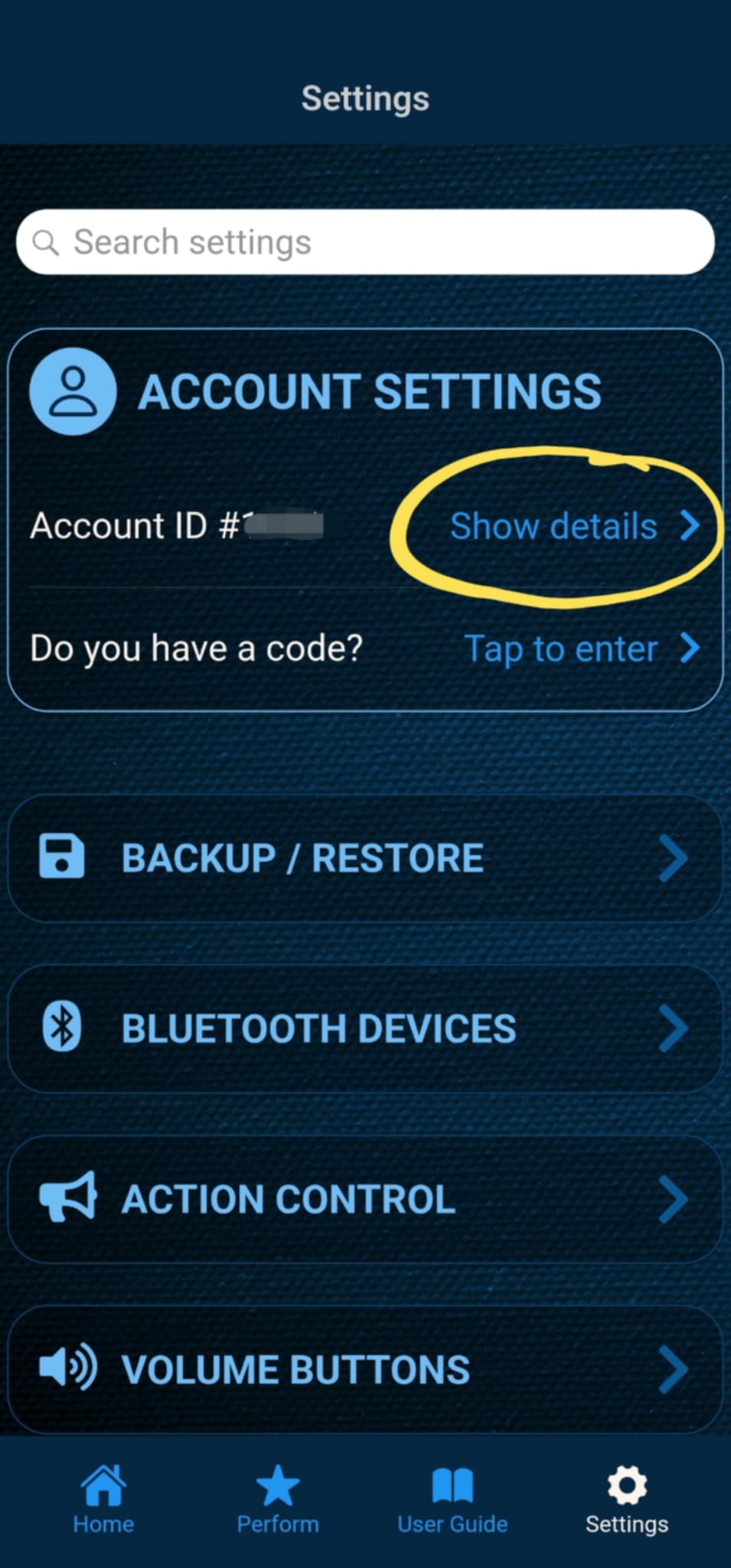
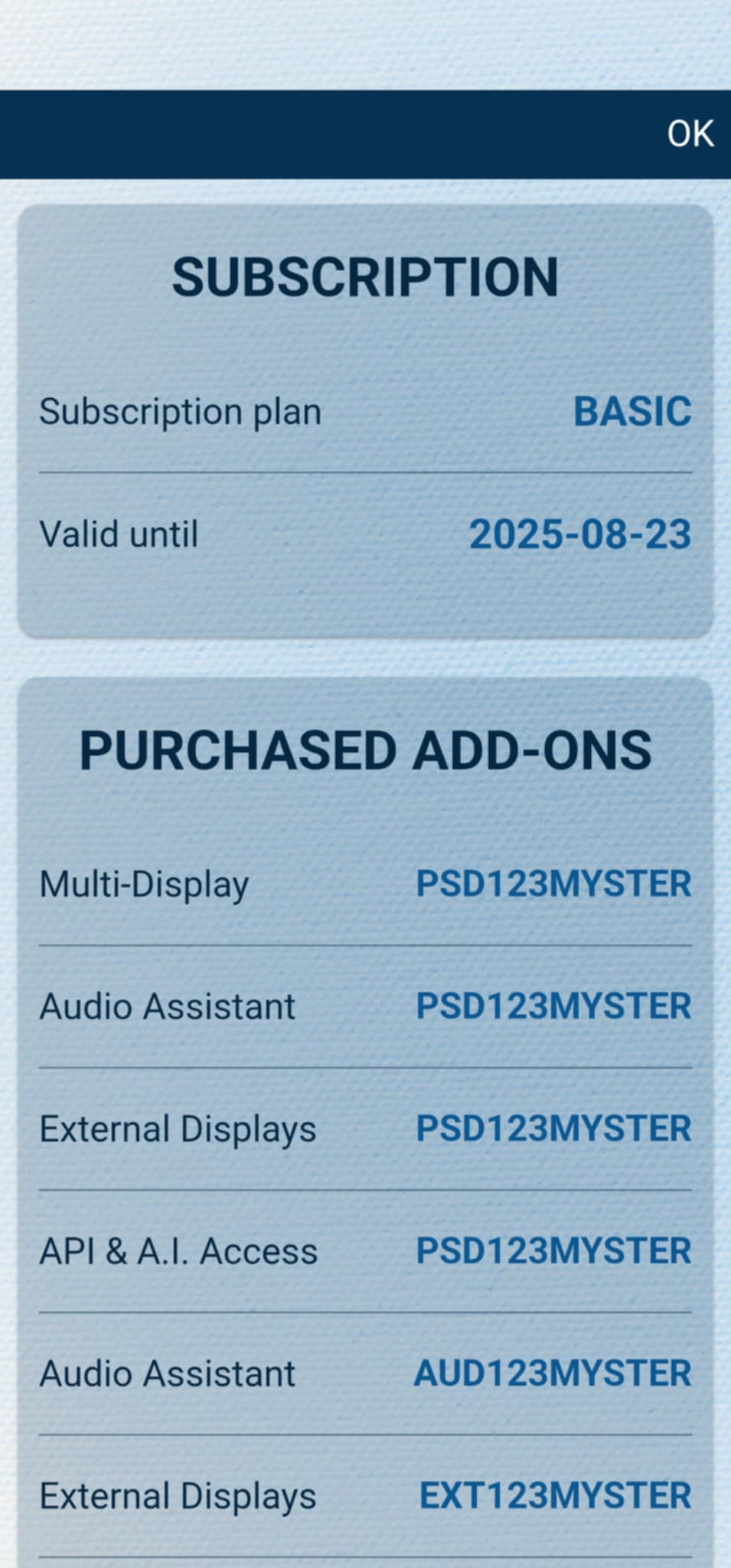
After the code is activated, you can check all your activated add-ons on your account details page. Just tap " Show details " under ACCOUNT SETTINGS, and scroll down to the PURCHASED ADD-ONS section. If you have an active MysterSmith subscription, you will have access to all the available add-ons.
WEB-screen
You can view the text sent from the MysterSmith app in any WEB browser. Open the following URL, and use your username/PIN to log in to the MysterSmith WEB-screen: