Image Buffer (add-on)
The Image Buffer add-on is a premium feature for the MysterSmith app. The price of the add-on is currently 35 EUR (one time fee), but of course it's also included in all subscription plans (MINI, BASIC and PREMIUM).
With the Image Buffer add-on activated, you can store, recall and process the last 9 images of the app: drawings from the Doodle screen and impression boards, A.I. drawings, images made from templates, and images received from WEB-polling, Send to API or the HTTP socket. The images are saved to your account, so they are synced to your other phones too.
- Image types to save: choose which pictures go into the buffer.
- Browse them: a thumbnail gallery, a full-screen image browser, and the show last / previous / next image actions.
- Send them to your devices: image buffer to printer, Prism, Teleport, Inversion Board, Inv.Board Ultra, Peek Board, RealBoard, E-ink tag, VHS tape and Reinkstone (each device may need its own add-on).
- Use them in image templates:
#IMAGE,#IMG1..#IMG9,#LAST1..#LAST9. - Last photo: the LAST PHOTO screen, the Last photo changed trigger and the last photo to ... actions (Doodle, Teleport, Prism, Inversion Boards, RealBoard, Peek Board, Reinkstone, printers).
All the details: The Image Buffer in the User Guide.
Purchasing the "Image Buffer" add-on
If you don't want to subscribe for MysterSmith (to get all the available add-ons), you can also purchase the Image Buffer add-on for 35 EUR by clicking here:
bsmagic.app/order/?buy=imagebuffer
You can pay using PayPal (PayPal account or credit card needed) or Stripe (credit cards, Apple Pay and Google Pay are accepted).


Activating your code
If you are a MysterSmith subscriber, the add-on is already activated for you.
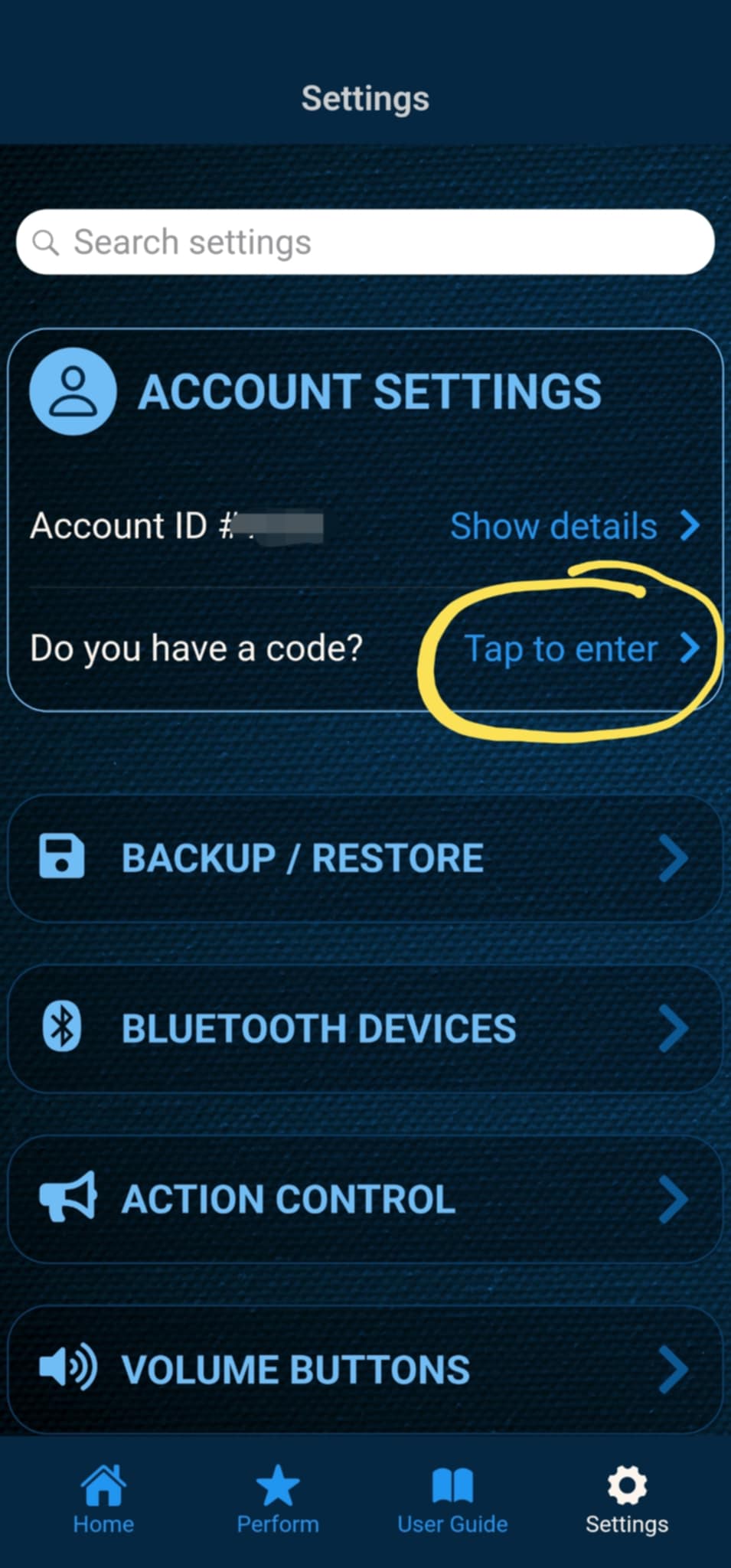
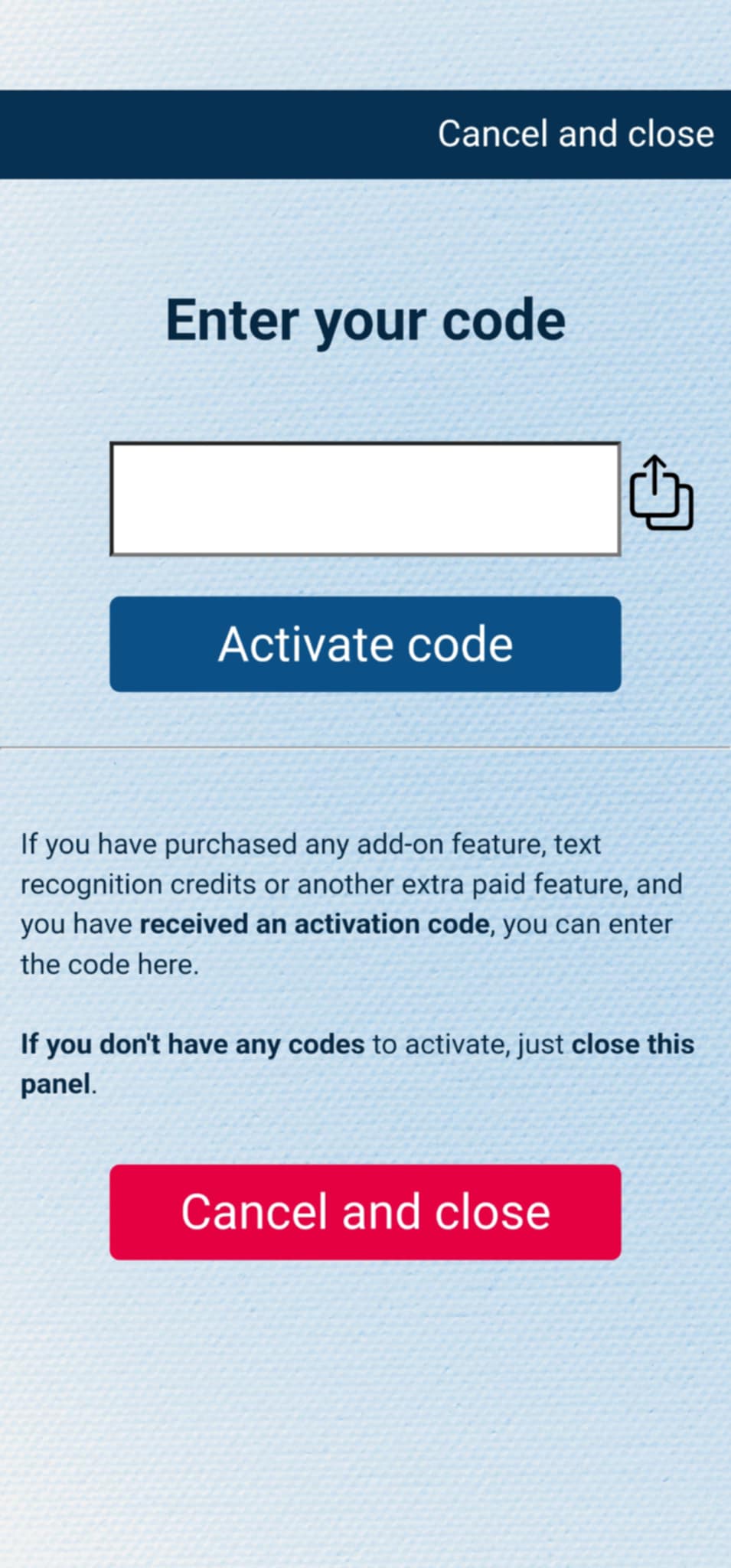
If you have purchased the add-on separately, or received the code as a gift, you can activate the code by entering it in MysterSmith, in the ACCOUNT SETTINGS section. Just look for the line " Do you have a code? ", and " Tap to enter ", and the code activation screen will pop up.
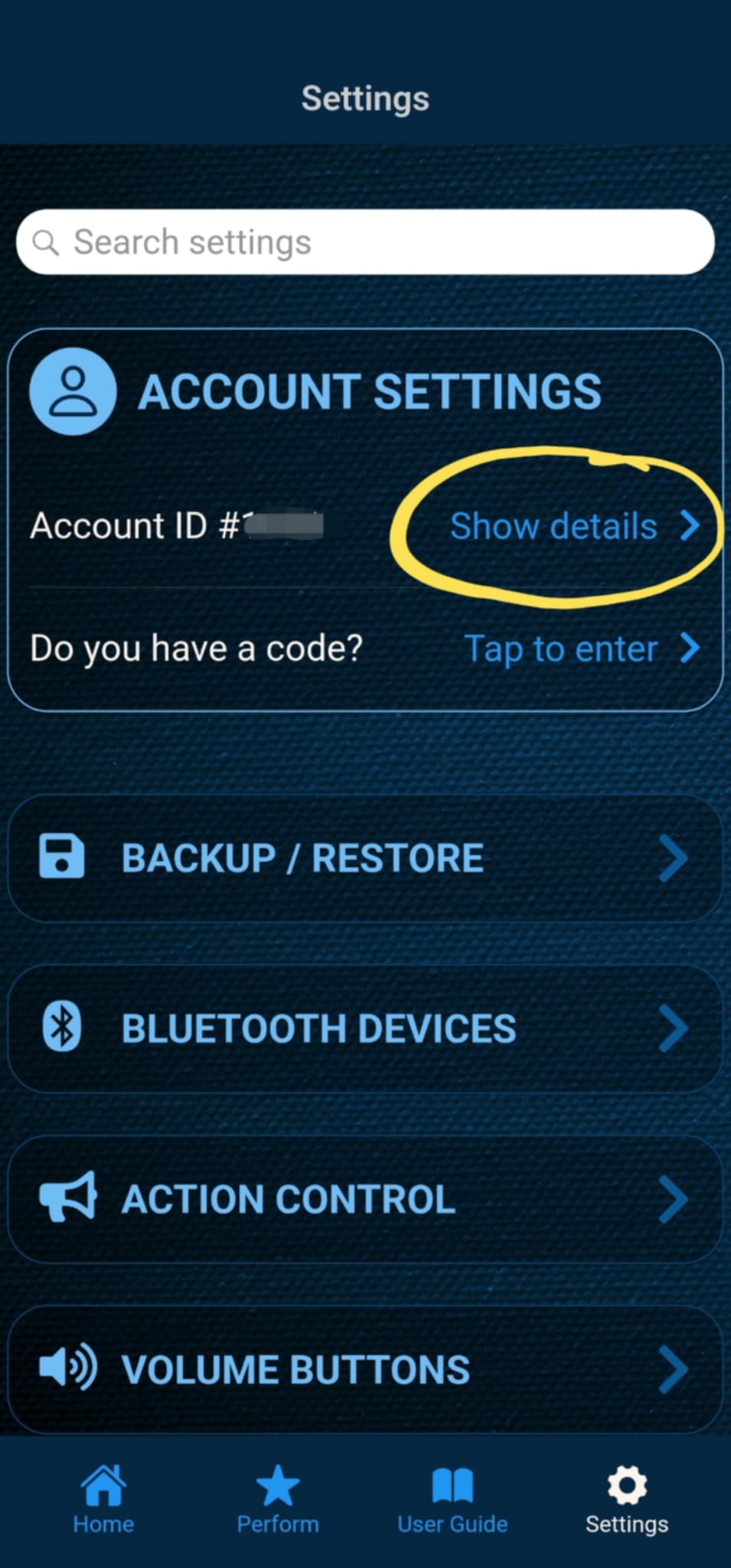
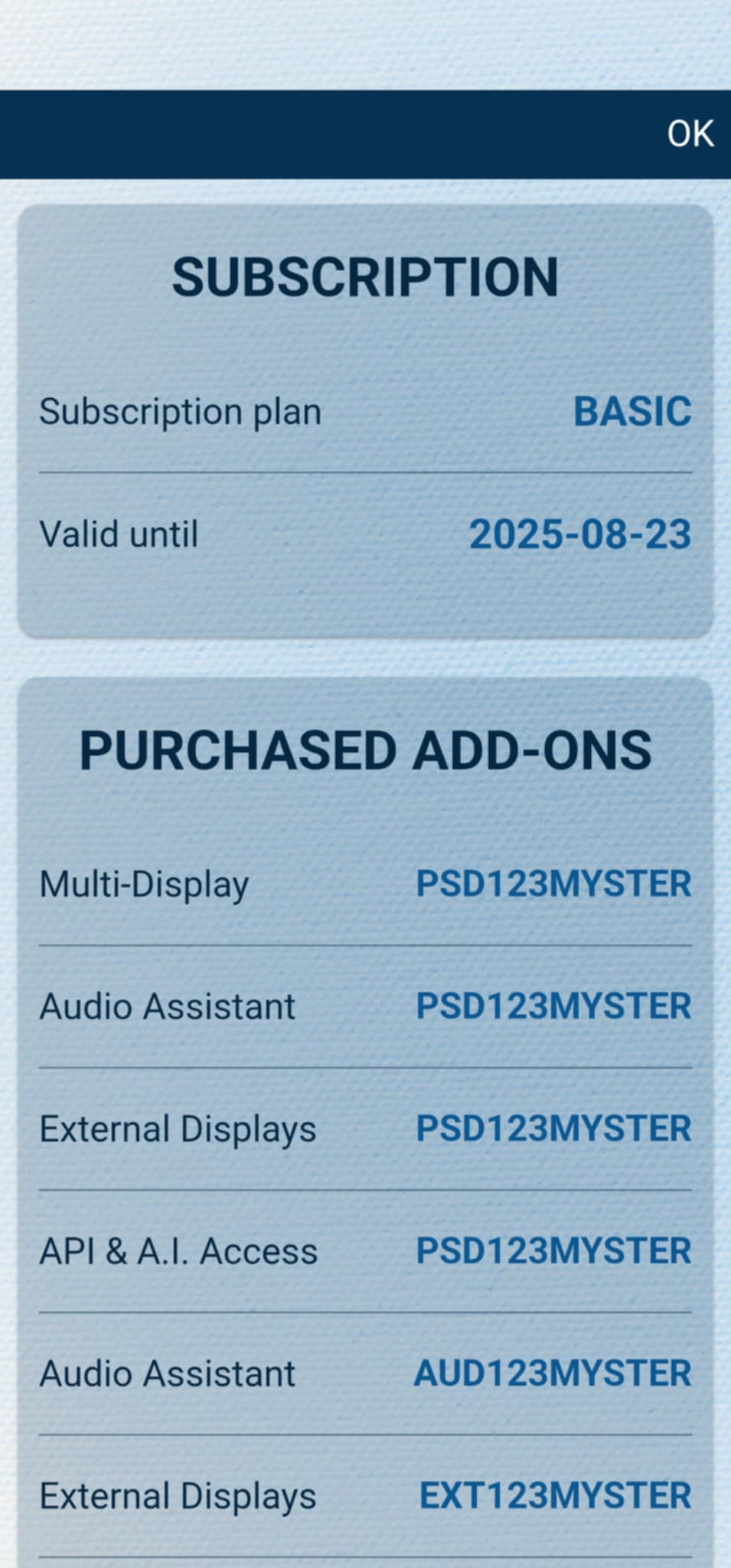
After the code is activated, you can check all your activated add-ons on your account details page. Just tap " Show details " under ACCOUNT SETTINGS, and scroll down to the PURCHASED ADD-ONS section. If you have an active MysterSmith subscription, you will have access to all the available add-ons.