Transformer add-on
The Transformer add-on is a premium feature for the MysterSmith app. The price of the add-on is currently 70 EUR (one time fee), but of course it's also included in all subscription plans (MINI, BASIC and PREMIUM).
With this add-on you can transform the texts you receive (a recognized handwriting, a WEB-polling result, a swipe or passcode input, an NFC tag...) into something else, and send the result to your devices or other apps. The add-on contains these features (in Settings → Transform / process):
- TEMPLATES — insert texts from the Text Buffer into your own sentences (action: text from template)
- A.I. TEXT PROMPTS — send texts from the Text Buffer to an A.I. engine: OpenAI GPT, Google Gemini or Claude (action: execute A.I. text prompt)
- A.I. IMAGE PROMPTS — let the A.I. draw a picture from your prompt: OpenAI GPT or Google Gemini (action: execute A.I. image prompt). The image goes to the black screen, the Doodle screen and the Image Buffer.
- DATE CALCULATOR — ??? days ago, ??? days until or days between two dates from the Text Buffer (action: calculate date difference)
- ACRONYM WORD LIST — makes a list of words whose letters spell the received text: built-in English engine, OpenAI GPT, Google Gemini or Claude, with a flexible or fixed letter position (action: generate Acronym word list)
Each of them has its own "Action after ..." trigger, so you can display, print or process the result automatically — see Triggers and actions.
A.I. prompts
The A.I. text and image prompts also need the A.I. Features add-on (and your API key — or the free Gemini calls of the subscribers).
Templates
You can insert text that you received via any input method (text recognition, WEB-polling, swipe input, passcode input, NFC reader etc.) into pre-made templates, and display the result on connected devices (or send it to other apps). Use the variables #TEXT (the last text), #TXT1..#TXT9 (from the oldest) and #LAST1..#LAST9 (from the newest), with !uc, !lc or !tc for UPPERCASE, lowercase or Title Case — see Variables.
Example: "In my dream I saw the #TXT1 in the hands of #TXT2."
A spectator picks any card and places it under the card box... another spectator writes the name of their favorite celebrity on a small notepad. Then you show them your handwritten prediction on a chalkboard: "In my dream I saw the 7♠ in the hands of Natalie Portman."
A.I. Prompts
Similar to templates, you can insert text from the Text Buffer into pre-made prompts, send it to an A.I. engine (GPT by OpenAI, Gemini by Google or Claude by Anthropic), and display the result on connected devices (or send it to other apps).
Example: "What is the zodiac sign of #TEXT? Please only reply the name of the zodiac, with all uppercase letters."
A spectator writes the name of their favorite celebrity on a small notepad (for example Brad Pitt). Then you show them your handwritten prediction on small, crumbled paper: "SAGITTARIUS"
Purchasing the Transformer add-on
If you don't want to subscribe for MysterSmith (to get all the available add-ons), you can also purchase the Transformer add-on for 70 EUR by clicking here:
bsmagic.app/order/?buy=transformer
You can pay using PayPal (PayPal account or credit card needed) or Stripe (credit cards, Apple Pay and Google Pay are accepted).


Activating your code
If you are a MysterSmith subscriber, the add-on is already activated for you.
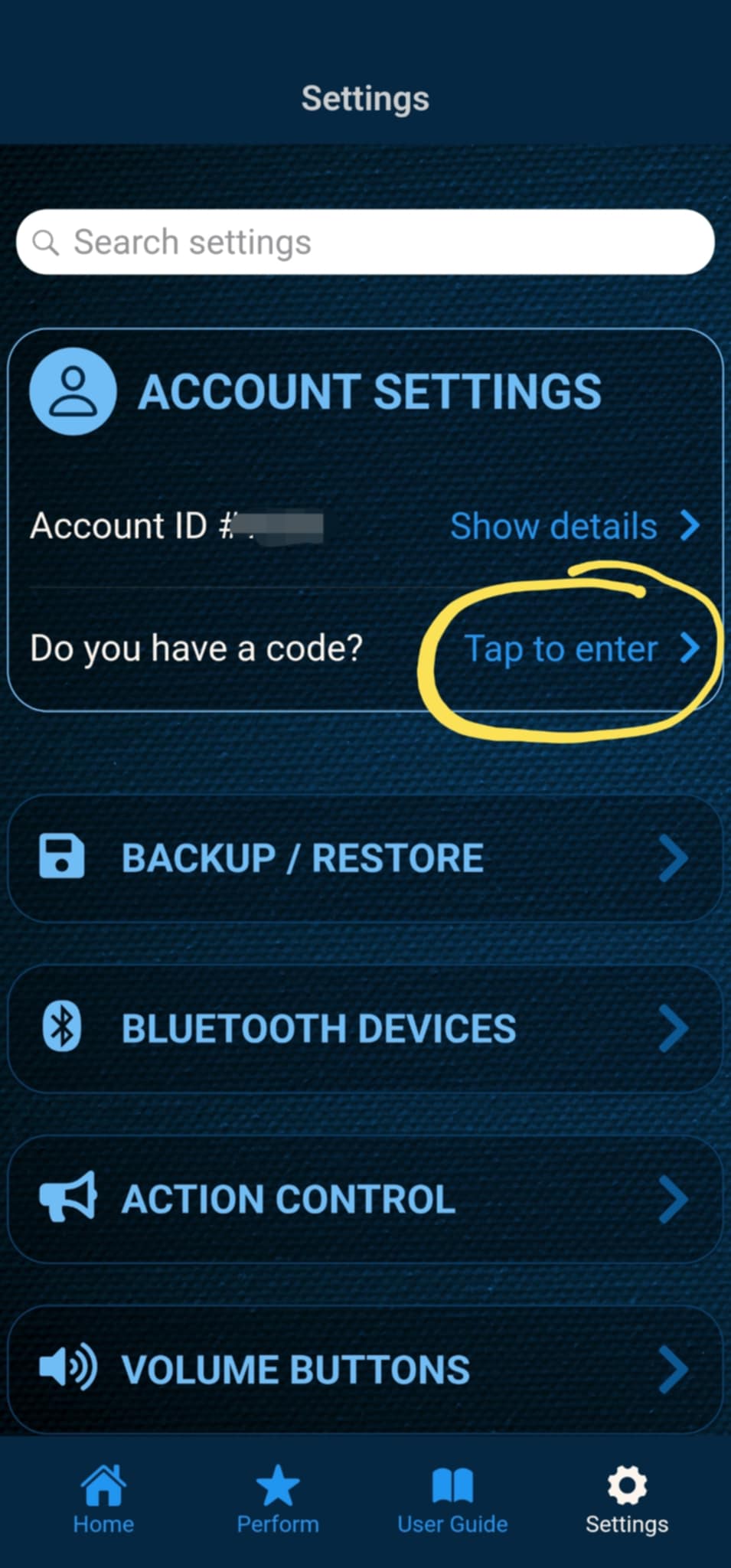
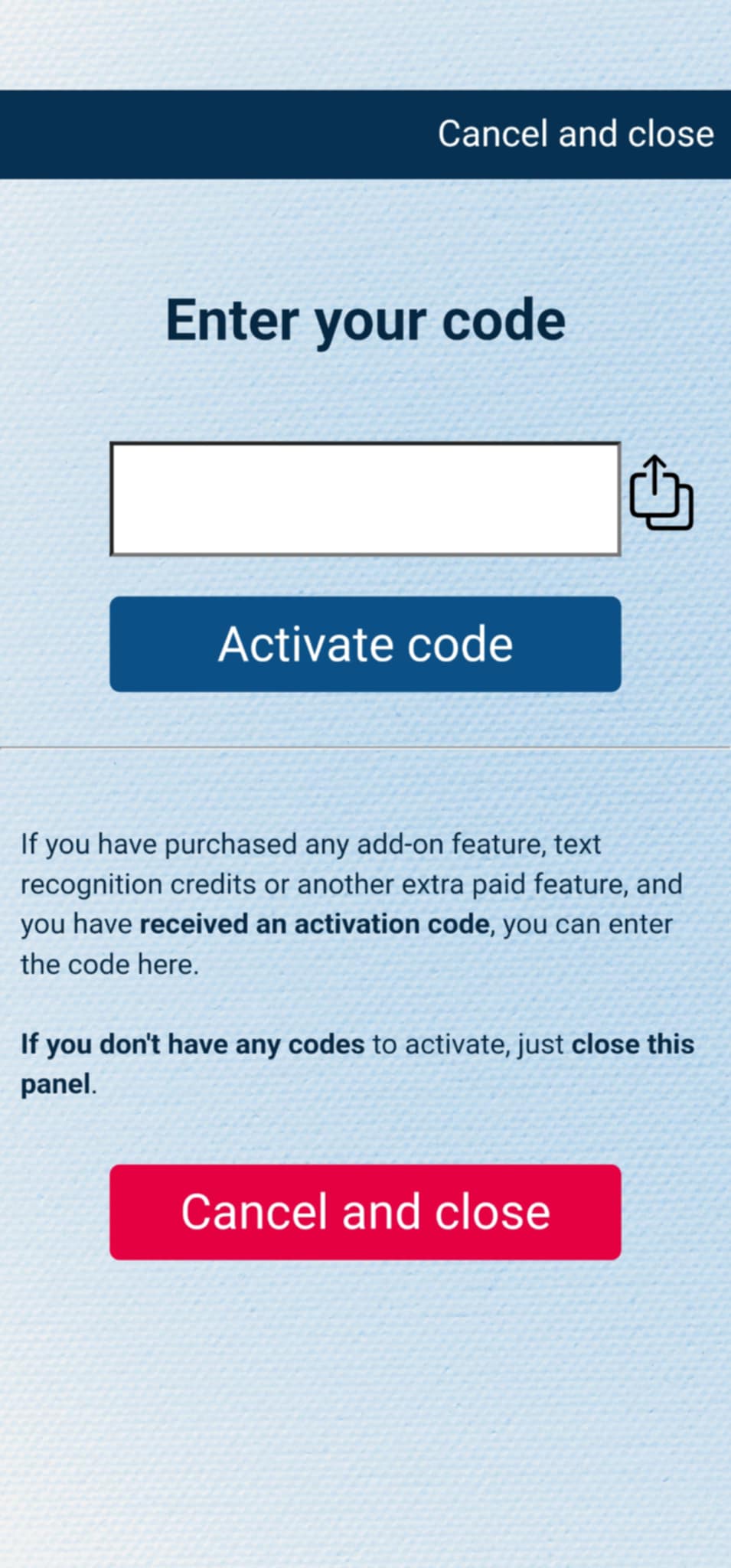
If you have purchased the add-on separately, or received the code as a gift, you can activate the code by entering it in MysterSmith, in the ACCOUNT SETTINGS section. Just look for the line " Do you have a code? ", and " Tap to enter ", and the code activation screen will pop up.
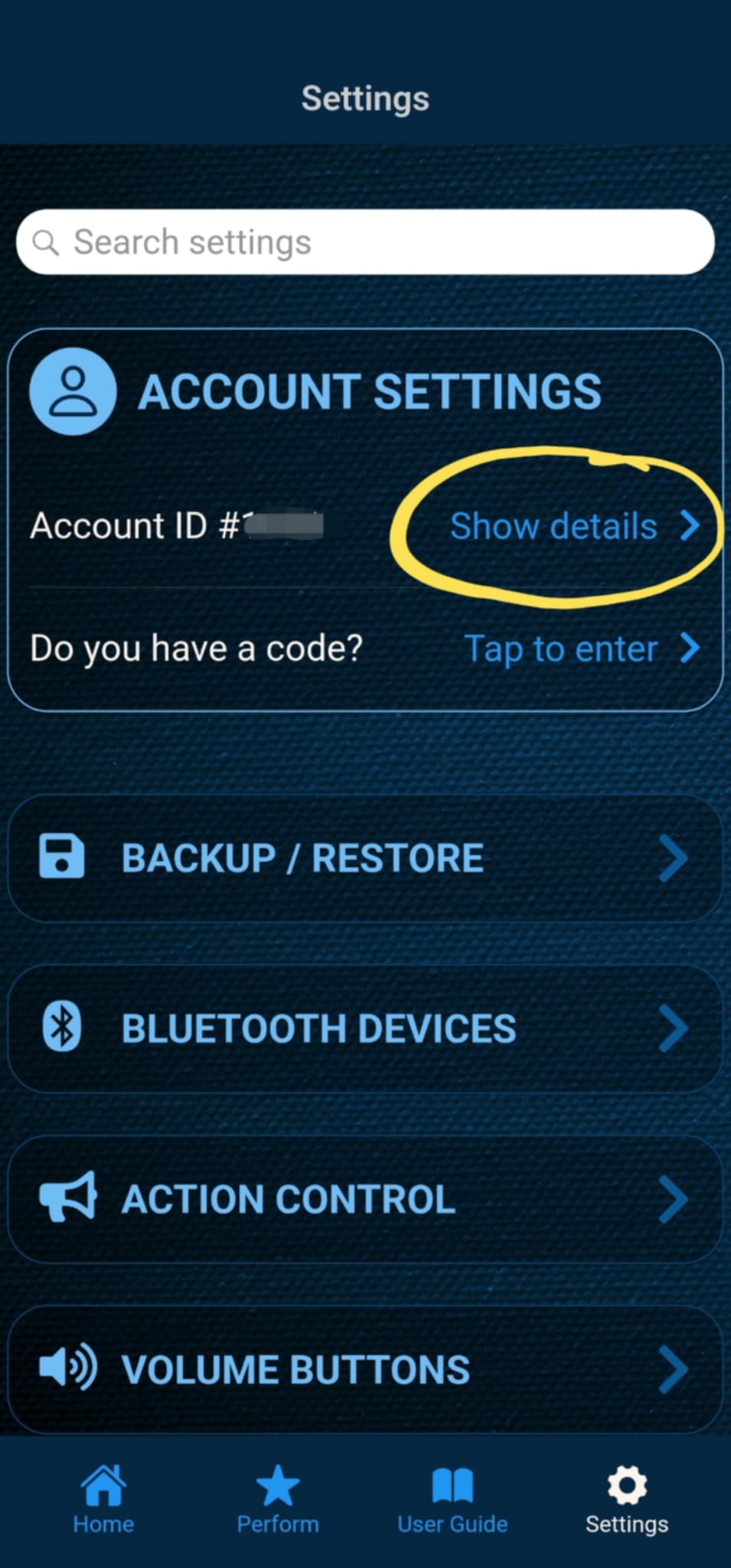
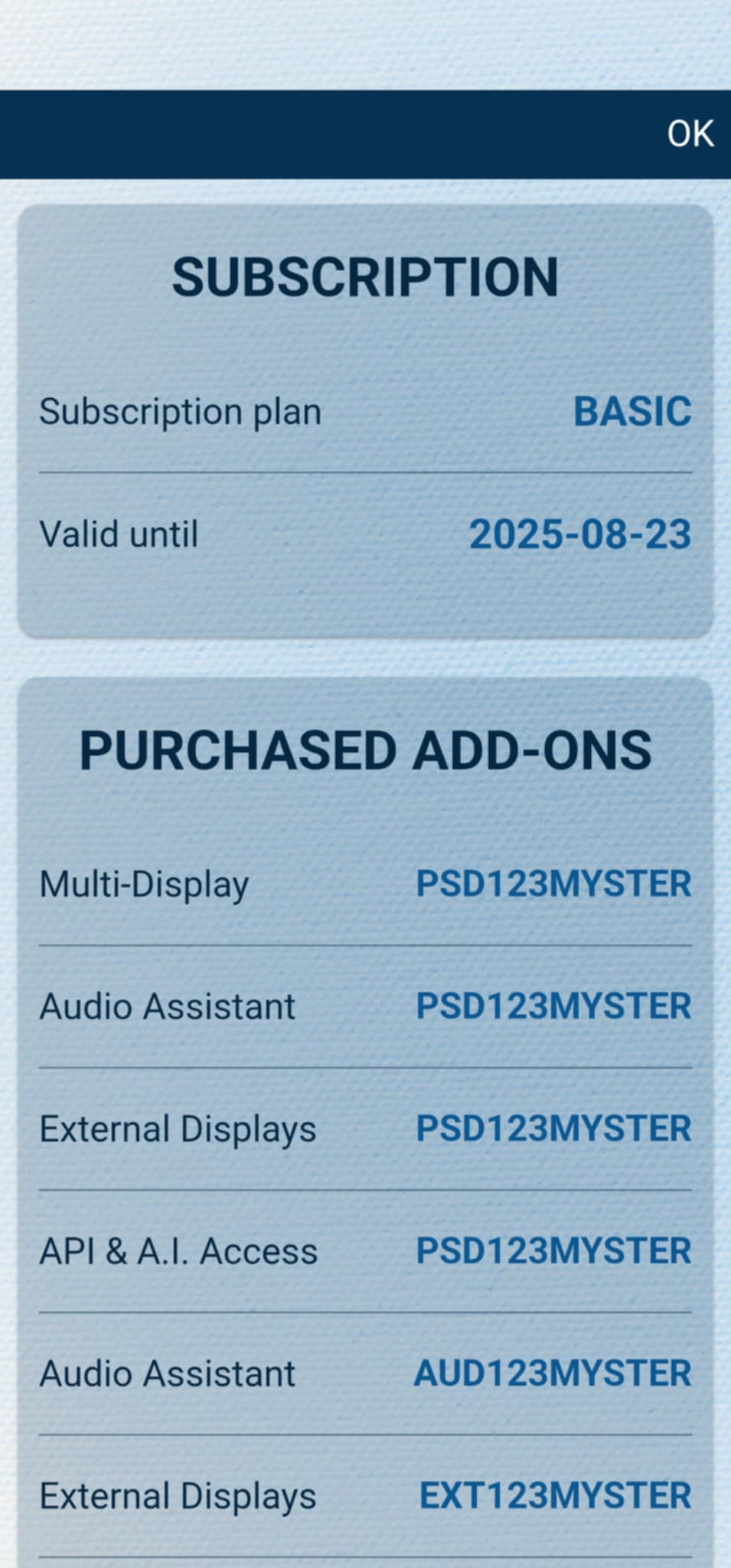
After the code is activated, you can check all your activated add-ons on your account details page. Just tap " Show details " under ACCOUNT SETTINGS, and scroll down to the PURCHASED ADD-ONS section. If you have an active MysterSmith subscription, you will have access to all the available add-ons.